Can You Run Two Routers? A Practical Setup Guide for Home
Explore whether you can run two routers, how to configure them safely, and best placement tips to extend coverage and improve reliability. A clear, step-by-step approach from WiFi Router Help.


Yes—you can run two routers to extend coverage, isolate guest networks, or segment traffic. The key choices are using the first router as the primary gateway and turning the second into an access point, or configuring the second router as a separate router behind bridge/NAT. With compatible hardware and careful placement, you’ll achieve a stronger, more reliable home network.
Can you get two routers: practical rationale for most homes
In many homes, the question can you get two routers is not about legality but about practicality. Two routers can help fill dead zones, support more devices simultaneously, and allow you to separate traffic—for example, keeping kids' devices on a separate network from smart-home gear. According to WiFi Router Help, the most important factor is a well-defined objective before you buy or configure anything. Are you chasing broader coverage, better streaming stability in busy rooms, or tighter security with guest networks? Once you know your goal, you can choose the right architecture and placement. Remember that two routers will add complexity, so the plan must balance cost, effort, and tangible gains. The overarching aim is to minimize interference, avoid double NAT pitfalls, and provide a smooth experience for gaming, video calls, and home automation across rooms. can you get two routers becomes a practical upgrade when you approach it with a clear goal and a solid wiring plan.
Can you get two routers: practical rationale for most homes
Tools & Materials
- Router A (primary)(Your current main router that connects to the modem)
- Router B (secondary)(Must support AP/bridge or be easily configurable as a second router)
- Ethernet cable (Cat5e or better)(For wired backhaul between routers when possible)
- Power adapters for both routers(Stable power helps avoid dropouts during configuration)
- Laptop or smartphone(Used to access admin pages, update firmware, and test performance)
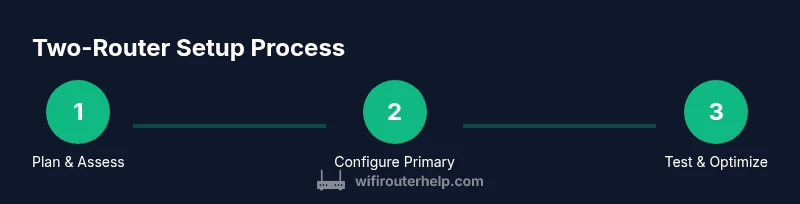
Steps
Estimated time: 45-90 minutes
- 1
Assess your current network
Document which rooms have weak signal, identify the speed delivered to devices, and note where buffering or dropouts occur. Check current firmware versions and login to the admin pages of both routers. This baseline helps you choose AP vs bridge vs second router mode.
Tip: Take screenshots of current DHCP ranges and wireless settings for easy rollback. - 2
Decide architecture and IP plan
Choose between (a) second router as an access point behind the first router, or (b) a true dual-router setup with separate subnets and careful NAT bridging. Plan an IP range that won’t clash with the primary router’s DHCP scope.
Tip: If you want a single network name, aim for AP or bridge mode; if you need separate networks, plan distinct SSIDs and subnets. - 3
Prepare the primary router
Log in to the primary router, reserve a static LAN IP for the second router or set a fixed DHCP range that won’t overlap. Decide whether you will enable Guest Network, QoS, and USB features, noting potential interactions with the second device.
Tip: Disable UPnP if you don’t need it across both routers to simplify configuration. - 4
Configure the second router
Set the second router to AP mode or bridge mode, depending on your chosen architecture. If you’re using AP mode, disable DHCP on the second device and assign a static LAN IP outside the primary DHCP range.
Tip: Use a wired backhaul if possible; wireless backhaul dramatically reduces performance. - 5
Test and tweak
Connect devices in dead zones and run throughput tests. Adjust channel selection to minimize interference, and confirm that clients seamlessly roam where possible. Document the results to guide future tweaks.
Tip: Check for double NAT symptoms (games or VPNs behaving oddly) and revert to bridge/AP if seen.
People Also Ask
Can I use two different brands for the two routers?
Yes, you can mix brands, but ensure they support bridging or AP mode and have compatible firmware features.
Yes, you can mix brands, but make sure bridging or AP mode is supported.
Will two routers improve internet speed for all devices?
Two routers don’t increase your ISP speed; they can improve local coverage and reduce contention, which helps in busy homes.
They improve local coverage, not your ISP speed.
Do I need a second internet plan for a second router?
No. A single internet connection can be extended by properly configuring a second router as AP or in bridge mode.
No extra plan is required when using AP or bridge mode.
What is bridging vs AP mode?
Bridging creates a single network by bypassing NAT on the second router; AP mode extends the same network with wired backhaul.
Bridge mode passes traffic through; AP mode extends the same network.
Is mesh Wi‑Fi better than two routers?
Mesh systems simplify roaming, but two traditional routers give you more control and may be cheaper for tech-savvy users.
Mesh is easier, but two routers offer more control and may be cheaper.
Watch Video
What to Remember
- Decide architecture first: AP vs bridge vs full dual-router
- Keep one DHCP server active to prevent conflicts
- Prefer wired backhaul for best performance
- Test coverage and adjust placement after setup