Spectrum Router vs Modem: Gateway vs Separate Devices
An in-depth, analytical comparison of Spectrum gateway versus separate modem and router setups, covering setup, performance, security, costs, and practical decision factors for homeowners and tech enthusiasts.


Overviews: For Spectrum subscribers, a separate modem and router generally offer more control and better long-term performance, allowing upgrades without replacing the whole unit. A Spectrum gateway (modem-router combo) is simpler to set up and manage for non-technical users, with fewer devices and fewer cables to juggle. It reduces potential conflicts between devices, simplifies firmware updates, and minimizes service calls.
Spectrum router vs modem: what’s at stake
In the home networking world, there are two broad paths when you connect to Spectrum: you can use a gateway device that combines a modem and a router in a single box, or you can deploy a separate modem plus a standalone router. The choice affects setup simplicity, customization options, upgrade flexibility, and long-term costs. The distinction between gateway and split setups is not merely about hardware; it influences where you control features like parental controls, guest networks, firmware updates, and troubleshooting steps. For readers of this article, spectrum router vs modem questions often come down to how much control you want versus how much ease you need. This guide will dissect the core differences and give you a practical decision framework.
Gateway vs separate devices: core concepts
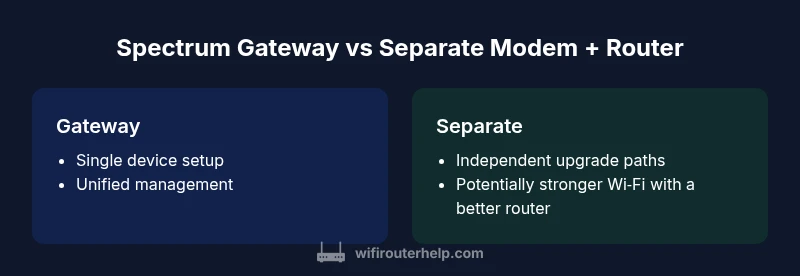
A gateway merges two essential networking roles into one device: a modem that communicates with your internet service and a router that distributes Wi‑Fi throughout your home. A gateway simplifies the stack by presenting a single point of management. In contrast, a separate modem plus router splits those roles, giving you independent hardware and software control. Benefits of a split setup include finer performance tuning, easier hardware upgrades, and potentially better coverage when using a high-quality router. Downsides include more cables, more configuration steps, and a higher chance of mismatches between devices.
When a gateway makes sense for Spectrum customers
If you prioritize simplicity and minimal setup friction, a gateway can be compelling. With a single device, you typically need fewer steps to get online, and routine tasks like rebooting or updating firmware become centralized. For households with basic internet needs or limited technical comfort, the gateway reduces the learning curve and can shorten service calls (where applicable). However, gateways often rely on the ISP’s firmware and may limit deep customization that power users crave. In many Spectrum-supported scenarios, a gateway provides adequate performance for typical activities such as web browsing, streaming, and light gaming.
When separate modem and router shine
A separate modem and router approach excels when you want maximum control. You can choose a router tuned for your home layout, optimize for coverage with mesh systems, and upgrade the router or modem independently as technology evolves. This path favors advanced settings (QoS, VLANs, port forwarding), better future-proofing, and the ability to swap in higher-performance units without changing the entire setup. For tech enthusiasts and larger homes with demanding traffic patterns, a split setup often yields more reliable performance and targeted improvements.
How Spectrum handles equipment: compatibility and activation
Spectrum supports both gateway devices and separate modem/router configurations. Activation typically requires connecting the device to the Spectrum network and following on-screen prompts. If you opt for a third-party router, you may need to enable bridge mode on the gateway or set the gateway to pass the public IP through to your router, depending on Spectrum’s current provisioning and firmware. It’s important to verify compatibility with your specific modem model and consult Spectrum’s official guidelines to avoid service interruptions during activation.
Performance implications: coverage and throughput (qualitative)
In practice, a gateway’s Wi‑Fi performance is closely tied to the single device’s capabilities. A capable standalone router paired with a good modem can offer stronger overall coverage, better signal consistency, and the flexibility to deploy a mesh network for large or multi-story homes. Gateways tend to be sufficient for many households, but dedicated routers frequently outperform them in high-demand scenarios like simultaneous 4K streaming, online gaming, and multiple smart devices simultaneously accessing bandwidth-intensive apps. The differences are often most noticeable in edge rooms with weak signal or where device interference is high.
Network customization and control
For users who want granular control, a separate modem and router provides deeper configuration options. You can tailor security settings, create advanced guest networks with separate bandwidth limits, and implement custom firewall rules. A gateway typically offers a consolidated management interface with essential features, which is simpler but less flexible. If you rely on features like explicit port forwarding, VPNs, or complex QoS rules, a split setup is usually preferable.
Setup and activation steps: gateway vs bridge mode basics
Gateway-first setup is straightforward: plug in the device, connect to the admin interface, and follow setup wizard prompts. When you introduce a separate router, you often enable bridge mode on the gateway so your own router handles routing duties. Bridge mode prevents double NAT, which can cause connectivity issues for certain games and services. If you keep NAT on the gateway, you may still benefit from basic features, but your own router’s functionality could be limited. Always consult Spectrum’s step-by-step guides for your specific model.
Security best practices and updates
Security is a core consideration regardless of the path you choose. Use strong, unique passwords for your Wi‑Fi networks, enable WPA3 where available, and keep firmware up to date on all devices. With gateways, some security features are bundled in the device; with separate devices, you gain flexibility to deploy independent security measures. Regularly review connected devices and disable any unused services. Consider enabling automatic updates on devices you own, and periodically audit port exposure.
Troubleshooting common issues and effective workarounds
With a gateway, troubleshooting often centers on the single device’s status indicators and logs. In a split setup, you troubleshoot at the device level: modem issues vs router issues. A common strategy is to isolate components: verify the modem’s status, confirm the router’s connection to the modem, and test with a wired connection to determine where bottlenecks occur. When problems persist, a factory reset of one device (while preserving essential settings) and reconfiguration can resolve many issues. Keeping a documented baseline configuration helps you recover quickly after resets.
Cost, value, and upgrade considerations
Cost dynamics differ between gateway and split setups. Gateways may come with rental fees if provided by Spectrum, while a split setup involves purchasing or leasing two devices. Over time, a split setup can offer superior value through upgrade flexibility—allowing you to upgrade a router or modem independently as your needs evolve. This decision is often driven by how much you value upfront simplicity versus long-term adaptability.
AUTHORITY SOURCES
- Federal Communications Commission (FCC): https://www.fcc.gov
- Federal Trade Commission (FTC) privacy and security guidance: https://www.consumer.ftc.gov/articles/0094-wi-fi-security
- Consumer Reports and tech publications for general networking guidance: https://www.consumerreports.org
Comparison
| Feature | Spectrum Gateway (Modem+Router) | Separate Modem + Router |
|---|---|---|
| Ease of setup | Single-device setup; minimal configuration | Two devices to configure; bridge mode may be required |
| Network customization | Unified control panel for simple features | Granular control over each device; advanced options available |
| Firmware control | ISP-managed firmware; updates automatic | Independent firmware control; more frequent updates from vendors |
| Troubleshooting | One device to diagnose; fewer variables | Separate fault isolation; more components to test |
| Upgrade path | Limited upgrades within gateway ecosystem | Independent upgrades for router and modem; flexible scaling |
| Cost over time | Possible rental or ongoing service fees | Upfront hardware cost; potential long-term savings |
Benefits
- Simplified setup for non-technical users
- Fewer devices and cables to manage
- Compact footprint with centralized management
- Lower immediate complexity for basic usage
- Faster onboarding for basic internet tasks
The Bad
- Less flexibility for hardware upgrades
- Potential ongoing rental costs if Spectrum provides the gateway
- Limited advanced customization compared to split setups
- Dependence on ISP-provided firmware and policies
Separate modem + router generally offers better performance and future-proofing; gateway suits simple, plug-and-play setups.
If you prioritize performance, customization, and upgrade flexibility, choose a split setup. If you want quick, uncomplicated internet with minimal fuss, a gateway is a solid, user-friendly option.
People Also Ask
Can I use my own router with Spectrum service?
Yes. Spectrum supports using your own router with a bridge mode or pass-through configuration to avoid double NAT. Check Spectrum’s guides for your specific modem model and router to ensure compatibility and proper setup.
Yes, you can use your own router with Spectrum by enabling bridge mode or pass-through as guided by Spectrum’s setup instructions.
What is the difference between a gateway and a router?
A gateway combines a modem and a router into a single device, offering simple setup. A router plus modem split gives you independent control and potential performance improvements, but requires managing two devices.
A gateway is a single device that handles both modem and router functions, while a separate modem and router keep those roles separate for more control.
Is bridge mode necessary when using a separate router?
Bridge mode is often recommended to avoid double NAT when you connect a separate router behind a gateway. If you skip bridge mode, ensure your chosen setup has compatible NAT and routing behavior.
Bridge mode helps ensure your own router handles routing without conflicts from the gateway’s NAT.
Will Spectrum rent equipment or allow third-party devices?
Spectrum may offer equipment rental for gateways, but many customers use third-party modems and routers. Availability and policies vary; consult Spectrum's current terms for your plan.
Spectrum sometimes rents gateways; you can also use your own devices depending on your plan and location.
How does mesh networking fit into Spectrum setups?
Mesh systems work well with either gateway or split setups. They improve coverage in larger homes, especially when one primary router is insufficient. Ensure compatibility with Spectrum-provided devices to avoid conflicts.
Mesh networks can extend coverage whether you use a gateway or separate devices, as long as they’re compatible.
What are best practices for securing a home network?
Use strong, unique passwords for every network, enable WPA3 if available, keep firmware updated, and regularly review connected devices. Disable unnecessary remote management features and limit ports exposed to the internet.
Use strong passwords, enable WPA3, update firmware, and review connected devices regularly.
What to Remember
- Evaluate your need for control versus simplicity
- Consider future-proofing when upgrading hardware
- Bridge mode is essential knowledge for split setups
- Weigh potential rental costs against upfront hardware purchases
- Security practices should follow device configuration choices