Access Point vs Router: A Practical Comparison
Explore when an access point beats a standalone router for home networks. This objective comparison covers scalability, coverage, setup, and long-term maintenance with practical steps and recommendations.


When you need broader coverage and reliable wired backhaul in a multi-room home, using an access point in place of a single router often yields better performance and scalability. This comparison highlights the key differences, practical setups, and when to choose an access point vs a router for steady, extended WiFi. In short, an AP strategy can be more future-proof for growing networks.
Why use an access point instead of a router
For many households, the question isn’t simply which device is better, but how to design a network that delivers reliable coverage from basement to attic. An access point (AP) is specifically designed to extend wireless coverage by connecting to a central network via wired backhaul or, in some cases, wireless uplinks. In contrast, a traditional router includes routing, NAT, firewall features, and often Wi‑Fi in a single chassis. This distinction matters when you’re planning for growth, interference-prone environments, or multi‑story layouts. According to WiFi Router Help, understanding the nuances behind why use access point instead of router helps homeowners plan for future expansion and avoid dead zones. The core question is practical: does your space justify additional APs and a centralized management approach, or is a single-router solution sufficient for today’s needs? If your space spans multiple floors with thick walls, drifts in signal, or a variety of devices, the case for an AP network strengthens. The broader strategy is to place APs where signals tend to deteriorate, then let the main router or a central controller manage security, SSIDs, and policies across the entire LAN.
If you’re aiming for consistent performance across a large home, an AP strategy reduces dead zones and enables centralized control. The decision point hinges on footprint and device density; a growing household typically benefits most from an AP-led topology rather than extending a single router’s reach. The practical takeaway is simple: while a router can be enough for compact spaces, APs shine when you expect growth, streaming, gaming, and smart-home devices to proliferate.
From a user experience perspective, the main advantage of an AP is predictability: the network behaves the same as you add more units, with less need to rearrange settings for every new room. This is especially true in homes with stone walls, multiple floors, or sizable square footage where a single device cannot maintain signal strength everywhere. By focusing on placement—typically high on a central wall or ceiling—you maximize coverage without sacrificing performance. The broader strategy is to place APs where signals tend to deteriorate, then let the main router or a central controller manage security, SSIDs, and policies across the entire LAN.
Comparison
| Feature | Access Point | Router |
|---|---|---|
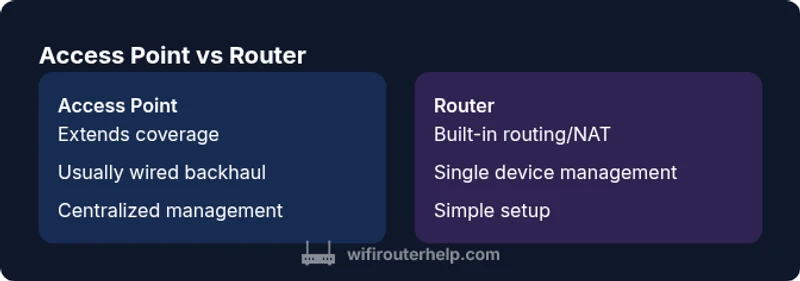
| Primary role | Extends existing network coverage with wired backhaul; centralized management enables multi‑AP setups | Creates a new network with built‑in routing, NAT, and basic Wi‑Fi |
| Backhaul method | Wired Ethernet is preferred; wireless uplinks possible but may reduce stability | WAN uplink from ISP (cable/DSL/fiber) into the router, which then handles routing |
| DHCP server | Often disabled on APs; DHCP and NAT are handled by the main gateway | Typically provides DHCP and NAT for its local network |
| Network management | Centralized or controller-based management when multiple APs are used | Inline management on a single device; limited multi-device coordination |
| Scalability | High scalability with additional APs and central policy enforcement | Limited by single device; adding more networks can complicate routing |
| Security features | Unified security policies via controller; VLANs and guest networks are common with centralized control | Firewall, VPN, and basic Wi‑Fi security baked in; often less centralized for multi-device ecosystems |
| Best for | Large homes, multi-floor layouts, offices, or spaces needing seamless roaming | Small to medium homes or simple networks that don’t require expansion |
Benefits
- Easier to scale coverage by adding APs
- Better reliability with wired backhaul
- Centralized management simplifies policy enforcement
- Flexibility to place APs for optimal signal
The Bad
- Higher upfront cost and more hardware
- Increased setup complexity and planning
- Requires careful DHCP/VLAN configuration
- Wiring for wired backhaul can be intrusive in some homes
AP-based networks typically outperform router-only setups in larger homes or spaces with barriers.
Choose an access-point strategy when you need broad, reliable coverage and future growth. A router-only approach suits smaller spaces and simpler installations. The WiFi Router Help team recommends evaluating your home layout, device density, and desired roaming behavior before deciding.
People Also Ask
What is an access point and how does it differ from a router?
An access point extends wireless coverage by connecting to a main router or switch; it does not typically handle NAT or DHCP unless configured as a gateway. A router includes routing, NAT, DHCP, firewall, and often Wi‑Fi. The two devices can work together in a layered network.
An access point extends your coverage; a router handles routing and security. They can work together for better coverage.
When should I use an access point instead of a router?
Use an AP when your home has dead zones, thick walls, or multiple floors and you need consistent roaming. APs with wired backhaul provide stable performance as devices move between rooms.
APs are best when you need reliable, broad coverage across a large space.
Can I convert my existing router into an access point?
Yes, many routers can operate in AP mode by disabling NAT and DHCP, and connecting the LAN port to the network. In some cases, using a dedicated access point yields a cleaner, scalable setup.
Most routers can double as APs, but dedicated APs make expansion easier.
Do I need a controller for multiple access points?
A controller or a centralized management system simplifies coordinating multiple APs, ensuring consistent SSIDs and security policies. Some consumer-grade options offer basic central management without a dedicated controller.
If you’re growing, a controller helps keep everything in sync.
Will APs work with my existing ISP modem?
Most APs pair with any existing modem/router combo. Connect the AP to the router via Ethernet; ensure the AP is configured to work with your network’s SSID and security settings.
Yes, you can add APs to an existing setup—just plan the wiring.
What is PoE and why is it useful for APs?
Power over Ethernet (PoE) delivers both data and power over a single Ethernet cable, simplifying AP installation by reducing the need for wall outlets. PoE is especially convenient for ceiling-mounted APs.
PoE makes placing APs easier since you don’t need extra power outlets.
What to Remember
- Plan for space: larger homes benefit from APs
- Prioritize wired backhaul where possible
- Centralized management simplifies multi‑AP setups
- Expect higher upfront complexity with APs
- APs scale better for growing networks