Router vs Mesh: Key Differences for Home WiFi Networks
A concise guide on the difference between router and mesh, comparing coverage, performance, setup, and cost to help homeowners choose the right home network.


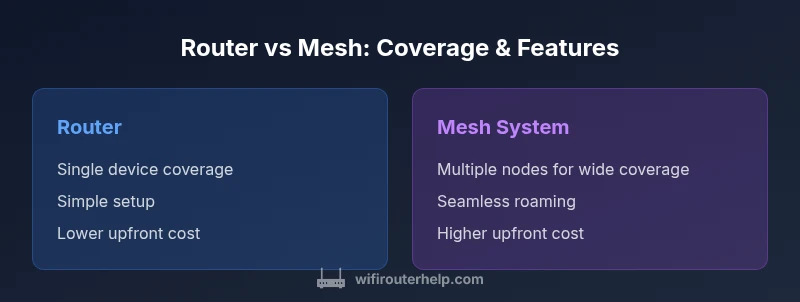
TL;DR: The difference between router and mesh is how they cover your space. A single router is typically enough for small homes, offering straightforward setup and lower cost. A mesh system uses multiple nodes to extend coverage across larger homes or tricky layouts, delivering more uniform performance but at higher upfront cost.
Understanding the difference between router and mesh
According to WiFi Router Help, the difference between router and mesh centers on coverage architecture and scalability rather than speed alone. A traditional router is a single network node that creates a local network and routes traffic to and from the internet. A mesh system, by contrast, disperses multiple interconnected nodes across your home, forming a single seamless network with backhaul communication between nodes. The practical upshot is not simply which device is faster, but how reliably and evenly your home is covered. In this context, the keyword difference between router and mesh is more about architecture than brand name or flashy specs. A router may be enough for compact spaces, while mesh shines in multi story homes, with thick walls, or long sightlines that create stubborn dead zones. The WiFi Router Help team emphasizes that the choice should hinge on space, layout, and future expansion goals rather than short-term speed projections alone.
Coverage, speed consistency, and the architecture that underpins them
To understand the difference between router and mesh, it helps to picture how each network is built. A conventional router creates one access point that serves nearby devices. If you move to another room, you may notice a drop in signal as you pass through barriers. A mesh system, however, deploys several nodes that talk to one another, forming a broader blanket of coverage. The nodes can auto align for minimal interference and provide a more uniform experience in areas far from the primary device. In practice, this means fewer weak spots, better reliability for streaming and gaming, and a more forgiving setup in homes with unusual floor plans or thick construction materials. It is not purely about raw speed; it is about how consistently that speed is delivered across the entire living space.
Setup and ongoing management: a single point vs multiple coordinating devices
When you compare router vs mesh in practice, setup complexity and ongoing management are key considerations. A standalone router typically requires a simple initial configuration and a single app for adjustments. A mesh system introduces a few more moving parts, but modern mesh platforms use centralized apps that simplify management across all nodes. For many homeowners, the mesh dashboard makes it easy to name rooms, manage guest access, and run speed tests from anywhere in the house. The trade off is that there are more devices to monitor and maintain, including firmware updates across multiple units. Overall, the difference between router and mesh in this regard is a question of whether you value one centralized control point or scalable, distributed control that grows with your home.
Use cases: practical scenarios for choosing router or mesh
Small apartments or compact homes with a single living space often justify a traditional router. It keeps setup fast, costs predictable, and reduces the number of devices to manage. For larger homes with multiple stories, thick walls, or open floor plans, a mesh system typically offers more dependable whole-home coverage and minimizes ceiling-to-floor handoffs that can slow down connections. In addition, if you have a lot of smart devices spread around a large home, or you frequently stream high-quality video in different rooms, mesh can help maintain a solid experience without constant repositioning of hardware. The key is to evaluate your space, existing internet plan, and the level of reliability you require for work, education, and entertainment.
Common misconceptions and pitfalls when evaluating router vs mesh
A common misconception is that mesh always outperforms a lone router. Performance depends on many factors, including how the network is laid out, the backhaul method, and the devices in use. Another pitfall is assuming more nodes automatically equal better performance; placement matters, and excessive centralization can cause interference if nodes are too close. Finally, some buyers assume more expensive equals better for every home. In reality, a well placed, cost-conscious router can outperform a poorly deployed mesh. The difference between router and mesh is less about price tags and more about how well the system matches your space and lifestyle.
What to look for: essential features and specs to compare
When weighing router versus mesh, focus on coverage goals, backhaul options, and management features. Look for devices that support flexible backhaul (Ethernet or high-quality wireless links), robust security features, and easy guest network management. For mesh, check that nodes offer reliable inter-node communication, simple setup through a single app, and scalable performance as you add more units. For a router, verify that it provides sufficient Wi-Fi bands, parental controls, QoS for prioritizing traffic, and future firmware support. In all cases, consider how the hardware handles interference, how easy it is to replace or upgrade components, and whether the ecosystem supports additional features like smart home integrations.
Detailed comparison by criteria: coverage, capacity, expansion, and long-term value
The central comparison criterion for many homeowners is how well a system covers the living space and handles peak demand. A bare router may deliver solid performance near the device but struggle in far corners. A mesh system distributes the load and maintains stability even as you roam through rooms, which is particularly valuable for households with many devices or simultaneous streaming. Capacity and expansion are also crucial: a router scales by upgrading the device, while mesh scales by adding nodes. Both choices should be evaluated against long-term value, including the cost of potential future upgrades, ease of management, and compatibility with current internet speeds.
Real-world scenarios and decision guides
Consider a two-story home with several thick walls. A single router might struggle to keep signals consistent through stairwells and bedrooms. A mesh setup with nodes placed strategically can reduce dead zones and improve overall reliability. In a smaller condo, a quality router with advanced features like QoS might be the simplest and most cost-effective choice, especially if your internet plan already provides strong coverage. If you plan to expand your home or install a lot of smart devices, a mesh system could be a prudent long-term investment that makes future upgrades straightforward.
Step-by-step checklist to decide and implement
- Measure your living space and identify anchor points for devices and potential dead zones.
- List your priorities: speed, coverage, ease of use, security, and budget.
- Choose the solution that best matches your space: router for compact spaces; mesh for larger layouts.
- Verify backhaul options and consider ethernet wiring if available to maximize mesh performance.
- Plan node placement for even coverage; avoid placing devices behind furniture or in closets.
- After installation, run tests in each room to verify speeds and adjust QoS rules as needed.
Security and updates: how firmware and protection compare
Security is a critical aspect of any home network. Routers and mesh systems both offer firewall protections, automatic updates, and guest networks, but the implementation may differ. Mesh devices frequently push coordinated updates across all nodes, which can enhance security but also requires dependable connectivity during updates. Routers depend on the firmware lifecycle of a single unit, which can be simpler to manage but may require manual updates for best protection. Regardless of the approach, enable automatic firmware updates and review security settings periodically to maintain a robust defense against threats.
Installation tips and optimization workflow after setup
After choosing router or mesh, start with a clean, organized layout to minimize interference. Keep the primary device central to the home and place mesh nodes in open spaces away from metal objects and thick walls. Run a speed test from several rooms, then adjust placement for the best balance of coverage and speed. Regularly check firmware, test guest network security, and document changes so you can reproduce a stable configuration if you relocate devices or expand the network.
Comparison
| Feature | Router | Mesh System |
|---|---|---|
| Coverage | Single-point coverage with potential dead zones | Expanded coverage via multiple nodes across the home |
| Signal Consistency | Higher variance as you move away from the device | More uniform signal throughout the space |
| Setup and Management | Simple setup; one device to manage | Centralized app manages all nodes for easy control |
| Expansion | Limited expansion without additional devices | Easy expansion by adding nodes |
| Backhaul Options | Typically wireless backhaul from the main device | Inter-node backhaul via wireless or Ethernet |
| Cost | Lower upfront for basic setups | Higher upfront with scalable expansion |
| Best For | Small homes, budget-conscious buyers | Large homes, coverage challenges, future growth |
Benefits
- Lower upfront cost for basic setups
- Simple management with a single device
- Mesh systems scale with your home and can improve coverage
- Modern routers and mesh platforms include strong security features
The Bad
- Potential dead zones with router-only setups in larger homes
- Mesh systems require paying for multiple units
- Placement and backhaul choices can affect performance
- More devices to monitor and update over time
Mesh generally wins for larger homes; routers can be sufficient for compact spaces
Choose a router if you have a small space and a tight budget. Opt for a mesh system when coverage across a larger area or multi-story layout is essential and you want an easier path to future expansion.
People Also Ask
What is the difference between router and mesh?
The difference between router and mesh is primarily about coverage strategy and scalability. A single router provides concentrated coverage from one point, while a mesh system uses multiple nodes to blanket a larger area with seamless handoffs. The choice depends on home size, layout, and future expansion plans.
Router is one device; mesh uses multiple nodes for broader coverage. The decision depends on your space and expansion needs.
Can I convert an existing router into a mesh system?
You can upgrade by adding mesh nodes that connect to your existing router, but in many cases you’ll replace the router with a mesh hub for optimal performance. Check compatibility and ensure the mesh system supports your internet plan and home devices.
You can start with your current router and add mesh nodes, but consider replacing for best reliability.
Is mesh networking worth it for a small apartment?
For a small apartment, a quality router often delivers excellent performance at a lower cost. Mesh becomes attractive if you anticipate moving to a larger space or want effortless roaming across multiple rooms with consistent signal.
In a small space, a good router may be enough; mesh makes sense if you expect growth.
What is wireless backhaul in mesh systems?
Wireless backhaul is how mesh nodes communicate with each other to carry data across the network. It can affect speed and reliability; some systems also support Ethernet backhaul for the strongest performance.
Nodes talk to each other to share data; Ethernet backhaul can be the best option when available.
Are mesh systems more secure than traditional routers?
Security features are generally comparable, with both options offering firewalls and guest networks. Mesh systems may push updates across nodes, which can improve protection, but it's essential to keep firmware current and use strong passwords.
Both can be secure; keep firmware updated and use strong passwords.
What is the typical cost difference between routers and mesh kits?
Costs vary by model and features, but, in general, a mesh kit has a higher upfront price than a single router. Consider long-term value, coverage needs, and potential future expansions when evaluating total cost.
Mesh costs more upfront, but it can save time and improve coverage in larger homes.
What to Remember
- Assess space before buying; size drives the choice
- Mesh scales with home growth; router stays simple
- Consider long-term costs, not just upfront price
- Prioritize network reliability for streaming and work
- Test placement and adjust for best coverage