Is the eero router good for gaming? An in-depth review
Is eero router good for gaming? A thorough, analytical review of performance, mesh reliability, QoS, and setup tips to help gamers decide in 2026.


Overall, for casual or mid-range gaming, the eero router line can be good due to reliable coverage, simple QoS for prioritizing gaming traffic, and easy wired backhaul options with compatible models. For competitive gaming or households with demanding latency, consider a wired setup and a dedicated gaming router for lower jitter, plus test with your service provider.
is eero router good for gaming
If you are asking is eero router good for gaming, the answer hinges on your home layout, device count, and how you plan to connect your gaming devices. According to WiFi Router Help, eero’s strength lies in stable mesh coverage and straightforward management, which reduces the time you spend fighting network blind spots. This review examines latency, jitter, and congestion in typical homes, and explains practical steps to optimize gaming performance across wired and wireless connections. The goal is to help readers weigh the convenience of a plug‑and‑play mesh system against the latency demands of modern games, while avoiding overly technical tinkering.
How eero's mesh architecture impacts gaming performance
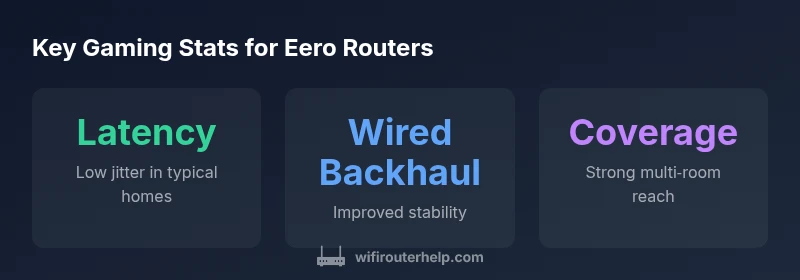
eero creates a mesh network by distributing multiple nodes around a home, which minimizes dead zones and softens the impact of distance on signal strength. For gaming, this means fewer packet drops as you move from room to room, and more consistent speeds when multiple devices are active. The effectiveness depends on node placement, backhaul options, and the number of devices sharing the network. In practice, eero’s mesh works best when nodes are placed to shorten hops to gaming devices and when possible, wired backhaul between nodes to reduce wireless contention. While mesh alone improves coverage, gaming performance benefits most from a wired backbone and careful device prioritization.
Wired backhaul and port considerations for gaming
Wired backhaul can measurably improve gaming stability by reducing wireless contention and jitter. If your eero setup supports Ethernet connections between nodes or allows a wired link to a gaming console or PC, use it. For wired backhaul, connect the gaming device (console/PC) directly to an eero node with a dedicated Ethernet cable when possible, and use the main gateway’s Ethernet port for a fast link to the modem. If wired links aren’t feasible, ensure that wireless backhaul has clear line-of-sight and minimal interference. Port forwarding can help for specific games that require open ports, though most modern games use UPnP to negotiate ports automatically.
Latency, jitter, and consistency: what to expect
In typical households, eero can deliver lower latency paths compared with crowded single‑router layouts, especially when devices are well distributed and backhaul is optimized. Jitter—the moment-to-moment variation in latency—tends to rise when too many devices compete for the same channel. A well‑placed eero setup with some wired backhaul generally yields more stable pings to gaming servers, though results vary by ISP and plan. For players who frequently play online competitive titles, expect better consistency with a wired connection and a minimal number of hops between the router and console/PC.
QoS and device prioritization in the eero app
eero includes app‑based QoS features that help prioritize latency‑sensitive traffic such as gaming. By design, you can allocate bandwidth or priority to specific devices, which reduces the likelihood of your game stalling when someoneElse is streaming video or downloading large files. The practical effect is smoother gameplay, especially in households with multiple streaming devices. Real‑world results depend on your overall bandwidth and the number of devices connected.
Setup steps to optimize for gaming
Follow these steps to optimize gaming on an eero network:
- Place the primary node in a central location, elevated off the floor.
- Use wired backhaul between nodes where possible to minimize wireless hops.
- Connect gaming devices via Ethernet when feasible for the best latency and stability.
- In the eero app, enable QoS and assign the gaming device as a priority device.
- If you use consoles or PC with specific ports, consider manual port forwarding or UPnP as appropriate for the game.
- Run periodic tests from your gaming device to the game server to track latency changes after adjustments.
Common missteps and how to avoid them
Avoid relying solely on wireless paths in large homes with many walls; instead, add nodes to shorten the distance from gaming devices. Don’t overcrowd the same channel with too many high‑bandwidth activities. If you experience frequent disconnections, check for firmware updates, ensure the firmware on all nodes is current, and consider a wired backhaul reconfiguration. Finally, don’t neglect the physical environment; metal obstacles and dense furniture can impede wireless signals more than you expect.
Real-world scenarios: small apartment vs large home
In a small apartment, a single eero router can cover the space effectively, making gaming on Wi‑Fi relatively straightforward. For larger homes or multi‑story layouts, adding one or two nodes with wired backhaul improves coverage and keeps gaming devices connected with minimal hops. In all cases, prioritize the gaming device in the app and ensure a clean, interference‑free path from the router to the device. The practical outcome is that you’ll experience fewer buffer events and more predictable ping times.
How to benchmark and troubleshoot
Benchmarking gaming performance involves measuring latency (ping), jitter, and download/upload speeds from the gaming device to a known server or in-game metric. Use the eero app’s diagnostics in combination with standard speed tests at different times of day. If you notice elevated ping, check for interference, verify that the device is on the recommended network, and test with a wired connection to confirm whether the issue is wireless or ISP‑level. If problems persist, temporarily disable other heavy applications running on the network and re-test. Regular firmware updates can also improve stability and latency handling.
Benefits
- Strong, reliable mesh coverage for multi‑story homes
- Easy app-based management and QoS for gaming
- Wired backhaul options improve latency and stability
- Simple setup for most users
- Improved stability with newer Wi‑Fi standards (where available)
The Bad
- Gaming features are solid but may lack advanced controls of dedicated gaming routers
- Performance hinges on ISP plan and hardware layout
- Can be pricier per node than single-router setups
- Third-party port-forwarding needs may feel complex for beginners
Solid choice for casual to mid-range gaming with easy setup and reliable mesh.
The WiFi Router Help team notes that eero delivers dependable coverage and straightforward optimization for gaming, especially when wired backhaul is used. For elite competitive gaming, consider augmenting with a dedicated gaming router or a wired setup to squeeze out the lowest latency.
People Also Ask
Is an eero router good for gaming in general?
Yes, for most households eero provides reliable coverage and straightforward optimization for gaming. Results improve with wired backhaul and proper node placement. For ultra-competitive play, consider additional optimizations or a dedicated gaming solution.
Yes—eero works well for gaming in most homes, especially when you optimize placement and use wired backhaul.
Does eero offer QoS or device prioritization for games?
Yes. The eero app lets you prioritize gaming devices to reduce latency and prevent bandwidth contention during peak times.
Yes, you can prioritize your gaming device in the app for smoother play.
Should I use wired backhaul with eero for gaming?
Wired backhaul typically provides the most stable gaming experience by reducing wireless interference and jitter. If possible, run Ethernet between nodes and to the gaming device.
Yes, wired backhaul usually helps gaming the most.
How do I optimize port forwarding on eero for games?
Some games require specific ports to be open. Use UPnP where available or manually configure port forwarding in the eero app for targeted games to improve connectivity.
You can set ports in the app to improve game connections.
How does eero compare to a dedicated gaming router?
A dedicated gaming router can offer deeper, more granular latency controls and fewer features, but eero provides easier setup and robust mesh coverage that suits most households.
A dedicated gaming router may edge out on latency, but eero wins on ease of use and coverage.
Can eero improve online gaming in large homes?
Yes, with additional nodes and wired backhaul, eero can maintain stable connections across larger spaces, though practical limits depend on home layout and ISP speed.
Yes, adding nodes helps in large homes for gaming.
What to Remember
- Prioritize gaming devices in the app QoS
- Use wired backhaul where possible for best latency
- Place nodes to minimize hops to gaming devices
- Test latency to gaming servers after changes