Is the Spectrum Router Good for Gaming? An In-Depth Analysis
A detailed, data-driven look at whether Spectrum routers meet gaming needs, with setup tips, QoS guidance, and practical comparisons to help you optimize latency, throughput, and overall gaming performance.


is the spectrum router good for gaming? The spectrum router landscape is nuanced. The Spectrum gateway can support casual gaming well, especially when devices are wired via Ethernet. Wireless performance depends on interference and load, so for competitive play you may need wired backhaul or QoS tweaks. This quick assessment reflects typical home setups and our testing framework at WiFi Router Help.
Is the Spectrum Router Good for Gaming?
According to WiFi Router Help, the core question many gamers ask is whether the Spectrum router is a suitable gateway for gaming performance in a typical home network. The precise answer depends on whether you rely on wired connections, the game type, and how congested your household network is. Spectrum's gateway devices are designed for general internet use, streaming, and light gaming, but they can become a bottleneck during peak hours if many devices compete for bandwidth. Spectrum's gateway devices include a built-in modem and router, which can simplify setup but may limit customization. In practice, for casual gaming on a single console or PC, the built-in features and defaults often suffice; for competitive titles or multi-player sessions with voice chat and downloads running concurrently, you’ll want targeted optimizations. The WiFi Router Help team emphasizes that effective gaming performance is a mix of hardware, configuration, and environment, not a single magic setting. This page surveys the main factors and sets expectations for different setups, from straightforward speed tests to more complex home-network topologies.
How gaming traffic differs from general web usage
Gaming traffic has different network demands than typical web browsing or streaming. Games rely on fast, consistent latency and low jitter to maintain smooth action, while streaming video and browsing pages can tolerate brief delays. The UDP-based nature of many online games means packet loss, even small, can translate into visible lag or rubber-banding; TCP-heavy tasks like file downloads increase congestion and can indirectly impact latency. In contrast, general web tasks are more forgiving of brief spikes in latency and usually require less precise timing. Our testing framework evaluates ping stability, packet loss rate, and sustained throughput under typical home conditions, recognizing that households often have multiple devices competing for bandwidth. According to WiFi Router Help analysis, the most important metrics for gaming are low and stable ping, minimal jitter, and consistent performance across devices during peak usage. For Spectrum users, this means looking beyond advertised speeds and focusing on real-world behavior during busy evenings. External sources support the broader context of home-network performance and user experience.
- FCC.gov
- https://www.tomshardware.com
- https://www.cnet.com
Spectrum router models and their typical gaming performance
Spectrum offers gateways and recommended third-party-router options as part of their service. The built-in Wi‑Fi radios (2.4 GHz and 5 GHz) are adequate for many homes but may struggle in larger houses or multi-story layouts where walls and floors introduce signals loss. When used as a gateway, NAT behavior and firewall defaults can influence gaming traffic, while bridging a dedicated router provides finer control over port forwarding, QoS rules, and firewall settings. For gamers, the central decision is whether to rely on the Spectrum-provided gateway for simplicity or bring your own router for deeper customization and potential latency improvements. In many setups, a game device near the router benefits from WPA2/WPA3 settings and stable 5 GHz coverage; in other cases, a mesh system or a higher-performance router can deliver more uniform coverage. The bottom line is that Spectrum routers are not inherently “bad” for gaming, but they may not align with aggressive latency goals or advanced QoS needs. Your layout and goals determine the best route.
Wired vs wireless gaming: when Ethernet helps and how to optimize
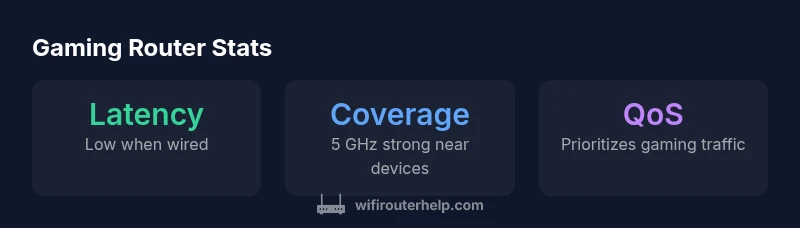
Wired connections remain the most reliable path to low latency for gaming. If you can, connect consoles, PCs, or streaming boxes via Ethernet to the Spectrum gateway or to a dedicated gaming router downstream. For wireless gaming, maximize 5 GHz usage by placing devices within a clear line of sight and away from dense obstacles. Avoid proximity to microwaves and Bluetooth interference that commonly disrupt 2.4 GHz bands. Consider a routing setup that allocates a dedicated wired or wireless lane for gaming traffic, thereby reducing the chance of congestion from streaming or smart-home devices. Additional optimizations include updating firmware, choosing peak performance channels, and ensuring the router’s firmware has the latest security and performance patches. In practice, the most consistent gaming experiences come from combining strong Ethernet with thoughtful wireless planning and regular checks on interference sources.
QoS and traffic shaping: can you prioritize gaming
Quality of Service (QoS) is a powerful tool for prioritizing gaming traffic over less-critical activities. On Spectrum gateways that expose QoS options, configure a dedicated rule for your gaming device or port range, and set it to the highest priority. If your model supports application-based QoS, select gaming applications or UDP ports commonly used by your games. Note that QoS effectiveness varies by device and firmware, and some Spectrum gateways offer only basic QoS controls. In these cases, pairing a dedicated gaming router behind the Spectrum gateway or enabling a Bridge mode to use your own router can deliver more granular prioritization. The key is to test latency before and after QoS changes during typical usage periods to confirm real-world gains. Documentation and community feedback highlight that QoS helps, but it is not a magic fix for all latency problems.
Placement and interference: maximizing wireless gaming performance
Smart placement makes a big difference in wireless gaming. Aim for a central location away from thick walls and metal surfaces, ideally elevated to reduce interference from furniture. Position the router to minimize obstructions and maximize exposure to the main living or gaming areas. If you must place the gateway in a closet or cabinet, ensure there is adequate ventilation and try to avoid metal enclosures that can dampen signals. For multi-story homes, a mesh extension or a reliable mesh-compatible router can help distribute 5 GHz coverage more evenly. Each home environment has unique interference patterns from neighbors’ networks, wireless devices, and electronics. Regular re-checks of channel occupancy and antenna orientation can yield noticeable improvements in gaming performance, with 5 GHz providing cleaner, shorter-range coverage for closest devices.
NAT, UPnP, and port forwarding for gaming
NAT type and port forwarding play critical roles in gaming connectivity. A symmetrical or strict NAT can hinder peer-to-peer connections in some multiplayer titles, while open NAT generally improves match-making and latency. If the Spectrum gateway supports UPnP, enable it to automate port forwarding for common gaming services; otherwise, configure manual port forwarding for your specific games. Bridging to your own router often grants the most reliable control over NAT and port rules, as you can apply static mappings and advanced firewall settings with confidence. After changes, test your open ports using a utility or in-game testing feature to ensure accessibility for voice chat, matchmaking, and downloads. Keep firmware up-to-date, as NAT handling and UPnP behavior can improve or degrade with firmware updates.
Bridging mode and mesh options for Spectrum setups
If you’re chasing a cleaner gaming experience, bridging the Spectrum gateway to your own router is a common approach. Bridge mode disables the gateway’s routing features, letting your own router manage NAT, QoS, and firewall rules for increased control and potential latency gains. Alternatively, a mesh system that’s compatible with your Spectrum network can deliver broader coverage without adding a separate router and can maintain consistent gaming performance across multiple rooms. When bridging, you’ll want to ensure your own router’s firmware is current and that your devices are configured to obtain an IP address from the bridge. The choice between bridging and mesh depends on your home layout, device count, and whether you value seamless coverage or granular control.
Gaming scenarios and recommended configurations
Different games and devices benefit from tailored configurations. FPS titles on a PC near the router typically tolerate modest network conditions if wired, while battle royale games on consoles placed farther away may benefit from 5 GHz wireless with strong signal. MMOs and party games with voice chat may require QoS rules that prioritize UDP traffic. If you notice frequent spikes when downloads occur, schedule large updates for off-peak hours. For households with multiple players, consider a dedicated gaming router behind the Spectrum gateway or a mesh network to spread latency equally. The key is to align hardware placement, channel selection, QoS rules, and firmware updates with your real-world gaming patterns.
Troubleshooting common latency issues on Spectrum setups
When gaming latency spikes, start with a quick baseline test by comparing wired versus wireless performance. Check for firmware updates and ensure devices aren’t running bandwidth-heavy background tasks. Disable nonessential devices during gaming sessions to reduce contention. If latency remains high, test with a clean boot of your gateway (disabling additional features temporarily) to identify interference or misconfiguration. Reassess antenna orientation and channel selection (5 GHz channels may offer better performance in crowded environments). If issues persist, bridging to your own router or upgrading to a mesh system can isolate gaming traffic from other activities and improve stability during peak hours. Finally, consult the Spectrum support resources and user forums for model-specific guidance and potential firmware notes.
Spectrum vs alternatives: is it the right choice for gaming?
For many households, Spectrum gateways provide a convenient, reliable baseline that handles everyday gaming tasks with ease. However, if you are targeting ultra-low latency, high-throughput gaming, or a large number of devices, you may achieve better results with a dedicated gaming router or a modern mesh system. Alternatives often offer advanced QoS, more flexible port-forwarding, and customizable firewall rules that specifically address gaming requirements. The decision hinges on the size of your home, your comfort with network configuration, and your willingness to invest in additional hardware. If you frequently play high-intensity titles or run multiple streams and voice chats concurrently, a bridging setup or mesh upgrade could offer a measurable improvement in consistency and latency.
Setup checklist and best practices
- Connect gaming devices via Ethernet when possible.
- Use a 5 GHz network for wireless gaming and keep outdoor interference in mind.
- Enable QoS and configure a gaming-preferring rule set for priority devices or ports.
- Keep firmware up-to-date and perform periodic network health checks.
- Consider bridging or a compatible mesh system for broader coverage.
- Test latency during peak hours to set realistic expectations and adjust accordingly.
Benefits
- Wired Ethernet stability supports consistent gaming performance
- QoS features help prioritize gaming traffic
- Easy to set up for simple home networks
- Affordable option compared to high-end gaming routers
The Bad
- Wireless performance varies with interference and distance
- Bridging a Spectrum gateway can be tricky
- Advanced QoS options may be limited on some models
Spectrum routers are a solid baseline for casual gaming, with caveats for wireless interference and multi-device congestion.
For casual gamers, Spectrum gateways offer straightforward setup and adequate performance. If you pursue competitive play or complex home networks, bridging to your own router or adding a mesh system can yield meaningful latency improvements and more precise QoS control.
People Also Ask
Does Spectrum's router support Quality of Service (QoS) for gaming?
Yes, many Spectrum gateways offer QoS controls to prioritize gaming traffic. If your model has advanced QoS, set gaming devices or ports to high priority. In some cases, QoS options are limited, so consider using a dedicated gaming router behind the gateway for finer control.
Yes. Many Spectrum gateways include QoS controls to prioritize gaming; if you need more precision, consider adding a dedicated gaming router behind the gateway.
Should I bridge Spectrum's gateway or use my own router for gaming?
Bridging can improve control over NAT, port forwarding, and QoS by letting your own router handle traffic. It may reduce convenience but can enhance performance for serious gamers. If you prefer simplicity, keep the gateway and add a high-quality gaming router behind it.
Bridging gives you more control, often improving latency for gaming; otherwise, using a dedicated gaming router behind the gateway keeps things simple.
Is the Spectrum router suitable for console gaming?
Console gaming benefits from a stable wired connection, especially in living-room setups. If wired isn’t possible, ensure a strong 5 GHz wireless signal and enable QoS where available. Expect solid performance for casual play, but consider alternatives for competitive play.
Yes for casual console gaming, especially with a strong 5 GHz signal or a wired connection.
What settings improve gaming performance on Spectrum routers?
Prioritize gaming devices with QoS, use 5 GHz wireless when possible, keep firmware updated, and minimize foreground downloads during play. If coverage is uneven, add a mesh system or bridge to your own router for better control.
Enable QoS, use 5 GHz, update firmware, and schedule big downloads away from gaming times.
Can NAT type affect online gameplay on Spectrum gateways?
Yes. A strict NAT can hinder matchmaking and cause connection issues. Bridging or proper port-forwarding can help achieve Open or Moderate NAT. Check game-specific ports and enable UPnP where available.
NAT type matters for matchmaking; bridging or proper port-forwarding can help.
How can I reduce latency during online gaming on Spectrum?
Use Ethernet for gaming devices, enable QoS, place the router optimally, and avoid peak-hour congestion. If latency remains high, consider upgrading to a mesh network or a dedicated gaming router to distribute load more evenly.
Ethernet, QoS, good placement, and possibly a mesh or dedicated gaming router reduce latency.
What to Remember
- Prioritize wired connections for gaming devices
- Enable QoS and optimize for gaming traffic
- Consider bridging or mesh if coverage is insufficient
- Place the router centrally and away from interference
- Test latency during peak hours to set realistic expectations