Is TP-Link Router Good for Gaming? A Comprehensive Review
Explore whether TP-Link routers deliver reliable gaming performance. This in-depth review compares models, setup tips, and pros and cons for gamers.


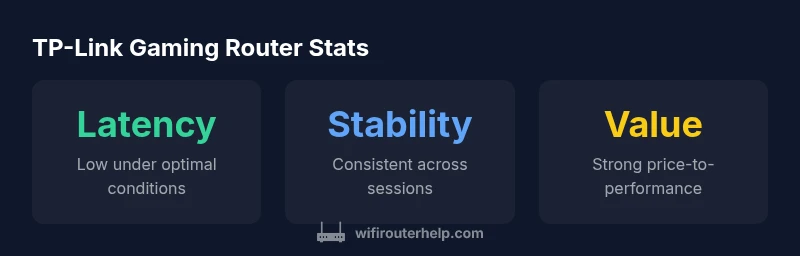
According to WiFi Router Help, TP-Link routers can be good for gaming when you choose a model with solid QoS, reliable wireless and wired options. In general, newer Archer models and gaming-focused features deliver low latency and stable connections, especially when used with a wired backhaul or a 5 GHz band. Results vary by model and firmware, so pick a mid/high-end TP-Link router for best results.
Why gaming latency matters and how routers influence it
For gamers, latency—the time it takes for a signal to travel from your device to the game server and back—directly affects responsiveness and feel. A router shapes latency through its hardware, firmware, and how it prioritizes traffic. In practice, even a top-tier modem and fiber connection can be hampered by a congested home network, crowded channels, or poorly configured QoS. The goal is to minimize jitter (variability in delay) and ensure the gaming device gets stable bandwidth when it needs it most. As you evaluate TP-Link, keep in mind that the brand offers a broad range of routers, from affordable options to higher-end gaming-oriented models. The WiFi Router Help team emphasizes testing real-world scenarios rather than relying on theoretical speeds alone, because games are highly sensitive to latency fluctuations.
TP-Link’s gaming-focused lineup and what it means for latency
TP-Link positions several lines for different budgets and needs, including Archer and Deco products. In gaming contexts, these models typically emphasize reliable wireless performance, QoS controls, and straightforward setup. Archer routers operate in the traditional router category with strong 5 GHz performance and configurable prioritization, while Deco mesh systems extend coverage to multiple floors or larger homes. For gamers, the value lies in models that offer robust hardware, easy-to-use QoS, and stable firmware updates. While TP-Link may not label every model as a “gaming router,” many of their current devices are well-suited for gaming when configured correctly and paired with a stable internet connection.
Core features that influence gaming performance
Several features correlate strongly with gaming performance, and TP-Link models commonly include them where it counts:
- QoS and traffic prioritization to protect gaming packets during congestion.
- Band steering and dual-band operation to keep gaming devices on the faster 5 GHz channel when possible.
- Stable wireless protocols (across Wi‑Fi 5/6) that improve throughput consistency in typical home environments.
- Reliable wired options (Gigabit Ethernet ports) for consoles and PCs when available.
- Firmware update channels that help maintain performance and security over time.
Understanding how these features map to your home layout is crucial. The goal is to maximize consistent latency and minimize jitter during peak usage or when multiple devices are streaming or downloading.
Testing TP-Link gaming performance: a practical approach
To assess a TP-Link router for gaming, run a controlled test routine that simulates common in-game conditions:
- Measure latency (ping) to a nearby game server during normal activity and during a burst of background traffic.
- Check jitter and packet loss under different channel/band conditions (2.4 GHz vs 5 GHz, wired backhaul if possible).
- Test with a gaming console or PC and a mobile device to understand how multiple devices impact the router’s performance.
- Compare wired vs wireless performance to quantify benefits of a direct Ethernet connection for latency-critical titles.
Document results for at least two TP-Link models you’re considering, then use the data to weigh trade-offs between cost, coverage, and latency.
Setup steps to optimize TP-Link for gaming
Follow these practical steps to squeeze more gaming performance from TP-Link devices:
- Update firmware to the latest release before changing settings.
- Enable QoS and set your gaming device to high priority.
- Prefer the 5 GHz band for gaming devices, and use wired Ethernet when possible.
- Use a fixed IP for the gaming device to stabilize QoS rules, and create simple firewall rules if needed.
- Position the router to minimize interference from microwaves and neighboring networks; avoid placing it behind thick walls or metal objects.
- If you have a mesh system, ensure backhaul is wired or that the backhaul channel is dedicated.
These steps aren’t just about peak speeds; they’re about delivering consistent, low-latency performance when you need it most.
Wireless vs wired: what to choose for gaming on TP-Link
For most competitive gaming, a wired Ethernet connection remains the cleanest path to the lowest latency and highest reliability. If you must go wireless, use the 5 GHz band with a direct line of sight to the router and minimize distance. In complex homes, a TP-Link mesh system can help, but ensure the backhaul doesn’t introduce extra hops or interference. Wireless performance depends on device capabilities, channel congestion, and firmware optimizations, so test both modes to decide what works best in your environment.
TP-Link vs competitors: how they stack up for gaming
Compared with some premium brands, TP-Link often offers strong value and broad product availability. In gaming scenarios, you’ll typically find solid QoS controls and straightforward setup, but some high-end gaming routers from other brands may provide more aggressive latency optimizations, more detailed per-device analytics, or more aggressive channel management. If you’re a casual gamer or on a tighter budget, TP-Link can be a very sensible choice. If you chase extreme, edge-case latency reductions, you might prefer a higher-end model from a gaming-focused line by another brand.
How to pick the right TP-Link model for gaming and common caveats
When choosing a TP-Link router for gaming, consider: the wireless standard supported (Wi‑Fi 5 vs Wi‑Fi 6/6E), the number of Ethernet ports, QoS capabilities, and firmware update frequency. A mid-range Archer or Deco model with strong QoS and solid 5 GHz performance is a good starting point. Caveats include the potential for firmware updates to change QoS behavior and the impact of your home topology on wireless coverage. Always verify model-specific features and read user reviews for real-world feedback.
Benefits
- Strong value for money across mid-range models
- Broad product range including routers and mesh systems
- Accessible QoS controls for gaming enthusiasts
- Solid 5 GHz performance in most recent models
The Bad
- Some affordable models have limited CPU/RAM headroom for heavy traffic
- Firmware updates can vary in frequency and timing
- Advanced features may be overwhelming for beginners
Best value for budget gamers who want reliable performance and straightforward setup
TP-Link offers compelling options for gaming within mid-range price tiers. While premium gaming routers may edge out in some latency optimizations, TP-Link models deliver solid QoS, good wireless performance, and broad coverage. If you’re prioritizing value and ease of use, TP-Link is a smart choice.
People Also Ask
Is TP-Link good for gaming overall?
Yes, TP-Link can be good for gaming, especially with newer Archer or Deco models that feature QoS and solid wireless performance. The best results come from models with a robust backend and active firmware support. Always test in your home before committing.
Yes, TP-Link is a solid option for gaming, particularly with modern Archer or Deco models that offer QoS and good wireless performance. Test in your space to confirm.
Do TP-Link routers support QoS for gaming?
Most TP-Link models include QoS controls that let you prioritize gaming devices or applications. How effective QoS is can vary by model and firmware, so enable QoS and test with your typical gaming traffic.
Most TP-Link routers have QoS to prioritize gaming traffic. Check the specific model and test it with your games.
What TP-Link model is best for gaming in 2026?
For 2026, look for mid- to high-range Archer or Deco models with strong 5 GHz performance and QoS features. Avoid the most budget lines if latency is a priority, and compare models in your budget range.
In 2026, mid- to high-range Archer or Deco models are typically best for gaming; compare within your budget.
Is wired Ethernet better for gaming with TP-Link?
Yes. A wired Ethernet connection generally provides the lowest latency and most stable performance for gaming. Use wired for consoles/PC where possible, and reserve wireless for mobile devices or secondary rooms.
Wired is usually better for gaming when possible, with wireless as a solid fallback for other devices.
Should I enable Game Boost or QoS on TP-Link?
Enabling QoS and setting your gaming device to high priority is a common best practice. It helps gaming traffic get precedence during network congestion, but always tailor settings to your actual usage and verify performance.
Enable QoS and prioritize your gaming device, then verify performance in your home setup.
How often should I update TP-Link firmware for gaming performance?
Keep firmware up to date to maintain security and performance improvements. Check TP-Link's support site and your router's UI regularly, especially after new game titles or console updates.
Regular firmware updates help keep performance and security up to date.
What to Remember
- Prioritize QoS-enabled TP-Link models for gaming
- Choose 5 GHz and wired connections when possible
- Test multiple models to compare latency and stability
- Keep firmware up to date for best performance
- Consider mesh if you need broader coverage