How to Protect Your Router from Lightning: Practical Steps
Learn practical, step-by-step ways to protect your router from lightning and power surges. This guide covers surge protection, grounding basics, and safe storm practices for home networks.


According to WiFi Router Help, the goal is to protect your router from lightning by preventing power surges and static discharge from reaching your device. Key steps include using a high-quality surge protector with metal-oxide varistor (MOV) ratings, unplugging the router during storms, grounding the network where possible, using a weatherproof enclosure for outdoor equipment, and keeping line cables away from surge-prone paths.
Why lightning protection matters for home networks
Lightning storms are dramatic, but the real damage often comes from power surges that ride along the electrical grid and outer cables into your home. Even if a strike doesn’t hit your house directly, nearby strikes can send voltage spikes onto the grid that slip through your power strip or coax lines to your router. The WiFi Router Help team emphasizes that routers and modems rely on a small, sensitive power rail; damage can occur at entry points even if the device seems fine after the storm. WiFi Router Help analysis shows that most damage originates at three entry points: AC outlets, coax and Ethernet cables, and the wall jack that feeds your service. Over time, repeated surges can degrade the power supply, memory, and wireless radios, leading to reboot loops, reduced range, or intermittent drops. For homeowners, the takeaway is simple: adopt layered protection that addresses the power path and the signal path. Start with a solid surge protector on every outlet the router uses, pair it with a battery backup if possible, and use protective line devices for any cables entering the building. Finally, give outdoor installations their own weatherproof housing and make sure outdoor equipment is bonded to your home's grounding system. The goal is to divert or absorb spikes before they reach the router, while maintaining network availability during normal usage.
Core safeguards you can install at home
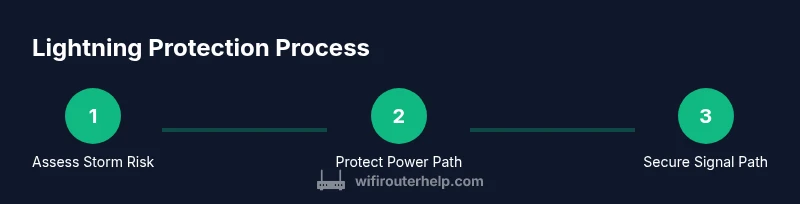
The simplest line of defense is to treat the router like any other valuable electrical device: protect it at the power path, protect the signal path, and physically shield it from the weather. Start with a UL-listed surge protector that uses a proper MOV-based protection scheme and is rated for the total load of your router and modem. Never rely on a cheap power strip alone. If you have critical connectivity or frequent storms, pair the surge protector with a UPS (battery backup) to ride through brief outages and absorb some surges. For outdoor or garage installations, use a weatherproof enclosure or shielded cabinet and ensure all openings have grommets to keep water and dust out. On the signal path, consider line protectors for coax and Ethernet that enter the building; these devices can clamp surges before they reach the router. Grounding and bonding is a separate, essential step: verify your home’s grounding system is intact and, if you have outdoor equipment, work with a licensed electrician to bond it to the structure. Finally, implement simple cable management to keep cables clear of power cords and reduce stress on connectors. By layering these protections, you reduce the chance of a damaging surge reaching the router during a storm and preserve network reliability afterward.
Protective enclosures and outdoor considerations
Outdoor routers or service points require a weatherproof, IP-rated enclosure to avoid direct exposure to rain, dust, and wind-driven debris. Choose enclosures with proper seals, ventilation, and cable glands that fit your coax and Ethernet entries. Position the enclosure away from ground-level water sources and mount it on a stable surface, ideally elevated to reduce moisture exposure. If your service line runs from outside the home to the router indoors, install a dedicated coax or Ethernet surge protector at the entry point to prevent surges from propagating inside. Bond the enclosure frame to the building ground if permitted, and follow local electrical codes. In all cases, keep the enclosure locked and label cables for easy maintenance. This physical protection complements electrical protection and can dramatically increase the longevity of network gear during severe weather.
Cable management and grounding best practices
Keep power cables separate from data cables to minimize interference and reduce the risk of a surge traveling along a data line. Use shielded Ethernet (Cat6a or better) or fiber where feasible, especially in damp basements or garages. Route outdoor cables through protected conduits and avoid running them through water-prone areas. Use labeled, low-visibility cable ties to keep lines organized and reduce strain on connectors. Grounding is critical: if you have a grounded electrical system, ensure all added protective devices are connected to the same earth ground; if you have external equipment, coordinate bonding with your home's grounding electrode system. Test your protections after storms by powering on devices and confirming normal operation. Finally, keep replacement surge protectors readily available and rotate older hardware out of service before they fail.
What to do during a lightning storm (step-by-step actions)
During a storm, your priority is to minimize exposed load and prevent surges from entering the house. First, unplug the router from the wall and disconnect any nonessential devices. If you must remain online, ensure the router is plugged into a surge-protected outlet and keep Ethernet or coax lines protected. If you have outdoor equipment, cover or unplug it and close the enclosure. Avoid touching network hardware during a storm to reduce the risk of static discharge. When the storm passes, wait several minutes before powering back up to avoid immediate re-surges; inspect gear for any signs of damage before re-enabling full service.
After the storm: checks and recovery
Once the skies clear, inspect all gear for physical damage: scorched outlets, melted plugs, water intrusion, or cracked casings. If you notice any damage, replace affected surge protectors and, if necessary, the router power supply. Reconnect devices gradually, starting with essential equipment, and run a quick connectivity test on both wired and wireless connections. Confirm that the protection devices are still providing proper coverage and consider upgrading any older surge protection that may have degraded. Finally, review your storm plan and update placements if you encountered any weak points during the incident.
Tools & Materials
- UL-listed surge protector with MOV protection(Choose a unit that covers all outlets feeding router/modem and is rated for the total load)
- Uninterruptible Power Supply (UPS) or battery backup(Provides temporary power during outages and adds surge buffering)
- Weatherproof outdoor enclosure (IP-rated)(For outdoor router/modem placements; include grommets for cables)
- Line surge protectors for coax and Ethernet(Protects incoming service lines from surges)
- Grounding wire and clamps(Only install if you have proper grounding access; consult a licensed electrician)
- Cable management kit(Organizes power and data cables to reduce strain)
Steps
Estimated time: 15-60 minutes
- 1
Check storm forecast and plan
Review local weather alerts and identify which devices are critical for connectivity. Decide whether to unplug or shield equipment based on the storm’s severity and whether outdoor gear is involved.
Tip: Have surge protectors and an enclosure ready before the storm hits. - 2
Unplug and protect the power path
Before the storm arrives, unplug the router from the wall and, if possible, unplug other nonessential devices. If you must remain online, ensure the router is on a certified surge protector.
Tip: Unplugging reduces the risk of direct surge entering the router’s power rail. - 3
Install line protectors for incoming cables
When feasible, install surge protectors on coax and Ethernet lines that enter the building to clamp surges before they reach the router.
Tip: Do not install line protectors in parallel with the main power strip; keep paths separate. - 4
Use a weatherproof enclosure for outdoor gear
If you have outdoor equipment, place it in a properly rated enclosure with sealed cable glands and good ventilation.
Tip: Avoid placing enclosures in direct sunlight or near water sources. - 5
Check grounding and bond where safe
Verify that any outdoor equipment is bonded to the home’s grounding system and that grounding conductors are secure.
Tip: Consult a licensed electrician for outdoor grounding work. - 6
Test and restore after the storm
Power equipment back on in stages and check that wired and wireless connections are stable before returning to full use.
Tip: If you notice instability, replace damaged protection devices promptly.
People Also Ask
Can a router be damaged if it is unplugged but connected to coax or Ethernet lines during a storm?
Yes. Surges can travel along coax or Ethernet lines into devices even if the power cord is unplugged. Use line protectors for all entering lines and disconnect nonessential data cables if advised.
Yes. Surges can travel on non-power lines; protect all entry points and unplug data cables if advised.
Should I install grounding for indoor routers?
Indoor routers typically rely on the building’s grounding via outlets. Direct outdoor grounding is usually not necessary; consult an electrician if you have external antennas or service entry equipment.
Indoor routing mainly uses your wall outlet grounding; outdoor grounding needs professional advice.
Do UPS devices fully protect against lightning?
A UPS helps by buffering power and absorbing some surges, but it does not guarantee protection from direct lightning or all surge scenarios. It’s best used as part of a multi-layer approach.
A UPS helps with outages and some surges, but it isn’t a silver bullet against lightning.
Are shielded cables worth the extra effort for home networks?
Shielded Ethernet cables can reduce interference and improve resilience in cluttered environments, but ensure connectors and terminations are proper to avoid signal loss.
Shielded cables can help in tough environments if installed correctly.
When should I upgrade my router for better lightning protection?
Upgrade when you notice recurring failures, outdated hardware, or after a major storm event that damages protection gear. Modern models often include better shielding and ground-aware features.
Upgrade if you’ve had repeated damage or performance issues after storms.
Is it safe to attempt outdoor grounding myself?
Outdoor grounding involves electrical codes and safety risks. It’s best handled by a licensed electrician to ensure proper bonding and compliance.
Grounding outdoors is best left to a professional.
Watch Video
What to Remember
- Protect power and signal paths with layered defense
- Unplug during storms to minimize surge risk
- Use weatherproof enclosures for outdoor gear
- Grounding and line protection are critical
- Test and replace damaged protection promptly