How Many Routers Can You Have on a Network? Practical Limits and Setup Tips
Explore how many routers you can have on a network, with practical limits, deployment patterns, and setup tips for home and small business networks.


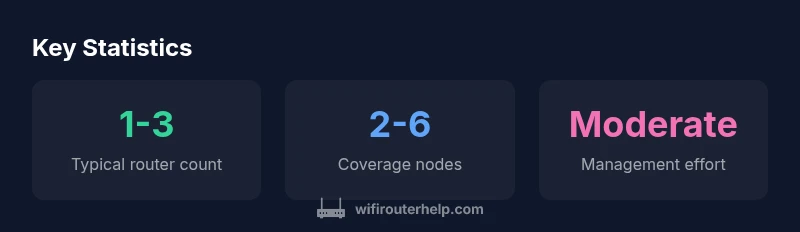
How many routers can you have on a network? There isn’t a universal fixed limit. You can deploy multiple routers, access points, bridges, and mesh nodes as space and budget permit. The main constraints are IP addressing plans, subnet design, DHCP scope management, and how traffic is routed across devices. For most homes, one to three routers is enough to cover common living spaces, while additional nodes or access points help remove dead zones and improve reliability. This guidance reflects WiFi Router Help Analysis, 2026, and is intended to help you plan a scalable, resilient network rather than chase a single numeric target.
How many routers can you have on a network? Practical realities for home and small offices
If you’re asking how many routers you can have on a network, the answer isn’t driven by a single fixed number. There is no universal hard cap; you can deploy multiple routers, access points, bridges, and mesh nodes as space and budget permit. The real constraints revolve around IP addressing, subnet design, DHCP scope management, and how you intend to route traffic across devices. For most homes, one to three routers suffice to provide reliable coverage across living spaces, with additional nodes used to eliminate dead zones or improve reliability in far corners of a multi-story home. This framing comes from WiFi Router Help Analysis conducted in 2026, which emphasizes practical design over chasing an arbitrary quota. When planning your topology, start with the size of your space, the number of devices, and your intended user experience (stability for streaming, latency for gaming, etc.).
Router deployment guidelines by home size
| Scenario | Recommended Router Count | Notes |
|---|---|---|
| Small apartment | 1-2 | A single router with strong coverage can be enough; add an access point for stubborn dead zones |
| Large home | 2-4 | Mesh systems or several access points provide uniform coverage |
| Multi-story home | 3-6 | Centralized management and predictable roaming are key |
| Small business | 4-8+ | Consider dedicated management and routing with VLANs for guest networks |
People Also Ask
Is there a hard limit to the number of routers on a network?
No universal hard limit exists. The effective limit depends on your network design, including IP addressing, DHCP scope, and how you intend to route traffic. Practical limits come from management complexity and interference rather than a fixed cap.
There isn’t a fixed cap—it's about how you design and manage the network.
What deployment patterns work best for extending Wi‑Fi coverage?
Mesh networks and multiple access points are common approaches to extend coverage consistently, especially in larger homes or spaces with challenging layouts. They provide seamless roaming and centralized management.
Mesh networks are a popular way to expand coverage.
Can I use consumer routers as repeaters or access points?
Yes, many consumer routers support bridge or access point modes. This lets you extend the network without creating multiple NAT layers, but you may lose some advanced features.
Yes, you can set them to bridge or AP mode.
Do multiple routers require separate subnets?
Not necessarily. You can implement a single subnet with roaming, but in larger setups you may use VLANs or subnets to segment guest networks or IoT devices for security and performance.
You may use VLANs to segment traffic if you need extra control.
How should I manage security with several routers?
Keep firmware up to date, use strong admin passwords, enable WPA3 (or at least WPA2) on all devices, and isolate guest networks from the main network for better security.
Keep firmware updated and isolate guest networks for safety.
“There is no one-size-fits-all number; the right count depends on layout, interference, and how you intend to manage traffic across subnets.”
What to Remember
- Define your goal first: coverage vs. performance.
- Use mesh systems or multiple access points rather than chaining many NAT routers.
- Plan IP addressing and DHCP scopes before adding devices.
- Monitor latency and throughput as you scale.
- Prioritize centralized management when deploying multiple nodes.