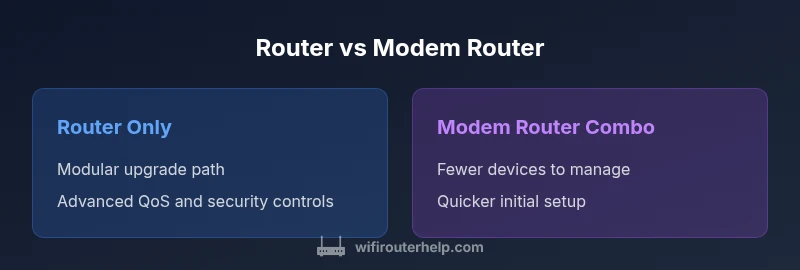
Router vs Modem Router: Which Is Right for Your Home Network?
Compare router-only setups with modem-router combos, covering setup, performance, security, and future-proofing to help homeowners choose the right solution for their home network.


Router vs modem router: for most homes, separating the modem from the router yields better performance and future-proofing, while a modem-router combo offers simplicity. According to WiFi Router Help, the best choice depends on your internet plan, device count, and desired control. This quick comparison outlines setup, speed, security, and cost trade-offs to guide your decision.
Router vs Modem Router: What’s the Difference?
At its core, a router directs traffic between your local devices and the wider internet, while a modem connects your home network to your Internet Service Provider (ISP). A modem-router combo combines both roles in a single box, whereas a router-only setup uses a separate router with a standalone modem. For homeowners, understanding the distinction between these two configurations is essential to achieve reliable coverage, scalable performance, and straightforward maintenance. According to WiFi Router Help, the choice often comes down to how much control you want over firmware updates, security features, and network settings. If you’re aiming for long‑term flexibility and the ability to upgrade individual parts, a separate router plus modem is typically the preferred path. However, if you value a simple plug‑and‑play solution for a smaller home, a modem-router combo can be sufficient.
How a Modem-Router Combo Works
A modem-router combo merges the bridge between your ISP and your home network into one device. This design simplifies installation—usually just power, coax/cable line, and a few on‑screen steps. The upside is fewer devices on the shelf, fewer cables, and generally easier troubleshooting for beginners. The downside is reduced upgrade flexibility: when a new Wi‑Fi standard arrives or you want more advanced features (eg. robust QoS, guest networks, or better parental controls), you may need to replace the entire unit rather than just upgrading a router. For many users with modest performance needs, the convenience of a single device outweighs the limitations.
Separating Router and Modem: When It Makes Sense
Keeping your modem and router separate gives you maximum control over performance, feature sets, and future upgrades. You can select a high‑end router with advanced QoS, tri‑band options, or Wi‑Fi 6/6E support, while choosing a compatible modem that matches your ISP and speed tier. This approach is especially beneficial in homes with multiple devices streaming in 4K, online gaming, or smart‑home ecosystems that demand consistent low latency. It also simplifies security management, since you can independently update firmware and enforce separate firewall rules on the router.
Key Features to Compare
When evaluating router vs modem router, compare hardware specs rather than make/model names alone. Look for: (1) Wi‑Fi standard (Wi‑Fi 5, 6, or 6E) and bandwidth; (2) dual-band versus tri-band capabilities; (3) processor speed and RAM for handling many simultaneous connections; (4) MU‑MIMO and beamforming for better coverage; (5) Quality of Service (QoS) features to prioritize gaming or video conferencing; (6) security features like automatic firmware updates, firewall options, and guest networks. A separate router generally offers more room to grow across generations of Wi‑Fi while the modem’s role remains fixed to the ISP connection.
Setup and Maintenance Implications
Modem-router combos simplify initial setup but often compress ongoing maintenance into a single device. You’ll rely on the ISP for firmware updates, which can mean slower access to new features. Separate devices let you schedule updates on the router on your preferred cadence and pick a modem with ongoing ISP compatibility. In addition, separating devices makes troubleshooting easier: you can isolate Wi‑Fi bottlenecks to the router rather than diagnosing both devices at once.
Performance Considerations by Use Case
For basic web browsing and light streaming, a modem-router combo can be perfectly adequate. If your household includes many devices, 4K streaming, online gaming, or video calls, a separate router often yields more consistent performance. In gaming scenarios, the router’s QoS settings can significantly improve latency by prioritizing game traffic, while the modem’s own capabilities set the ceiling for raw throughput. In multi‑user households, a capable router can manage simultaneous connections more efficiently than most combo units.
Security and Privacy Implications
Security is not optional in modern home networks. Separate routers typically provide stronger, more granular controls, easier firmware management, and clearer segmentation between devices. With a combo device, you rely on a single vendor for both modem and router security updates, which can slow down response times to emerging threats. Regardless of configuration, enable WPA3 if available, change default credentials, and regularly review connected devices. WiFi Router Help emphasizes maintaining a secure network posture as a first line of defense.
Compatibility and Future-Proofing
The pace of Wi‑Fi evolution means today’s fastest router may become tomorrow’s bottleneck. A separate router lets you upgrade only the router as new standards emerge, while leaving your modem intact as long as it remains compatible with your ISP’s service tier. Conversely, a modem-router combo locks you into a single box; when the device ages or the ISP updates their network, you may need to replace the whole unit to keep pace. Planning for future standards such as Wi‑Fi 6/6E can make a big difference in long‑term satisfaction.
Cost Considerations and Ownership
Total cost of ownership should account for upfront price, ongoing maintenance, and upgrade cycles. A basic modem-router combo often has a lower initial price and fewer devices to manage, but may require replacement sooner as you scale your network. A separate router and modem typically drive up upfront costs but can offer a longer upgrade horizon since you can swap the router for a better model without discarding the modem. Budgeting for firmware updates and potential ISP compatibility checks is prudent.
How to Choose in 7 Simple Steps
- List your devices and current speed tier. 2) Assess if you need advanced features like QoS or robust guest networks. 3) Decide whether you prefer a single device or modular components. 4) Check your ISP’s compatibility for standalone modems. 5) Compare Wi‑Fi standards offered by routers (6 or 6E). 6) Look at security features and updater cadence. 7) Estimate upgrade cycles and total cost of ownership over 5–7 years.
Common Myths and Misconceptions
Myth: A modem-router combo is always the simplest choice. Reality: it can become a bottleneck when you scale or want advanced features. Myth: You must have the latest Wi‑Fi standard to be future-proof. Reality: Real-world performance matters more than the label; a well‑chosen router can outperform a newer but slower device. Myth: Separate devices are only for tech enthusiasts. Reality: Most homeowners benefit from the flexibility of modular components when planning for growth.
Real-World Switching Steps: From Combo to Separate
If you decide to switch to separate devices, start by choosing a modem compatible with your ISP and speed tier, then pick a router with the features you need (e.g., strong QoS, multiple bands, and secure default settings). Disconnect the combo, set up the modem first, then configure the router with SSID, password, and security settings. Finally, test coverage in key rooms and adjust positioning or add extenders if needed.
Real-World Scenarios and Recommendations
Scenario A: You’re in a small apartment with a simple ISP plan. A modem-router combo provides straightforward setup and reliable coverage. Scenario B: You’ve got a large home with many smart devices and frequent 4K streaming. A separate router with a capable modem is the better choice for coverage and control. Scenario C: You want to future‑proof without changing every component. A modular approach lets you upgrade the router while preserving the modem. The WiFi Router Help team recommends assessing your space, plan, and tech goals to pick the right path.
Comparison
| Feature | Router only | Modem-router combo |
|---|---|---|
| Setup complexity | May require configuring both modem and router, good manuals help | Typically a single device with guided setup |
| Upgrade path | Upgrade router independently; modem unchanged if compatible | Upgrade whole unit when updating internet speed or features |
| Performance ceiling | Potentially higher with a stronger router and tailored placement | Limited by integrated hardware and firmware in one box |
| Security controls | Separate updates allow independent security tuning | Dependent on vendor’s update cadence for both modem and router |
| Reliability and troubleshooting | Isolate issues to router or local network easily | Troubleshooting may involve both components at once |
| Future-proofing | Greater room to adapt to new standards with a separate router | Limited by the bundled hardware and firmware cycle |
| Cost of ownership | Higher upfront cost for separate devices, potentially lower long-term costs | Lower upfront cost but more frequent changes for upgrades |
Benefits
- Greater flexibility to upgrade parts as needed
- Better long-term performance for busy homes
- Improved control over security and QoS
- Easier troubleshooting by isolating components
- Can reuse existing modem if compatible
The Bad
- Higher upfront cost due to multiple devices
- Slightly more complex setup and management
- More cables and power outlets needed
- Potential compatibility checks with ISP when choosing a standalone modem
Separate router and modem is generally the better long‑term choice.
For most households, modular components deliver stronger performance, more flexible security, and easier upgrades. Choose a combo only if you prioritize simplicity and have modest network needs.
People Also Ask
What is the key difference between a router and a modem-router?
A router directs traffic within your home network, while a modem connects your network to the ISP. A modem-router combo merges both roles in one device. The choice affects upgrade paths, security management, and future-proofing.
The router handles internal traffic, and the modem links you to the internet. A modem-router combo does both in one box, but limits upgrade options.
Should I use a separate router if my ISP provides a modem-router?
If you value control, better coverage, and easier upgrades, a separate router with your own modem is often preferable. If your needs are simple and you want quick setup, the ISP-provided combo can suffice.
A separate router gives you more control and future-proofing; a modem-router from the ISP is simpler to set up.
Can a modem-router combo support Wi‑Fi 6 or 6E?
Some modern combos offer Wi‑Fi 6 or 6E, but speed and features depend on the device. For best performance, a separate high‑end router paired with a compatible modem is often superior.
Some combos have Wi‑Fi 6/6E, but for peak performance you may want a separate router and modem.
How does QoS impact gaming on router vs modem router?
A capable router provides configurable QoS to prioritize gaming traffic, reducing latency. A combo box may offer QoS, but with less tuning flexibility.
A good router lets you prioritize gaming traffic, which helps with latency and stability.
Is it safer to use a separate router for security reasons?
Yes, separate devices offer clearer segmentation and more granular control over security settings. Regular firmware updates from the router vendor can also enhance protection.
More control and frequent updates on a separate router can improve security.
What signs indicate I should upgrade to separate devices?
Consistent buffering, slow device performance, frequent Wi‑Fi drops, or needing advanced features like guest networks often signal it’s time to upgrade to separate devices.
If you notice buffering or many devices struggling, upgrading to separate devices is worth considering.
What to Remember
- Assess your space and plan before buying
- Separate devices offer better growth potential
- Prioritize security features and update cadence
- Consider total cost of ownership over 5–7 years