How to Set Up a wifi mesh system: Step-by-Step Guide
Learn how to choose, install, and optimize a wifi mesh system for reliable home coverage. This step-by-step guide covers planning, placement, setup, testing, and security to eliminate dead zones and improve network performance.


With a wifi mesh system, you’ll replace a single router with multiple interconnected nodes to blanket your home in reliable WiFi. By the end of this guide you’ll be able to plan placement, perform a simple setup, and optimize coverage across multiple floors. You’ll also learn how to test performance and implement essential security settings to keep devices safe.
What a wifi mesh system is and when to use it
Modern homes with thick walls, multi-story layouts, or many smart devices can experience spots where the WiFi signal drops. A wifi mesh system addresses this by using multiple nodes that communicate with each other to deliver consistent coverage. Unlike a traditional single router paired with extenders, a mesh network presents a single network name and uses coordinated routing to optimize handoffs as you move through the house. This makes it ideal for large homes, open floor plans, or spaces with basements and attics. According to WiFi Router Help, a mesh system also simplifies management, updates, and guest access compared to a tangle of separate extenders. If you’ve recently upgraded to gigabit internet or added devices like smart TVs, gaming consoles, and work-from-home laptops, a mesh system can help maintain strong, reliable performance without frustrating buffering. The goal is not just speed but stable connectivity across every room. You’ll notice fewer dropouts and a smoother experience when streaming in high definition or conducting video calls from different rooms. When shopping, consider the number of nodes you’ll need, the type of backhaul, and whether the kit supports your preferred features like parental controls and QoS. The mesh approach aligns with best practices in home networking and scales as your needs grow.
How mesh networking works: nodes, backhaul, and management
A wifi mesh system relies on a main node connected to your modem and one or more satellite nodes that extend the signal. Each node communicates with the others to manage traffic, steer devices toward the strongest signal, and keep a single network name (SSID). The backhaul—the link that carries data between nodes—can be wireless or wired. Wired backhaul (Ethernet) typically provides the most stable performance, reduces congestion on the airwaves, and improves throughput for distant rooms. Modern mesh systems optimize routing in real time, so moving from the living room to the bedroom should feel seamless without manual reconnects. The system also centralizes management through a mobile app, which handles firmware updates, guest networks, and parental controls. In practice, this means fewer hiccups for streaming, video calls, and online gaming as you migrate from room to room. For households with mixed device types, a mesh network can prioritize traffic for work devices while still supporting smart home gadgets.
Planning and placement: maximizing coverage
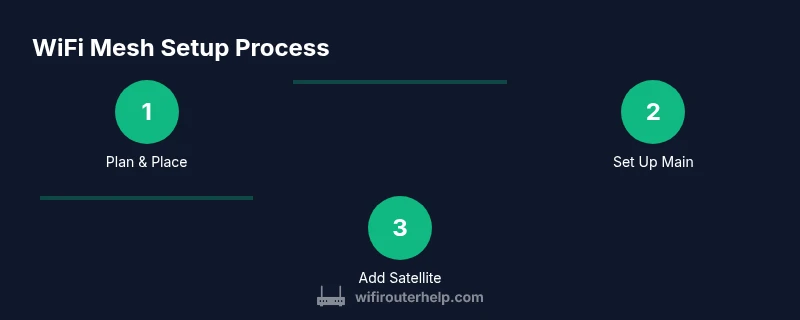
Effective placement is the backbone of a successful wifi mesh system. Start by mapping your home’s floor plan and noting areas with weak signal in existing WiFi. Place the main node near the modem, ideally in a central location away from thick walls or metal appliances. Satellite nodes should be spaced so that each one can hear the others with a clear line of sight or minimal obstruction. Elevation matters: place nodes on shelves or high furniture rather than inside cabinets. Avoid placing nodes behind large mirrors, appliances, or behind entertainment centers where heat and reflections can degrade signal. If your home has multiple floors, place at least one node on each level to ensure consistent roaming. For larger or irregular layouts, consider adding an extra node or two to eliminate pockets of dead zones. Finally, when you first set up, run a quick speed test in key rooms and adjust positions based on real measurements rather than estimates. This approach aligns with best practices in home networking and improves overall reliability.
Setup and configuration overview
Setting up a wifi mesh system is usually fast and app-driven. Start by unboxing and powering the main node connected to your modem, then follow the on-screen steps to add satellite nodes. The app will guide you through naming the network, choosing a password, and configuring security settings. If your kit supports a wired backhaul, connect the main node to the modem with an ethernet cable for best performance. The app also lets you enable guest networks, configure parental controls, and set quality-of-service (QoS) rules to prioritize work devices or streaming. While basic setups can be completed in under an hour, iterating with placement changes and speed tests will yield the strongest coverage. Throughout setup, keep firmware updates enabled so your mesh network benefits from the latest performance and security improvements. Remember to label each node or assign locations in the app to simplify troubleshooting and future upgrades. A well-planned setup will reduce subsequent tweaking and deliver a smoother user experience for all connected devices.
Testing, tuning, and troubleshooting common issues
After you’ve completed installation, test the mesh system by running speed tests in multiple rooms and checking device roaming. If you notice handoff delays or weak spots, try repositioning satellite nodes closer to problem areas. When issues persist, ensure the backhaul is functioning correctly—switching from wireless to wired backhaul, where possible, can dramatically improve stability. Check that the main node is not blocked by furniture and that there are no conflicting devices on the same channel. If devices intermittently drop offline, verify that firmware is up to date and that your network isn’t overloaded with too many active devices. In extremely dense environments, enabling a frequency band optimization or inter-node channel selection can help reduce interference. Keep in mind that some older devices may struggle with certain mesh networks; upgrading critical devices can offer a better overall experience. Staying patient during the tuning phase will pay off with robust, reliable coverage.
Security, maintenance, and future-proofing
A wifi mesh system should be treated like any other home network: keep firmware up to date, use strong unique passwords, and enable guest networks for visitors. Automatic updates help protect against vulnerabilities, while WPA3 encryption provides stronger authentication for modern devices. For households with kids or shared devices, enable parental controls to manage access times and content filters. If you plan to expand later, confirm that your mesh kit supports additional nodes or compatible backhaul options. Periodic checks of connected devices, network names, and security settings help maintain a safe and efficient network. As your home evolves—adding smart appliances, streaming devices, or work-from-home setups—a mesh network should scale gracefully, preserving performance without the need for a complete replacement.
Tools & Materials
- Mesh WiFi system kit (main node + satellites)(Choose a kit sized for your home’s square footage and number of floors.)
- Ethernet cable (cat6 or better)(Use for wired backhaul if possible.)
- Smartphone or tablet with vendor app(Needed for initial setup and ongoing management.)
- Power outlets for all nodes(Place in accessible locations away from heat sources.)
- Clear area for central placement(Avoid metal objects and thick walls directly surrounding the main node.)
Steps
Estimated time: 45-90 minutes
- 1
Choose your mesh kit and map the space
Select a kit sized for your home and plan node placement using a simple floor plan. Identify central areas and potential dead zones to guide node locations. This upfront planning reduces post-install tweaks and speeds up setup.
Tip: Use a rough floor plan and note the distance between rooms to estimate how many satellites you’ll need. - 2
Connect the main node to the modem
Plug the main node into the modem with a short Ethernet cable if wired backhaul is available; otherwise, power it and follow the app prompts to establish the primary network.
Tip: Place the main node in a central, elevated spot away from obstructions for best coverage. - 3
Add satellite nodes strategically
Power on each satellite and follow the app to add them. Position them to bridge gaps between the main node and problem areas, ensuring overlap for seamless roaming.
Tip: Aim for roughly equal spacing and avoid placing satellites behind large obstacles. - 4
Configure network name and security
Use the app to set a single SSID and strong password. Enable WPA3 if available, and turn on guest networking for visitors to protect your primary network.
Tip: Write down the network name and password in a safe place for quick reference. - 5
Run tests and fine-tune
Test WiFi coverage in key rooms with multiple devices. If signal is weak, adjust node positions and re-run tests until you achieve even performance.
Tip: Take notes of where speeds drop and reposition nodes accordingly. - 6
Enable maintenance features
Update firmware automatically, enable parental controls, and review connected devices periodically to ensure security and performance.
Tip: Set up alerts for firmware updates and new device connections.
People Also Ask
What is a wifi mesh system?
A wifi mesh system uses multiple interconnected nodes to blanket your home with WiFi, providing a single network name and seamless roaming across rooms. It’s designed to reduce dead spots compared with a single router and traditional extenders.
A wifi mesh system uses several connected devices to create one network that covers your whole home, so you can move around without losing connection.
Do mesh systems require ethernet backhaul?
Not always. Many mesh systems work over wireless backhaul, but using wired Ethernet backhaul improves stability and max throughput, especially in larger homes.
You can use wireless backhaul, but wired backhaul gives you the best stability.
Can I reuse my existing router with a mesh system?
Some mesh kits support bridge modes or IP passthrough to work with an existing router. Replacing your router with the mesh main node generally yields the best experience and simpler management.
Some setups let you keep your old router, but you’ll usually get better results by letting the mesh main node replace it.
How many nodes do I need for a typical home?
A typical mid-sized home often benefits from 2-3 nodes. Larger or multi-story homes may need more nodes to eliminate dead zones and preserve roaming quality.
Most mid-sized homes do well with 2 or 3 nodes; bigger homes might need more.
Is a mesh system better than a WiFi extender?
Yes for most homes. Mesh systems offer single-network roaming and easier management, while extenders can create separate networks and may cause dead zones if not placed correctly.
A mesh system usually provides smoother roaming and simpler setup than extenders.
What security features should I look for in a mesh system?
Look for automatic firmware updates, WPA3 encryption, guest networks, and optional parental controls to manage access and protect devices.
Choose a mesh system with automatic updates, WPA3, and guest networks for security.
Watch Video
What to Remember
- Plan space and node count before setup
- Prioritize central placement and optional wired backhaul
- Use a single network SSID for seamless roaming
- Keep firmware updated and enable security features