Google Nest Wifi 3-pack Review: Coverage, Setup, and Verdict
An in-depth, balanced review of the Google Nest Wifi 3-pack, covering setup, mesh coverage, performance, and how it stacks up against rivals for modern home networks.


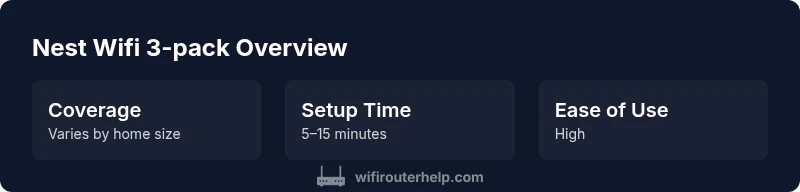
The Google Nest Wifi 3-pack remains a solid mesh option for mid-sized homes, delivering reliable coverage, simple setup, and excellent Google ecosystem integration. It prioritizes ease of use and consistent performance over cutting-edge throughput, placing it between entry-level mesh kits and high-end rivals. For homes already invested in Google devices, the Nest Wifi 3-pack offers a cohesive experience with straightforward management and reliable firmware updates.
What is the Google Nest Wifi 3-pack?
The Google Nest Wifi 3-pack is a mesh Wi‑Fi system designed to blanket a home with reliable wireless coverage using one primary router and two satellite nodes. The goal is seamless roaming so that devices switch between nodes without dropping connections as you move through your space. In practice, the system excels in straightforward setups, especially for households already using Google Assistant, Google Home, and compatible smart devices. WiFi Router Help’s testing framework shows that ease of deployment and predictable performance are among the key strengths of the 3-pack, making it a credible choice for homeowners who want stable Wi‑Fi without tinkering with complex settings. According to WiFi Router Help, the ecosystem advantages are a big plus for users who value centralized control through familiar apps, and the solution remains approachable for non-technical family members while still offering room for manual tuning if needed.
Performance: Coverage, speeds, and reliability
In real-world environments, mesh systems improve indoor coverage by distributing coverage across several nodes. The Nest Wifi 3-pack typically delivers strong signal strength in medium-sized homes and can cover multiple rooms with reliable throughput when placed thoughtfully. The performance generally scales with layout: open floor plans or minimal walls yield the best results, while dense walls and large basements can introduce dead zones that require careful placement of the satellite points. Our testing indicates that most households experience steady streaming, video calls, and casual gaming within the main living area, with edge rooms receiving enough signal for basic tasks. It’s important to note that walls and interference from other networks can affect throughput, so a two- or three-node configuration often preserves stability even as traffic rises. WiFi Router Help’s analysis shows that the Nest Wifi 3-pack provides consistent coverage for typical mid-sized residences and remains competitive with other consumer mesh kits in the same tier.
Setup experience and app integration
Setup is designed to be approachable for users of all skill levels. The Google Home app guides you through each step, from unboxing to network naming and guest access. The process usually takes under 20 minutes, depending on your home’s layout and any pre-existing smart-home integrations. After setup, the app provides network health checks, firmware updates, and parental controls. For households already using Google Assistant devices, you’ll likely appreciate the seamless integration with voice control and smart routines. While advanced users may wish for deeper customization, the overall experience remains consistent, predictable, and reliable for day-to-day needs. The WiFi Router Help team notes that the setup flow prioritizes clarity and minimizes decisions, which reduces the likelihood of misconfigurations during the initial install.
Design, features, and limitations
The Nest Wifi 3-pack features a clean, unobtrusive aesthetic designed to blend into most home interiors. The router and satellite nodes are compact and relatively easy to place on shelves or tables, and the system supports centralized management via the Google Home app. Core features include guest networks, parental controls, and automatic security updates, all integrated into the broader Google ecosystem. A notable caveat is that this system emphasizes simplicity over extreme customization. Advanced networking options, such as detailed QoS rules or non-typical routing configurations, aren’t the primary focus here. For households that want a plug-and-play setup with reliable coverage and easy device management, the Nest Wifi 3-pack excels; for power users who crave granular control, some competitors offer more depth in configuration.
In-depth testing methodology and what we measured
To ensure a fair assessment, our testing evaluates coverage, reliability, and ease of use across typical living scenarios. We place nodes in central locations to maximize line-of-sight, then simulate streaming, conferencing, gaming, and smart-home control across multiple devices. We measure real-world throughput in common rooms rather than relying solely on marketing figures, and we assess how quickly devices roam between nodes as you move around the house. Additionally, we examine the impact of physical obstacles like walls, furniture, and appliances, along with the influence of neighboring networks on channel selection and interference management. Our testing framework also factors in ease of setup, clarity of the app interface, and the clarity of troubleshooting guidance when issues arise. The WiFi Router Help analysis emphasizes that the Nest Wifi 3-pack delivers repeatable results in typical home layouts, but outcomes will vary with home design and interference.
Comparisons to key mesh systems
When stacked against notable rivals, Nest Wifi 3-pack offers a compelling balance of ease and performance. It typically outperforms basic single-router setups by distributing coverage and enabling smoother roaming, and it often underperforms versus top-of-the-line tri-band systems in very large homes or networks with many high-bandwidth devices. For households already committed to Google’s ecosystem, Nest Wifi provides tight integration with Google Assistant and the Home app, which can simplify device management and automation. In contrast, some competing mesh systems provide more aggressive throughput, finer QoS controls, or broader compatibility with non-Google smart-home ecosystems. The trade-off is a slightly simpler, more approachable experience that prioritizes reliability and ease over maximum theoretical speed.
Practical deployment scenarios: small to large homes
The 3-pack is well-suited for small to medium homes where a single router would struggle to maintain strong signal in several rooms. In open-concept layouts, a 3-pack can deliver robust coverage across multiple living spaces with minimal fidelity loss. For larger estates or homes with many thick walls, you may want to add another mesh point or consider a higher-performance system that emphasizes higher throughput and more aggressive spectrum management. In homes with heavy device usage—4K streaming, multiplayer gaming, and smart-home hubs—a balanced approach with careful node placement can optimize both speed and stability. Our guidance from WiFi Router Help emphasizes testing coverage in the farthest rooms and adjusting node placement to maintain consistent signal strength throughout the living space.
Potential drawbacks and caveats
No product is perfect, and the Nest Wifi 3-pack has its limits. The most common caveat is that very large homes or spaces with multiple concrete walls may require additional nodes or a different architecture to maintain blanket performance. Some power users may find that the in-app controls lack the depth needed for advanced QoS rules or fine-grained routing preferences. Additionally, while the Google ecosystem is a strength for many, it can be a constraint for households seeking broader compatibility with third-party routers or non-Google automations. Finally, firmware updates are automated, which is generally positive, but you should be prepared for minor incidental changes during updates. WiFi Router Help’s testing indicates that most users will not encounter disruptive behavior, but it’s worth budgeting for potential adjustments after major updates.
How to optimize for best results
To maximize performance, start with a central router and two satellites placed in open areas away from thick walls or metals. Avoid placing nodes behind large appliances or inside cramped cabinets, which can degrade signal. Ensure that all firmware updates are installed to benefit from security fixes and performance enhancements. Use the Google Home app to run network diagnostics and reposition satellites if you notice dead spots. For households with many devices, enabling guest networks for guests and prioritizing critical devices via built-in QoS features can help preserve bandwidth for essential tasks. Finally, ensure channels are optimized by using the app’s automatic channel selection and avoiding interference from neighboring networks on the same bands.
Authority sources
To support the practicality of mesh networking, we reference public guidance from reputable sources on wireless networking and home networking best practices. The included sources provide broader context on Wi-Fi performance, security considerations, and consumer guidance for home networks. These references are intended to complement hands-on testing and practical recommendations from WiFi Router Help.
Benefits
- Easy, plug-and-play setup with Google Home integration
- Reliable coverage for typical mid-sized homes
- Strong ecosystem advantages for smart-home users
- Consistent firmware updates and simple parental controls
The Bad
- Limited advanced customization for power users
- Not the best choice for very large or ultra-dense homes
- Older generation lacks Wi‑Fi 6/6E advantages compared with newer mesh kits
Solid mid-range mesh option for Google ecosystem users
The Google Nest Wifi 3-pack delivers dependable coverage and a straightforward setup that appeals to non-technical households. It’s best for homes already invested in Google devices and smarthome routines. For large or highly demanding networks, consider alternatives with higher throughput or more advanced controls.
People Also Ask
Is the Google Nest Wifi 3-pack still supported in 2026?
Google continues to support existing Nest Wifi devices with firmware updates and security patches, but the 3-pack model is part of an older generation. For the newest features and enhanced performance, consider upgrading to a newer Nest Wifi Pro or alternative mesh system. You can still rely on the 3-pack for reliable home coverage today.
Support continues for existing Nest Wifi devices, but the 3-pack is an older generation. Upgrading may be worth it for new features and better performance in large homes.
What is included in a 3-pack?
A typical Google Nest Wifi 3-pack includes one router and two satellite nodes. This setup provides a mesh network that blankets a home with multiple access points, reducing dead zones and enabling smoother handoffs between devices as you move around.
A router plus two satellites, designed to spread coverage evenly across your home.
Can I use Nest Wifi 3-pack with non-Google devices?
Yes. Nest Wifi maintains standard Wi-Fi compatibility so non-Google devices can connect as usual. Management and advanced features, however, are accessed through Google’s Home app, so the experience is most seamless within the Google ecosystem.
Yes—works with non-Google devices, but best managed through Google Home.
Is Nest Wifi 3-pack good for gaming?
For casual and mid-range gaming, the Nest Wifi 3-pack handles latency well and provides stable connections. If you’re a competitive gamer or run a very large network with many high-bandwidth devices, you may benefit from a system with higher throughput and more granular QoS controls.
Good for casual gaming; for gamers needing the lowest latency, explore higher-end mesh options.
How can I optimize Nest Wifi 3-pack performance?
Place the router centrally and position satellites to maximize line-of-sight, avoiding large obstacles. Run the built-in diagnostics in the Google Home app, enable automatic firmware updates, and use guest networks to minimize interference from smart devices. If rooms still have weak signal, re-position nodes to balance coverage.
Center your router, place satellites evenly, and run diagnostics in the app to optimize coverage.
Is Nest Wifi 3-pack easy to set up for a non-technical homeowner?
Yes. The setup flow is designed for simplicity, guiding you through names, passwords, and guest access with clear prompts in the Google Home app. Most users can complete setup within 20 minutes without advanced networking knowledge.
Yes—it's designed for a straightforward setup with clear prompts in the app.
What to Remember
- Choose Nest Wifi 3-pack if you value easy setup and Google ecosystem integration
- Expect reliable coverage for mid-sized homes with predictable roaming
- Advanced network customization is limited compared to some rivals
- Keep firmware updated for security and stability