What to Do with an Old WiFi Router: A Practical Guide
Learn how to safely retire, repurpose, donate, or recycle an old WiFi router with a practical, step-by-step approach. This guide covers data safety, reuse options, eco-friendly disposal, and common pitfalls for homeowners and tech enthusiasts.


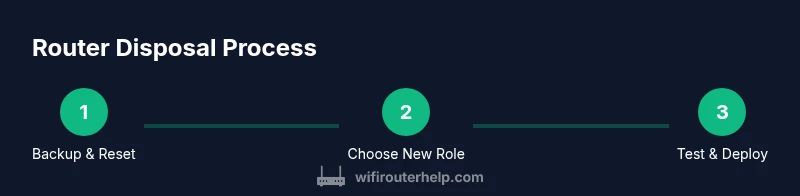
According to WiFi Router Help, you can safely repurpose, recycle, or retire an old WiFi router. Start by backing up your settings, performing a factory reset, and deciding whether to reuse parts, donate, or send it to a certified e-waste program. This quick path helps you protect data and minimize waste.
Understanding the value and risks of old routers
Age matters for features, security, and energy use. An old router may lack current encryption standards, have weaker processors, or slower wireless speeds, but it can still serve practical roles in a home network. The decision about what to do with old wifi router hinges on data safety, hardware condition, and whether you can repurpose parts rather than discard them. According to WiFi Router Help, older devices can offer potential value when repurposed thoughtfully, especially for guest networks or dedicated IoT segments. Evaluate the hardware’s physical condition, the presence of SSD-like flash memory, and whether the power supply is reliable. If the device is physically intact, you may unlock useful life through a focused role rather than a complete retirement.
Quick data-safety and factory reset
Before you consider any reuse, you must secure your data. Start by backing up settings if the device supports exporting configurations. Then perform a factory reset to wipe personal data and restore defaults. Locate the router’s admin interface (often at an address like 192.168.0.1 or 192.168.1.1, depending on the model) and follow the reset process described in the manual. After resetting, change default credentials and disable remote administration until you reconfigure the device for its new role. If you’re donating or selling, confirm that the reset erases all user data and that you have a record of the reset date for your own accountability. When done correctly, you minimize privacy risks and maximize the device’s potential.
Repurposing options: range extender, guest network, or access point
A flexible approach to what to do with old wifi router is to repurpose it as a new network component. As a range extender, set the device to operate in bridge or repeater mode to extend coverage from your main router. As a dedicated guest network, isolate traffic and provide a separate SSID with a strong password. As an access point, connect it via Ethernet to the primary router to create a stable new access point with its own subnet. Each option requires different settings and careful IP addressing to avoid conflicts. Documentation from the device manufacturer or community forums can guide you through the exact steps, but the general pattern is to disable DHCP on the extender when using it as an AP, and to ensure security with WPA3 or at least WPA2-PSK.
Recycling and disposal options
If reuse isn’t suitable, recycling is the responsible path. Look for a certified e-waste recycler or a manufacturer take-back program. Many communities offer drop-off events or permanent recycling centers where electronics are processed to recover materials and safely handle hazardous components. Never throw a router with batteries or power adapters into regular trash. When you drop off electronics, bring any cords and remove any non-essential accessories to simplify the process. If disposal costs come up, compare options to ensure you’re getting value for the service while protecting the environment.
Donating and gifting ethically
Donations can extend the life of a piece of hardware. Before donating, wipe the device thoroughly and remove any accounts or stored credentials. Verify the recipient’s needs and ensure they can legally and safely use the router. Some charities or schools accept working routers, while others require a minimum feature set or warranty. A clear, documented reset and a brief note on the device’s capabilities helps the recipient plan how to integrate it into their network. If you’re unable to wipe data completely, choose a reputable e-waste route instead of giving away the device.
Step-by-step plan for repurposing a router as a dedicated guest network
- Back up and reset the device to factory defaults. 2) Reconfigure it as a guest network gateway by disabling your primary router’s DHCP on the old unit and assigning a separate SSID with a strong password. 3) Place the guest network on its own subnet or VLAN if supported. 4) Test isolation by trying to access main network resources from guest devices. 5) Document the change and monitor performance for a week to ensure stability. 6) If the device isn’t reliable as a guest gateway, repurpose it as a simple network monitor node or switch.
Common mistakes and how to avoid them
Common mistakes include leaving default credentials, failing to wipe sensitive data, and misconfiguring DHCP or IP addressing, which can cause network conflicts. Always verify the device firmware is up to date before repurposing, or at least reset to defaults and reflash if the option exists. Do not mix WPA3-capable devices with legacy ones unless you are sure compatibility won’t expose your network to vulnerabilities. Finally, avoid discarding the device into the trash; opt for a certified recycling program to reduce e-waste.
Compatibility and firmware considerations by age
Older routers may lack current encryption standards or support for higher-speed Wi-Fi bands. If you plan to reuse, check for firmware updates from the manufacturer and review security notices. If the device cannot be updated, consider using it in a role that does not expose sensitive resources, such as a basic wired switch or a dedicated IoT hub that is isolated from the main network. If you’re unsure about compatibility, consult manufacturer support or community forums for model-specific guidance. Remember that safety and privacy should drive the decision about what to do with old wifi router.
Security implications and best practices
Security remains central when deciding how to retire or repurpose old routers. Always perform a factory reset, update firmware if possible, and disable services like UPnP and WPS to reduce attack surfaces. When possible, segment networks so visiting devices use a separate path from personal devices. If the router has seen long-term exposure to untrusted networks or has an aging CPU, treat it as an opportunity to retire it from primary use while exploring eco-friendly disposal or safe donation options. Keeping security at the forefront helps protect your home network and data.
Final checks and next steps
Before you close the project, verify that all important data is wiped, the device is configured for its new role (or prepared for recycling), and every accessory is accounted for. Re-test your main network to confirm no conflicts exist and document the steps you took. The WiFi Router Help team recommends staying proactive about network hygiene and choosing a responsible disposal or repurposing path to minimize environmental impact and maximize the device’s residual value.
Tools & Materials
- Phillips head screwdriver #2(For hardware screws inside the router enclosure)
- Small flat-head screwdriver(Only if you need to remove internal panels)
- Microfiber cloth(Clean surfaces before handling; avoid scratches)
- Ethernet cable(For testing or reconfiguring network during repurpose)
- Laptop or smartphone(Access admin interface and perform resets)
- Authorized e-waste drop-off information(Locate a certified recycler or take-back program near you)
Steps
Estimated time: 45-75 minutes
- 1
Back up and export settings
Access the router’s admin page and export current configuration if available. Save a copy of your SSIDs, passwords, and any custom rules to a secure file. This ensures you can restore a preferred setup later if needed.
Tip: Note the default gateway IP and login credentials in case the interface is not reachable later. - 2
Reset to factory defaults
Perform a full factory reset to wipe personal data and return the device to a clean state. This is essential before repurposing or donating. Follow the manufacturer’s instructions for a secure reset.
Tip: If you must reset remotely, ensure remote management is disabled afterward to prevent unauthorized access. - 3
Decide on the new role
Choose whether the router will be a range extender, a dedicated guest network, or an access point. Your choice will drive the configuration steps, IP addressing, and security settings.
Tip: For isolation, place the device on a separate subnet and disable DHCP if used as an access point. - 4
Configure for the chosen role
Set the appropriate mode (range extender/AP/guest) and assign a new, strong password. Disable UPnP and WPS if supported. Update firmware if available to address known vulnerabilities.
Tip: Use a unique SSID for the new role and avoid mixing with your main network's credentials. - 5
Test network performance
Connect devices to verify connectivity and stability. Check whether devices can access the internet and reach only the intended resources. Confirm the guest network or AP behaves as expected.
Tip: Run a quick speed check to verify the extended coverage matches your needs. - 6
Prepare for disposal or donation
If you’re not repurposing, collect all cables and accessories and place the unit in a labeled bag for recycling. Wipe any remaining data and ensure the device is empty of sensitive information.
Tip: Document the date of reset and the device serial number for your records.
People Also Ask
What should I do with an old router?
Back up data, reset to factory defaults, and decide whether to repurpose as a guest network, use as a range extender, or recycle. Choose a safe disposal path to protect privacy and the environment.
Back up data, reset the router, and pick a safe path—repurpose, recycle, or donate—keeping privacy and the environment in mind.
Is it safe to donate an old router?
Donating is safe if you wipe data and remove accounts. Check the recipient’s needs and ensure they can use the device securely.
Yes, if you wipe data and ensure the recipient can use it securely.
Can I reuse my old router as a range extender?
Yes, many routers can operate in bridge or repeater mode to extend coverage. You’ll typically disable DHCP on the extender and use a dedicated SSID for the extended network.
Yes, you can use it as a range extender by enabling bridge mode and creating a separate SSID.
How do I wipe data from my router?
Perform a factory reset via the admin interface and then reconfigure or dispose. If available, use a firmware utility for secure erasure and ensure no sensitive info remains.
Do a factory reset and reconfigure or dispose; ensure no sensitive data remains.
Are there disposal programs for routers?
Yes. Look for manufacturer take-back programs or local electronics recycling centers. They handle materials responsibly and reduce environmental impact.
Yes, use manufacturer take-back programs or local recycling centers.
Should I update firmware before disposal?
If possible, install the latest firmware to improve security prior to repurposing. If not, reset to defaults and wipe data thoroughly before disposal.
Update if you can, otherwise reset and wipe before disposal.
Watch Video
What to Remember
- Back up data before resetting and repurposing.
- Choose a clear, secure disposal or repurpose path.
- Isolate networks when reusing for guests or IoT devices.
- Always wipe data and verify settings before handing off a device.
- Prefer certified recycling or manufacturer take-back programs.