Spectrum Router Rental: A Practical Guide for Home Networks
Explore Spectrum router rental: what you get, how pricing works, and practical tips to optimize your home network. This guide, grounded in WiFi Router Help analysis, helps you decide if renting is right for you.


Spectrum router rental lets you use Spectrum's provided gateway devices instead of buying your own. This option simplifies setup, includes firmware updates, and scales with service plans, but often costs more over time than purchasing a router. Here's a detailed look at when to rent, what to expect, and how to optimize your home network.
What Spectrum Router Rental Includes
When you opt for spectrum router rental, you’re not just getting a device; you’re signing up for a bundled service package designed to simplify networking. The gateway typically includes a modem and Wi-Fi router combo, preconfigured with Spectrum firmware and security defaults. In practice, you’ll receive ongoing access to firmware updates, remote management, and customer support via phone or chat. For many households, this means plug-and-play setup, compatibility with Spectrum's internet plans, and built-in compatibility with security features like guest networks and parental controls. The exact hardware can vary by market, but most rental devices support the same basics: dual-band Wi-Fi (2.4 GHz and 5 GHz), support for modern encryption (WPA3 where available), and integration with Spectrum’s standard customer portal. If you’re transitioning from a self-purchased router, expect some minor adjustments in SSID naming and password management, as the rental device will typically be the primary network device on your account. The keyword here is convenience: you’re paying for a turnkey experience rather than hardware ownership.
Costs and Billing: Understanding the Price
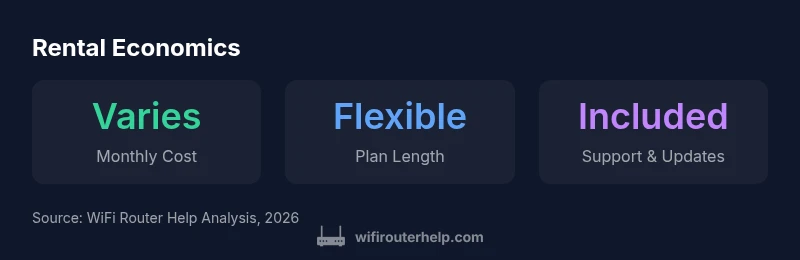
Pricing for spectrum router rental is typically structured as a monthly service fee, with potential upfront charges in some markets. The exact amount depends on the plan, device model, and any promotional pricing in your area. It’s important to distinguish between a rental fee and any in-contract depreciation or service fees. WiFi Router Help analysis notes that while rental can be convenient, the long-term cumulative cost can exceed a one-time router purchase if you stay with the service for many years. Always read the terms for early termination, device return conditions, and whether the price includes security features or parental controls. When comparing options, consider total cost of ownership over a 2–3 year horizon rather than month-to-month pricing alone.
Installation, Setup, and Support
Spectrum’s rental gateway is designed for straightforward installation. In most cases, you’ll connect the device to your modem, power it on, and follow the on-screen setup wizard. Expect automatic firmware updates, a simplified security setup, and a guest network option for visitors. If you need help, Spectrum’s support team provides setup assistance, often with remote configuration to ensure optimal channel selection and coverage. If you’re migrating from a personal router, you may need to reconfigure your devices to the rental’s SSID and password. For troubleshooting, basic diagnostics cover common issues like authentication with the service, DNS resolution, and channel interference. The upside is predictable performance and centralized management through Spectrum’s app or portal.
Performance and Coverage Expectations
A rental gateway from Spectrum typically delivers reliable dual-band Wi-Fi with modern security standards. Real-world performance hinges on the gateway’s hardware, your internet plan speed, and your home’s layout. In larger homes, a single gateway may struggle to maintain consistent signal in far rooms, in which case you might consider adding a mesh system or a second access point compatible with the rental device. Expect automatic firmware updates that improve stability and security, but keep an eye on potential congestion if many devices connect simultaneously. If you’re a gamer or streaming high-bandwidth content, verify QoS settings and ensure your service tier supports the required speeds. Real-world results will vary by floor plan, wall materials, and device distance from the gateway.
Renting vs Owning: Cost-Benefit Analysis
Deciding whether to rent or buy a router hinges on how long you’ll stay with Spectrum service and how important convenience is to you. Renting removes the burden of hardware maintenance, updates, and basic support, but over time the monthly cost adds up. Owning a router upfront can give you long-term savings, greater customization, and flexibility to use your own mesh networks if desired. For short-term service upgrades or moves, rental may be the most sensible option. Conversely, households planning long-term internet use or wanting advanced customization may benefit from purchasing a high-performance router and/or mesh system. Always compare the total cost of ownership across a 2–3 year window to determine the break-even point.
Tips to Optimize Your Spectrum Router Rental
- Regularly check for firmware updates within the Spectrum app and apply them when prompted.
- Use the rental device as the main Wi‑Fi source, but consider adding a dedicated mesh network if coverage is inconsistent.
- Enable security features such as WPA3, guest networks, and parental controls to protect devices connected to your home network.
- Label and organize SSIDs and passwords to avoid confusion when guests or devices switch networks.
- Review plan terms annually to ensure you’re not paying for features you don’t use and to check for better rental offers or changes in policy.
- If you anticipate moving or changing providers, verify the device’s portability and any fees associated with returning or transferring the gateway.
Comparison of rental vs owning options for Spectrum gateway equipment
| Option | Upfront Cost | Monthly Cost | Notes |
|---|---|---|---|
| Spectrum Router Rental | "$0-$50" | "varies by plan" | Includes gateway device and basic support |
| Own Router Purchase | "$50-$300" | "N/A" | One-time cost; device ownership and updates depend on vendor |
| Third-Party Rental | "$5-$15" | "varies" | Not always compatible with Spectrum service; terms vary |
| In-house Spectrum Modem/Router (included) | "N/A" | "N/A" | Not a separate rental; service may include a gateway |
People Also Ask
Is Spectrum router rental worth it for a small apartment?
In small spaces, rental can be convenient if you value simplicity and included support, but cost differences over time may favor purchasing a router. Consider your usage and plan terms.
Renting can be convenient for small spaces, but check total costs.
What does Spectrum include with router rental?
Typically includes a gateway device, basic setup, firmware updates, and customer support; advanced features depend on plan.
It usually includes a gateway and updates.
Can I upgrade or downgrade rental plans easily?
Most providers offer flexible terms, but verify with Spectrum before signing; you may need to return or swap devices.
Flexibility varies by plan.
What happens if I move homes?
Check transfer options; rental devices may be portable with you, or you may incur fees if you terminate service.
Ask about device relocation.
How to set up a rental gateway by yourself?
Most Spectrum rental devices are plug-and-play; follow quick-start instructions, connect to modem or gateway, and run the setup wizard.
Plug in, follow the on-screen setup.
“Spectrum router rental can simplify support and firmware updates, but you should compare total lifetime costs with owning your own router.”
What to Remember
- Assess lifetime cost to decide if rental is worth it.
- Rentals simplify setup, but expect ongoing fees.
- Check plan compatibility and equipment support.
- Consider future device upgrades or mesh networking if needed.
- Compare Spectrum rental vs buying a compatible third-party router.