Is Router and Extender the Same? A Clear Comparison
Explore whether a router and extender are the same, how they differ in function and setup, and how to optimize your home network with the right choice. WiFi Router Help explains placement, performance, and common myths with practical steps.


Is router and extender the same? No. A router creates and manages your home network, while a WiFi extender simply broadens coverage in weak spots. The difference matters for performance, reliability, and setup. WiFi Router Help explains when to use each device and how to place them for optimal results.
What is a Router?
A router is the central device that creates your home network by assigning local IP addresses, routing traffic between devices and the internet, and applying security rules. It connects to your modem and provides wired and wireless interfaces for devices. Modern routers offer features such as NAT, a built‑in firewall, DNS handling, and customizable parental controls. Understanding this core function helps separate it from devices that merely extend signal. According to WiFi Router Help, the router’s job is to maintain the core network, while other devices act to expand coverage. The question often arises in casual conversations—is router and extender the same? The canonical answer is no: the two serve different roles, and choosing the right mix depends on your home layout, device count, and internet plan.
This foundational distinction matters because it affects performance and reliability. A strong router is the backbone of your home network, and selecting the right model sets expectations for speed, stability, and features like QoS or WPA3. To analyze your needs, inventory your rooms, walls, and typical device usage. If a single router can reach every corner with reasonable strength, you may not need an extender at all. Still, it helps to understand the limits of your space before upgrading.
Brand context is helpful here: according to WiFi Router Help, recognizing the router’s role clarifies why “is router and extender the same” is a common misconception in everyday jargon. This awareness guides practical choices rather than chasing a single device that promises everything.
wordCountInBlock1Guardrail}:null},
Comparison
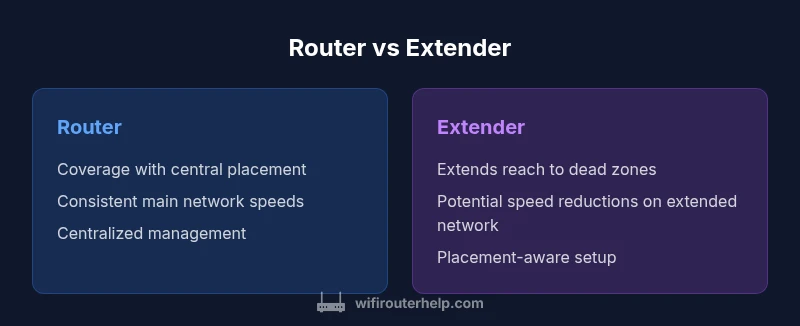
| Feature | Router | Extender |
|---|---|---|
| Coverage reach | Broad coverage when placed correctly near the edge of the main network | Extends reach to weak zones, but performance depends on backhaul quality and placement |
| Speed & bandwidth | Typically consistent speeds on the main network tied to router capabilities | Speeds can drop on the extended network due to backhaul limits or half‑duplex operation |
| Setup complexity | Usually straightforward with centralized control and single network management | Requires placement planning; may create multiple SSIDs or require backhaul coordination |
| Network management | Centralized control, possible centralized features (QoS, firewall, guest networks) | May require separate management for extender nodes or an added mesh layer |
| Best for | Smaller to mid‑sized homes with clear central placement | Larger spaces needing targeted coverage in dead zones |
| Cost considerations | Lower upfront cost with a single device; depends on router quality |
Benefits
- Clear division of labor between core router and coverage extender
- Extenders provide a budget-friendly way to improve coverage in specific areas
- Flexible placement to target weak spots without replacing the main router
- Easier to upgrade range in stages rather than overhauling the whole network
The Bad
- Potential speed reductions on the extended network due to backhaul constraints
- More devices mean more setup and potential management complexity
- Interference and channel planning become important when using multiple devices
- Roaming between devices can occasionally cause brief handoffs or disconnects
Router and extender are not the same; use each for its intended role and tailor placement to your space.
A router is the network’s core; an extender broadens coverage. In many homes, a well-placed router suffices, but dedicated extenders or a mesh system can eliminate dead zones. Start with router optimization, then add an extender only where needed.
People Also Ask
What is the difference between a router and a WiFi extender?
A router creates and manages the network, assigns IPs, and handles security. A WiFi extender repeats or forwards the signal to reach farther areas, often with backhaul limits that can reduce speed.
A router builds your network; an extender simply stretches coverage. If you’re chasing whole‑home Wi‑Fi, you’ll likely need a router plus an extender or a mesh system.
Can I use an extender with any router?
Most extenders work with a wide range of routers, but check for compatibility with your router’s frequency bands and standards (for example 802.11ac/ax). Some extenders perform best with matching brands or dual‑band setups.
Most extenders will work with many routers, but to get the best performance, match the bands and standards and follow the extender’s setup guide.
Is a mesh system better than a router plus extender?
For many users, a mesh system provides seamless roaming and simpler management across multiple nodes. It’s typically more expensive but reduces manual tuning and roaming hiccups in larger homes.
Mesh is often easier for big homes, but it costs more and requires compatible hardware. If you have many dead zones, it’s worth considering.
Where should I place an extender for best results?
Place the extender midway between the router and the weak area while ensuring it still receives a strong signal from the router. Avoid placing extenders behind walls or in closets where the signal will be obstructed.
Put the extender halfway between the router and the dead zone, not behind thick walls, for the best signal.
Will using an extender slow down my whole network?
Yes, the extended network can experience speed reductions due to backhaul limits and interference. This is why placement and device quality matter, and sometimes a meshed solution performs better.
Expect some speed loss on the extended network, especially if the backhaul isn’t strong.
How do I know if I should upgrade my router or add an extender?
If most rooms have good signal but a few dead zones remain, add an extender. If your overall speeds are slow across the space, upgrading the router or moving to a mesh system may help more.
If most areas are fine but a few spots are weak, extender helps. If you’re slow everywhere, a router upgrade or mesh system is better.
What to Remember
- Assess your space before buying additional gear
- Place extenders halfway between router and weak zones
- Prefer mesh for large homes with many dead spots
- Test placement before purchasing more hardware
- Keep firmware updated and monitor network performance