What routers are compatible with Spectrum: A practical guide
Discover which routers work with Spectrum, how to set up bridge mode, and practical tips to maximize performance on your Spectrum Internet plan.


For Spectrum customers, compatibility primarily means using a DOCSIS modem that Spectrum approves and a modern router that can handle your plan’s speeds. If you want to bypass Spectrum’s gateway router, enable bridge mode on the modem so your own router handles routing and Wi‑Fi. Always check Spectrum’s official approved modem list and verify bridge-mode support on your device. In short: modem DOCSIS compatibility + a capable router = a solid setup with Spectrum.
What compatibility means for Spectrum customers
Compatibility for Spectrum users is more about the entire gateway chain than the brand name on a router. Spectrum uses cable-modem technology (DOCSIS), so your network starts with a DOCSIS modem that Spectrum approves. If you want to use your own router's features (advanced QoS, guest networks, mesh capabilities), you typically place a separate router behind the modem or enable bridge mode on the Spectrum gateway so the third-party router handles routing. In practice, a modern router connected to a Spectrum-approved modem can deliver better range, stability, and feature control than the stock gateway. The key is ensuring the modem is compatible with your plan and that your router supports current Wi‑Fi standards and security features. According to WiFi Router Help, verifying the official compatibility list and bridge-mode options is the safest path to a reliable home network.
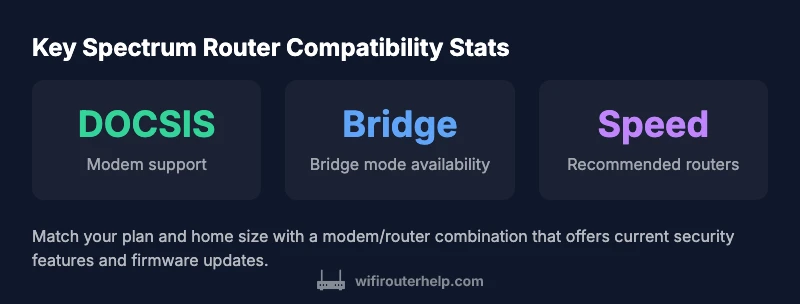
- Key concepts to verify: DOCSIS support, bridge mode availability, and router feature set.
- Practical takeaway: If you own a large home or many devices, a capable router behind a bridge-mode modem often yields the best results.
Core requirements: modem, router, and bridge mode
To build a Spectrum-compatible home network, you need three things: a DOCSIS modem that Spectrum honors, a capable router, and a clear plan for bridging or IP passthrough when using your own equipment. The modem handles the signal from Spectrum, while the router creates the wireless network, assigns local IPs, and enforces security. Bridge mode (or IP passthrough, depending on the device) disables the gateway's routing functions so your router can manage NAT, firewall, and QoS. Always start by confirming the modem model on Spectrum’s approved list and checking that the modem/router combination can operate in bridge mode without losing essential Spectrum services.
- If you encounter issues, recheck the login credentials and ensure your router’s DHCP is enabled only on the router, not the modem.
- Remember: some Spectrum features (like certain security options) may require the gateway in place; weigh your needs before disabling all gateway features.
How to pick a Spectrum-compatible router: features to look for
When selecting a router to pair with Spectrum, prioritize devices that support current Wi‑Fi standards (Wi‑Fi 6/6E where available), robust security (WPA3), reliable QoS, and easy management features (guest networks, parental controls, and simple app-based setup). For larger homes, mesh systems offer better coverage, but ensure the mesh nodes efficiently interface with your bridged modem. Check the router’s processor speed, USB port availability, and number of Ethernet ports to support wired devices. If you plan to run a busy smart home or multiple streaming devices, a dual-band or tri-band system with strong beamforming will help minimize dead zones. WiFi Router Help’s guidance emphasizes avoiding bottlenecks by matching your router to your plan’s bandwidth and your home’s size.
- Consider firmware update cadence and vendor support when evaluating long-term value.
- If you’re unsure about a model, read user reviews focused on stability and real-world range.
Bridge mode vs IP passthrough: setup steps and caveats
Bridge mode (or IP passthrough) is the pathway to using your own router with Spectrum. The typical steps are: 1) Confirm the modem supports bridge mode, 2) Access the modem’s admin page, 3) Enable bridge mode (or IP passthrough) while noting the assigned public IP behavior, 4) Connect your router to the modem, 5) Configure the router to handle NAT and DHCP, 6) Test the network with multiple devices, and, if needed, adjust the router’s QoS rules. Some Spectrum gateways lock certain features behind the default gateway; in those cases, you may need to contact Spectrum to enable bridge mode or use the ISP-provided app for configuration. The important caveat is that bridging can temporarily disrupt certain Spectrum services and may require re-activating services after a firmware update.
- Always monitor for IP changes after bridging since some setups may require a static or dynamic WAN configuration.
- If you rely on Spectrum security features tied to the gateway, you may need to compromise between gateway features and your preferred router security.
Common myths and real-world gotchas
Myth: Any router works the moment you plug it in. Reality: You must ensure the modem is compatible with Spectrum and that the router supports the required features. Myth: Bridging eliminates all configuration. Reality: Bridging shifts routing duties to your router but may require additional tweaks to firewall settings and device discovery. Gotcha: Some services such as Spectrum’s security tools or advanced diagnostics may be unavailable when the gateway is bridged. Real-world practice shows most households can improve coverage and control by using a modern router behind a bridged modem, but you should verify feature availability before decoupling all gateway services.
- Many users underestimate the importance of a good placement plan and adequate bandwidth for your home size.
Quick-start setup checklist
- Confirm the modem model on Spectrum’s approved list and verify bridge mode support.
- Choose a router with current Wi‑Fi standards, security, QoS, and strong reviews.
- Enable bridge mode on the modem and connect the router’s WAN port.
- Update firmware on both devices and run a quick speed/coverage test across rooms.
- Save separate passwords for the router and modem, and enable guest networks if needed.
Spectrum compatibility at a glance
| Aspect | What it means | Spectrum guidance |
|---|---|---|
| Modem requirement | A DOCSIS modem handles the signal from Spectrum | Use a DOCSIS 3.0/3.1 modem approved by Spectrum |
| Bridge mode availability | Allows the third-party router to handle network duties | Most consumer modems support bridge/IP Passthrough; verify in the modem UI |
| Wi‑Fi features | MU-MIMO, QoS, guest networks | Choose a router with current Wi‑Fi standards and strong security |
| Security updates | Firmware for router and modem should be kept up to date | Enable auto-update on devices and monitor for advisories |
People Also Ask
Will Spectrum's own modem-router gateway work with a third-party router?
Yes, you can pair a separate router by bridging the gateway. You may need to disable NAT on the gateway or use IP passthrough, depending on the modem model.
Yes—bridge the gateway to use your own router.
Do I need bridge mode to use my own router with Spectrum?
Bridge mode is the typical approach to run a separate router with Spectrum. Some modems support IP passthrough as an alternative, but bridge mode is the most straightforward.
Bridge mode is usually required to use your own router.
Can I use a mesh network with Spectrum?
Yes. Mesh systems work well behind a bridged modem, especially in larger homes. Ensure the mesh nodes are compatible with your plan and can handle your coverage needs.
Yes, mesh networks work behind a bridged modem.
What is the best router for Spectrum?
There is no single best router for Spectrum. Choose based on home size, device count, desired features, and budget, ensuring it supports current security standards and your speed tier.
No one 'best' router; pick by your needs.
How long does setup take with Spectrum-compatible gear?
Typical setup takes about 15-25 minutes, depending on hardware and whether you’re enabling bridge mode or configuring advanced features.
Most setups take around 15 to 25 minutes.
“Choosing the right Spectrum-compatible router means balancing modem compatibility, feature needs, and home size. You’ll get best results when you pair a modern DOCSIS modem with a capable router and use bridge mode when appropriate.”
What to Remember
- Start with a Spectrum-approved modem
- Use a modern router with bridge mode for best results
- Check Spectrum's compatibility list before buying
- Test coverage across your home and adjust as needed
- Keep firmware updated on both modem and router