What Router Works With Spectrum: The Complete Guide
A thorough guide on which routers work with Spectrum, how to choose, and how to set up for optimal performance. Learn compatibility basics, bridge mode, and troubleshooting for a reliable home network with Spectrum.


When asked what router works with spectrum, the simple answer is: most modern, dual‑band routers work with Spectrum, as long as you pair them with a compatible modem or gateway in compatible mode. You can use your own router behind Spectrum's gateway or replace the gateway altogether if your plan allows it. Compatibility hinges on the modem type and setup.
what router works with spectrum: compatibility basics
When you plan a home network, people frequently ask what router works with spectrum. The simple rule of thumb is: for most residential Spectrum plans, a modern dual‑band router will do the job, provided you pair it with a compatible modem or gateway. Spectrum’s service relies on a cable modem to access the internet, and the router handles wireless distribution to devices. In practice, you can use your own router behind Spectrum's gateway, or replace the gateway altogether if your plan allows it. The key compatibility hinge is the relationship between your modem, your router, and how you configure the gateway device. In real homes, the most effective setups use a router that supports current wireless standards (Wi‑Fi 5 or better, ideally Wi‑Fi 6) and modern security protocols (WPA3). Before you buy, confirm your Spectrum plan’s equipment options and check that the modem and router function together smoothly. If you’re evaluating options, this guide provides practical steps to determine what router works with spectrum in daily use.
Spectrum service types and their impact on router choice
Spectrum offers different delivery methods (cable internet with a modem, and sometimes gateway devices). The main determinant for router compatibility is whether you will use Spectrum’s gateway in modem‑only mode, bridge mode, or with a separate router behind the gateway. If you rent a Spectrum gateway, you can still use your own router by turning off wifi on the gateway and letting your router provide wireless coverage. If you’re on a pure modem plan, your own router can connect directly to the modem. In all cases, ensure the modem supports your plan’s DOCSIS standard and that the router can handle the WAN port speeds advertised by Spectrum for your area.
What features to look for in a Spectrum-friendly router
To maximize performance and security when using Spectrum, look for routers that support the latest wireless standards (Wi‑Fi 6/6E when available) and strong security features (WPA3, automatic firmware updates). Practical features include dual‑band or tri‑band operation, robust QoS for gaming and video calls, guest networking, and easy USB/print server capabilities. Consider routers that offer good coverage, stable firmware release cycles, and clear instructions for enabling bridge mode if you plan to connect behind Spectrum’s gateway. A well‑chosen router also supports modern encryption and passwordless setup options to reduce admin friction for all household members.
Bridge mode vs using Spectrum gateway: pros and cons
Bridge mode disables the gateway’s NAT/firewall for the portion of your network that you want to handle with your own router. This reduces double‑NAT issues and can improve gaming and streaming performance. However, bridge mode can complicate Wi‑Fi coverage because you lose the gateway’s built‑in Wi‑Fi if you disable it. If you don’t need perfect control, you can simply connect your own router to the gateway and leave the gateway’s Wi‑Fi on for compatibility with older devices. In both cases, ensure you have clear IP addressing, DHCP scope, and security settings to prevent conflicts across devices.
Step-by-step setup: using your own router with Spectrum
- Confirm your plan and equipment options with Spectrum, and decide between bridge mode or using the gateway as a pass‑through. 2) If bridging, log in to the gateway admin page and enable bridge mode, then connect your router’s WAN port to the gateway’s LAN port. 3) If not bridging, disable the gateway’s Wi‑Fi and connect your own router to the gateway via the LAN port. 4) Power cycle all devices, then access your router’s admin panel to configure SSID, password, and security (prefer WPA3). 5) Verify Internet access on multiple devices and run basic speed tests to confirm throughput.
Troubleshooting common issues with third-party routers on Spectrum
If devices fail to obtain an IP, recheck DHCP settings on your router and gateway. Double‑NAT is a common pitfall when both devices are providing NAT; consider enabling bridge mode or setting the router to router mode with a properly configured IP Passthrough. Check cabling, verify that the modem is in a healthy DOCSIS state, and ensure the firmware on both the gateway and the router is current. If you notice flaky connections, try different channels, relocate the router for better line‑of‑sight, and test with a wired connection to rule out wireless interference.
Optimization tips to maximize Spectrum performance
For peak Spectrum performance, place your router high and central, away from walls and metal objects. Use the 5 GHz band for nearby devices and reserve the 2.4 GHz band for farther corners of the home. Enable Quality of Service (QoS) for latency‑sensitive apps like gaming and video calls, and keep firmware up to date. If your plan supports it, upgrade to a Wi‑Fi 6/6E router to take advantage of wider channels and improved efficiency in crowded environments. Regularly review channel overlap and use built‑in analytics to optimize placement.
When to revert to Spectrum-provided gear
If you rely heavily on features that your third‑party router cannot deliver, or if you experience persistent instability after trying to optimize, it may be simpler to revert to Spectrum’s gateway. Spectrum devices are tested for plug‑and‑play compatibility with their network, and re‑enabling the factory gateway can resolve stubborn issues. Evaluate your home’s coverage needs, the number of connected devices, and whether advanced features like mesh networking would justify switching back to an all‑Spectrum solution.
Spectrum-compatible setup basics
| Category | What it means | Practical tip |
|---|---|---|
| Modem type | Cable modem/ gateway compatibility | Use a DOCSIS 3.1 modem if possible |
| Router type | Dual-band or tri-band, WiFi 6/6E | Choose a modern router with WPA3 |
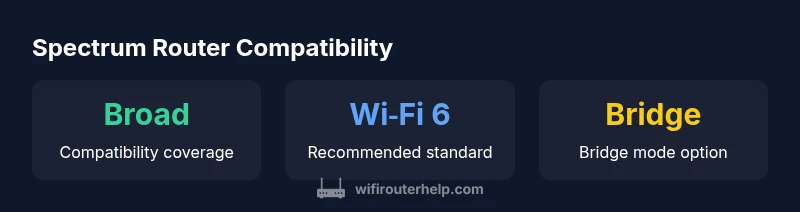
| Connection method | Bridge mode vs NAT | Bridge mode recommended when using own router |
People Also Ask
Do I need Spectrum-approved equipment to use my own router?
No. Spectrum allows using your own router, but you may need to configure the gateway in bridge mode or disable its wifi. Ensure your modem is compatible with your Spectrum plan and that you follow setup steps accordingly.
No. You can use your own router—just ensure the modem works with Spectrum and set up bridge mode if needed.
Can I use a third-party router with Spectrum's gateway?
Yes. You can run your own router behind Spectrum's gateway, or enable bridge mode so the gateway passes all network management to your router.
Yes. You can use your own router behind Spectrum's gateway, or bridge the gateway.
What features should a Spectrum-friendly router have?
Look for WPA3, dual-band Wi‑Fi, USB/WAN support, guest networking, and automatic security updates. These features help maintain security and performance on Spectrum.
Choose a router with WPA3, dual-band Wi‑Fi, guest network, and auto updates.
How do I know if my router is compatible with Spectrum?
Check your modem’s compatibility with Spectrum, confirm the router supports current standards (Wi‑Fi 5/6) and security (WPA3), then test performance after setup.
Check compatibility, then test speeds and stability.
Do I need gigabit internet to benefit from my own router?
Not necessarily. A modern router will help with wireless speeds up to the plan’s wired maximum; if your Spectrum plan exceeds your router’s capabilities, you won’t see the full benefit.
You don’t need gigabit internet to benefit, but a capable router helps maximize your plan.
How do I set up bridge mode on a Spectrum gateway?
Access the gateway’s admin page, enable bridge mode, and connect your own router to the gateway’s LAN port. Disable the gateway’s wifi to avoid interference.
Enter the gateway settings and enable bridge mode, then connect your router.
“"The most reliable Spectrum experiences come from pairing a capable router with a modern modem and a thoughtful placement strategy. Regular firmware updates and secure defaults are essential."”
What to Remember
- Verify modem compatibility before choosing a router
- Prefer Wi‑Fi 6/6E routers for Spectrum plans
- Bridge mode can simplify setups with third‑party gear
- Test speeds and coverage after every change