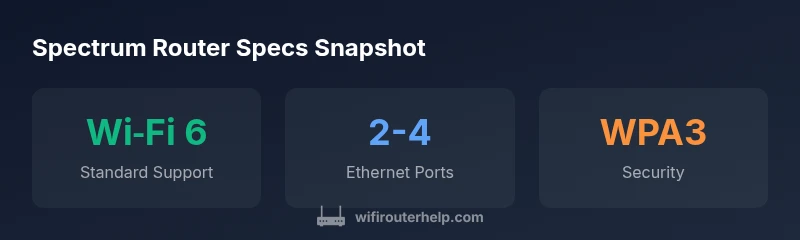
Spectrum Router Specs: Features, Speed & How to Choose
An analytical guide to Spectrum router specs, covering Wi‑Fi standards, bands, ports, and security, and how they translate to real-world home network performance.


Spectrum router specs describe the hardware capabilities that shape wireless performance, including the Wi‑Fi standard, band support, number of antennas, Ethernet ports, and security features. Real-world speeds depend on your Spectrum plan, home layout, and interference. This guide helps you understand how to compare models and pick the right router.
Understanding Spectrum Router Specs
According to WiFi Router Help, Spectrum router specs define the hardware features that determine practical performance rather than marketing numbers. They include the Wi‑Fi standard (such as Wi‑Fi 5/802.11ac or Wi‑Fi 6/802.11ax), frequency bands (2.4 GHz and 5 GHz, with 6 GHz on newer devices), the number of antennas, MU‑MIMO support, beamforming, and the breadth of wired interfaces (Ethernet ports and USB). More advanced models may push higher throughput and offer newer security standards. Importantly, these specs do not guarantee actual speed in your home; real speeds are constrained by your plan, layout, interference, and device capabilities. The WiFi Router Help team found that practical performance hinges on both the router’s hardware and how you deploy it in your space.
- Start with the basics: ensure your model supports the Wi‑Fi standard you can utilize (Wi‑Fi 6 or newer for future-proofing).
- Consider the number of bands and streams; more bands and wider channels can help in crowded environments.
- Look for robust security features, automatic firmware updates, and guest network options for family safety.
Core Specs to Compare: What Really Matters
When you compare Spectrum router specs, focus on a few key categories that predict real-world performance. The Wi‑Fi standard sets the ceiling for speeds and device support, but the antenna configuration, MU‑MIMO capability, and beamforming determine how consistently that ceiling is achieved across your home. Band support matters—dual‑band devices are common, but tri‑band systems can better distribute traffic in large homes with many devices. The number of Ethernet ports and their speeds matter for wired gaming consoles, desktop PCs, and smart hubs. Security features, such as WPA3, automatic updates, and guest networks, protect your network without complicating setup. Finally, consider CPU/RAM in higher-end models, since processing power affects sustained throughput and responsiveness under load.
How Spectrum Plans Interact with Hardware
Your Spectrum plan sets the ceiling for your internet speed from the provider, but your router must be able to use that ceiling effectively. A midrange router with Wi‑Fi 6 capability will generally perform well on most Spectrum plans, but if you subscribe to multi-gig or fiber‑class speeds, you’ll benefit from a higher-end router with more RAM, a faster CPU, and multiple high‑speed Ethernet ports. In homes with multiple floors or thick walls, router performance is more about coverage than raw speed. If your plan is fast but your router is bottlenecked by aging wireless standards or poor placement, you won’t see the full benefit. This is where model selection, placement, and network design matter immensely.
Placement, Interference, and Channel Strategy
Placement is critical: position the router in a central, elevated location away from obstructions and electronic interference. Avoid placing it near microwaves, cordless phones, or metal surfaces that can reflect or absorb signals. Use the 2.4 GHz band for longer reach and the 5 GHz band for higher speeds in close proximity. If your model supports 6 GHz (Wi‑Fi 6E), enable it where suitable to relieve congestion from legacy bands. Channel optimization matters too: let the router auto‑select channels in most cases, but in noisy environments, manual tuning can stabilize performance. If you’re using Spectrum’s gateway, consider whether bridge mode is appropriate if you plan to use your own router for expanded features and customization.
Real‑World Benchmarking and Troubleshooting
Benchmarking your Spectrum router specs in real life requires repeatable tests. Run speed tests from multiple rooms and at different times of day to understand coverage and consistency. Use devices with different wifi capabilities (smartphones, laptops, smart TVs) to gauge how well the router handles mixed loads. If you notice dead zones, consider a mesh network or a dedicated access point to extend coverage. Firmware updates can resolve bugs and improve performance, so enable automatic updates when possible. If speeds dip unexpectedly, check for interference, recheck placement, and verify that bridge mode is correctly configured if you’re using a separate router in your network.
Authority sources and Further Reading
To deepen your understanding of wireless standards and performance expectations, consult credible sources such as government and industry publications. This helps you ground your decisions in widely accepted guidance and avoids vendor-specific marketing claims. For an objective framework on Wi‑Fi standards, review the FCC's guidelines and the Wi‑Fi Alliance definitions. You can also explore technical overviews from reputable sources on how hardware specs translate to real‑world results.
Spectrum router specs: core aspects to compare
| Spec Aspect | What it means | Spectrum example | Notes |
|---|---|---|---|
| Wi‑Fi Standard | Affects speed and device compatibility | Wi‑Fi 5 / 802.11ac; Wi‑Fi 6 / 802.11ax | Future-proofing favors Wi‑Fi 6/6E where available |
| Bands | Number of radio bands | Dual‑band (2.4/5 GHz) or tri‑band on higher end | More bands can reduce interference in busy homes |
| Ethernet Ports | Wired connectivity options | 2–4 ports; some models offer 2.5 Gbps WAN/LAN | Check port speeds if you have wired gaming or NAS |
| Security | Protection features | WPA2/WPA3, guest network, firewall | Enable auto updates if possible |
| CPU/RAM | Processing power for throughput | Higher-end models have faster CPUs and more RAM | Affects sustained performance under load |
People Also Ask
What do Spectrum router specs include?
Spectrum router specs cover the hardware features that affect performance: Wi‑Fi standard, band support, number of antennas, Ethernet ports, and security options. They describe capabilities, not guaranteed speeds.
Spectrum router specs describe hardware features like Wi‑Fi standard, bands, ports, and security, which influence performance rather than guaranteed speeds.
Do Spectrum routers support Wi‑Fi 6?
Some Spectrum models include Wi‑Fi 6 or newer standards. Check the exact model specification to confirm supported Wi‑Fi versions and features like MU‑MIMO and beamforming.
Some Spectrum routers support Wi‑Fi 6; always verify the specific model's Wi‑Fi version.
Is a higher speed rating always better?
Not always. Real‑world performance depends on plan speed, home layout, interference, and device capabilities. Choose a model that matches your environment, not just the top theoretical speed.
Higher speeds don’t always translate to better performance if your home layout or plan limits you.
How many devices can Spectrum router handle?
Modern Spectrum routers can support many devices, but sustained performance depends on traffic types and distance. For busy homes, prioritize models with robust CPU/RAM and good wireless range.
Most routers handle dozens of devices, but performance varies with usage and layout.
Should I use my own router or Spectrum gateway?
If you value customization, advanced features, and possibly better overall performance, using your own router behind the Spectrum gateway (or in bridge mode) can be advantageous.
Own router can offer better features; consider bridge mode if you use your own equipment.
“When comparing Spectrum router specs, prioritize the Wi‑Fi standard, band support, and security features, as these most influence real‑world performance.”
What to Remember
- Identify the Wi‑Fi standard you need and match Spectrum router specs accordingly
- Prefer models with multiple bands to manage device traffic
- Ensure enough Ethernet ports for wired devices or future expansion
- Prioritize WPA3, guest networks, and auto firmware updates
- Anchor your choice to your plan speed and home layout