Is It Okay to Put a Router Behind a TV? A Practical How-To
Discover whether placing your router behind a TV is advisable, how it affects heat, interference, and performance, plus a step-by-step setup plan and practical tips.


Is it ok to put router behind tv? In most homes, placing a router behind a TV is workable, but it isn’t automatically ideal. The key factors are ventilation, heat dissipation, and potential signal block or interference from the cabinet materials. If you can ensure airflow, avoid blocking vents, and position the router so antennas aren’t pressed against metal, it’s a reasonable option. WiFi Router Help recommends evaluating your space and testing performance after placement.
is it ok to put router behind tv: key questions
The short answer is: it can be fine, but it depends on your room layout and the router model. The most important concerns are heat buildup, airflow, interference from metal or dense wood, and how the cables are routed. Before you commit to a behind-the-TV setup, map out the space, identify vents or heat sources, and plan for accessible ports. If your router runs hot or the TV cabinet is metal, consider a different placement or a small elevation to improve airflow. According to WiFi Router Help, practical decisions like this should be tested in real usage to confirm reliable coverage across rooms. Keeping the setup simple and visible often yields the best stability for most homes.
Heat, ventilation, and placement impact
Heat is the silent performance killer for many consumer routers. When a router sits behind a TV, the enclosure may trap warm air, especially if the cabinet is dense or backed by a wall. If you must place it there, choose a spot with at least a few inches of clearance on all sides and avoid covering the top exhaust vents. A stand or small spacer can dramatically improve airflow. In addition, ensure the device isn’t tucked behind decorative items that absorb heat or block cooling grills. WiFi Router Help recommends verifying temperatures during peak usage hours and adjusting position if the device overheats, slows down, or drops connections.
Signal behavior and obstructions behind a TV cabinet
The WiFi signal can be affected by cabinet material, TV screens, and nearby electronics. Solid wood, metal, or glass back panels can reflect or absorb 5 GHz signals more than 2.4 GHz. If the router’s antennas are pressed against a solid surface, you may see reduced range behind the TV. To mitigate this, angle antennas away from the cabinet, or place the router slightly in front of the TV and use a short, tidy extension for any cables. Mesh systems are particularly forgiving in such layouts because nodes can be positioned for optimal coverage beyond the TV area.
Choosing the best behind-TV placement: stand, shelf, or wall
Behind-TV placement works best when the router is on a stable, elevated surface with direct line-of-sight to the room. A dedicated router stand or the back of a wide TV stand can work well. If the TV is wall-mounted, a shelf just below or above the TV, or a recessed nook, can be ideal for maximizing airflow. Avoid cramming the router into cramped spaces, and don’t place it inside a closed cabinet with doors. Leaving a small gap (at least 2-3 inches) behind the TV helps heat escape and reduces interference from the TV components themselves.
Cable management and accessibility for behind-the-TV setups
Effective cable management matters as much as placement. Run power and Ethernet cables neatly along the back of the TV stand, using cable clips or sleeves to keep them tidy. Ensure the router’s power adapter and any Ethernet cables aren’t kinked or pinched. Label cables to simplify future maintenance, and keep wireless-related settings handy so you can adjust if you notice performance changes after moving the router. A clean setup reduces accidental unplugging and makes routine repositions easier.
How to improve performance if you must place behind TV: practical tips
If you’re committed to behind-the-TV placement, several tweaks can preserve or improve performance. Elevate the router so its antennas aren’t blocked by the TV or cabinet, and align antennas horizontally or vertically based on room layout. Consider upgrading to a router with external antennas for better beam-width control. Use a high-quality Ethernet backhaul to connect a nearby access point if needed, and enable basic QoS so bandwidth is prioritized for streaming devices. Finally, run a quick speed test from multiple rooms to confirm coverage and adjust as needed.
Alternatives to behind-TV placement: mesh, extenders, and powerline adapters
If the behind-TV arrangement proves too limiting, explore alternatives. A mesh Wi-Fi system can blanket a home with fewer dead zones and provides flexible node placement, often with minimal attention to furniture. Ethernet extenders and powerline adapters can bring a wired backbone to distant rooms when running cables is impractical. Wall-mounted or ceiling-mounted access points also preserve aesthetics while offering robust coverage. Each option has trade-offs in cost, complexity, and performance, so weigh them against your home layout and internet speed.
Quick-start behind-TV setup checklist
- Verify sufficient clearance around the router for airflow.
- Place the router away from metal surfaces and dense electronics.
- Use an elevated surface with a clear line of sight to living spaces.
- Route power and network cables neatly using clips or sleeves.
- Test speeds in rooms where you use devices most often and adjust if necessary.
Maintenance and monitoring after repositioning
After repositioning, monitor network stability, speed, and signal strength across your home. Re-run speed tests at different times of day to detect congestion or interference. If you notice frequent drops, consider repositioning, upgrading hardware, or adding a secondary node. Regular firmware updates keep performance optimal and secure. Keep a log of changes so you can rollback if needed.
Final considerations for different room layouts and furniture
Room geometry, wall materials, and furniture placement all influence Wi-Fi propagation. In a small apartment, behind-TV placement might suffice, but larger homes often benefit from central, open locations or a distributed system. Think of the home like a network map: optimize the center of activity first, then fill gaps with additional access points or mesh nodes. Keeping the router in a well-ventilated, semi-exposed spot typically yields the most reliable experience.
Common mistakes to avoid with behind-TV router placement
Avoid stacking devices or placing the router inside a fully enclosed cabinet. Don’t obstruct the vents or rely on a single device to cover an entire multi-room home. Rushing through cable management can create tripping hazards or heat buildup. Finally, neglecting regular maintenance or firmware updates can erode performance over time. WiFi Router Help emphasizes testing and adjusting as part of a thoughtful, ongoing networking strategy.
Troubleshooting guide for common issues when placed behind a TV
If you notice slow speeds or dropped connections, check for heat buildup, cable kinks, and proximity to the TV’s power supply. Restart the router and verify firmware is up to date. Move the router slightly or adjust antenna orientation to improve signal in weak areas. If problems persist, consider a mesh system or a wired backhaul to stabilize performance across rooms.
Tools & Materials
- Ethernet cables (Cat6 or better)(At least 2 cables, 6-10 feet each)
- Power strip with surge protection(Sufficient outlets for router and any extenders)
- Cable management clips(Keep cables tidy and out of the way)
- Cable raceway or sleeve(For clean wiring along furniture)
- Wifi router stand or small shelf spacer(Improves airflow behind TV)
- Label maker or tape(Mark cables for easy maintenance)
- Small fan or laptop cooling pad (optional)(Help reduce heat in tight spaces)
Steps
Estimated time: 35-60 minutes
- 1
Assess the space and risks
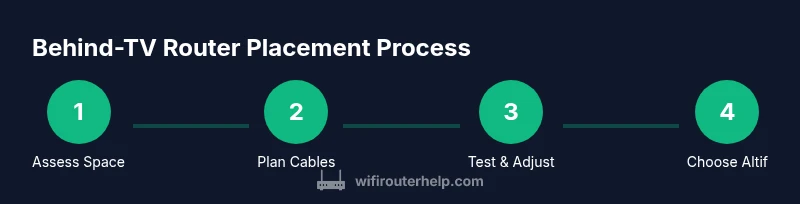
Survey the room to determine if the TV cabinet or wall area behind the TV is a viable spot for the router. Check for vents, heat sources, metal surfaces, and potential cable routes. Decide if you can provide airflow and access to ports without obstructing the TV or cords.
Tip: Document the current signal map with a quick speed test before moving anything. - 2
Prepare your equipment
Gather cables, clips, and any mounting aids. Have a spare Ethernet cable and a surge-protected power strip within reach. Prepare labeling to identify ports and cables after placement.
Tip: Label each cable to simplify future maintenance or repositioning. - 3
Choose a concrete placement spot
Pick a surface behind or beside the TV stand that’s elevated and has space for airflow. Avoid fully enclosed cabinets and metal-backed shelves. Ensure the router won’t block vents or directly press against the TV.
Tip: Aim for at least 2-3 inches of clearance around the router. - 4
Position the router and orient antennas
Place the router on the chosen surface. If possible, orient antennas perpendicular to the TV to maximize coverage in different directions. Do not push the router into a gap or directly against a metal panel.
Tip: Experiment with horizontal vs vertical antenna alignment to optimize signal in primary living areas. - 5
Manage cables and power safely
Route power and Ethernet cables away from the TV’s power cable and the back edge of the stand. Use clips or sleeves to keep cables neat and prevent tugging when opening cabinet doors or moving the TV.
Tip: Keep power cables separate from data cables to minimize interference. - 6
Test signal and adjust if needed
Run a quick speed test from devices in the primary rooms to verify coverage. If you notice weak spots, try moving the router slightly or adding a mesh node nearby.
Tip: Document the final tested locations and speeds for future reference. - 7
Consider alternatives for gaps
If coverage remains inconsistent, evaluate mesh, extenders, or a wired backhaul setup to supplement the behind-TV placement.
Tip: Weigh the cost and complexity of each option against performance needs. - 8
Secure and maintain the setup
Update firmware, back up configuration, and keep a small log of changes. Schedule periodic checks to ensure ongoing performance and safety.
Tip: Enable automatic updates if available to maintain security.
People Also Ask
Is it safe to put a router behind a TV?
Yes, it's generally safe if ventilation is adequate and heat doesn’t accumulate. Avoid blocking vents and ensure cords are managed properly.
Yes, it's safe if you keep air flowing and cables tidy.
Will placing the router behind the TV interfere with the TV?
The router typically won't affect the TV’s operation, but metal or dense cabinets can attenuate Wi‑Fi signals. Positioning away from metal panels helps.
No direct interference with the TV, but signal can be affected by metal or dense shelves.
What should I do if signal is weak behind the TV?
Try reorienting antennas, elevating the router, or adding a mesh node or wired backhaul to improve coverage in other rooms.
Reorient antennas or add a mesh node if needed.
Are there better alternatives than placing the router behind the TV?
Yes. A central open shelf, wall-mounted control area, or a mesh system can offer more reliable coverage with less interference.
Consider central placement or a mesh system for best coverage.
How can I test performance after moving the router?
Run speed tests in rooms where you use devices most, both near and far from the TV. Compare results to your baseline to verify improvements.
Test speeds in key rooms to confirm improvement.
Should I use 2.4 GHz or 5 GHz behind the TV?
2.4 GHz travels farther through walls and obstacles, but 5 GHz provides higher speeds in close range. A dual-band router balances both.
Use both bands—2.4 GHz for distance, 5 GHz for speed near the TV.
What maintenance is recommended after repositioning?
Keep firmware up to date, re-test periodically, and adjust as your home layout or device usage changes.
Keep firmware updated and re-test as your space changes.
Watch Video
What to Remember
- Place routers with adequate ventilation behind TVs when feasible
- Avoid blocking vents and keep cables tidy
- Test performance in multiple rooms after moving
- Consider mesh or wired backhaul if signals are weak
- Regularly update firmware for security and speed