Should You Switch Off Your Router at Night? A Practical Guide
Learn whether you should switch off your router at night, how to save energy, and safe methods to schedule power-downs using smart plugs or built-in router features.


Whether you should switch off your router at night depends on your needs. Modern routers consume little power and are designed to run continuously, so leaving them on is common. If you want to save energy or reduce wireless exposure, use a scheduled shutdown with a smart plug, or check if your router supports a built-in sleep mode.
Understanding the rationale behind overnight router management
For many households, the question should router be switched off at night comes down to balancing convenience, security, and energy use. According to WiFi Router Help, leaving the router on overnight is common because modern routers are designed to operate continuously without causing notable wear. Firmware updates, guest network handling, and smart home routines can all continue to function when a device stays powered. That said, there are legitimate reasons to turn it off: to reduce wireless exposure when no one is home, to curb energy use during extended absences, or to force a reset if the device is behaving oddly after a storm or outage. If you choose to power down, plan your schedule so it aligns with your household routine, and ensure you know how to re-establish connections quickly after the power cycles.
Energy use, uptime, and how it affects your network
Even with modest power draw, keeping the router on 24/7 contributes to overall energy consumption over time. The impact varies with the model, age, and the number of devices connected. Modern routers allocate resources dynamically, so idle consumption is often very low. WiFi Router Help analysis shows that most home networks operate efficiently when the router remains powered, assuming firmware is up to date and devices reconnect smoothly after power cycles. If your goal is to minimize energy use, focus on scheduling during periods of low activity or when you’re away for extended stretches.
Security considerations when routers stay on 24/7 vs. off
An always-on router exists on your home network’s perimeter, which can inform how you weigh risk. On the one hand, leaving devices powered means routine security updates and automatic reboots can occur without manual intervention. On the other hand, an always-on device can be exposed to potential threats if it isn’t secured or updated. The safety balance hinges on strong passwords, firmware updates, and disabling unnecessary features. If you decide to turn the router off at night, you’ll reduce exposure during those hours but won’t fundamentally eliminate cybersecurity risks. Regularly applying updates and using a strong guest network remain important regardless of power state.
When turning off makes sense: IoT, cameras, guests, and travel
Consider turning off the router at night if you have security-conscious concerns, low usage windows, or if you depend on controlled guest access. IoT devices and smart cameras may reconfigure during reboots, which can be advantageous for resetting insecure states after a long absence. If guests or temporary devices rely on your network during the day, a scheduled off-period helps ensure you’re not leaving a broad open window when devices aren’t actively used.
How to turn off safely: manual vs. scheduled power-down
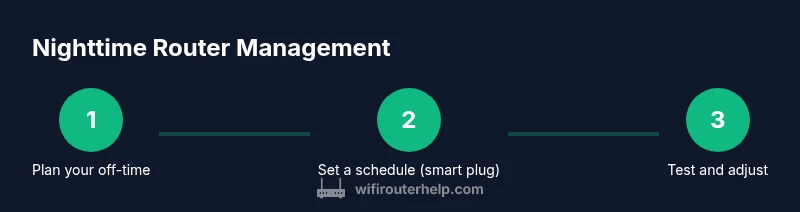
There are two primary approaches to nighttime power-down. First is a manual power-off: physically unplug or switch the router from its outlet at a chosen time. Second is a scheduled power-down: use a smart plug or, on some models, a built-in feature to turn off and back on automatically. Both methods require planning to avoid long reconnect times and missed updates. If you’re unsure about the reconnect behavior after a reboot, test the schedule on a weekend before relying on it full-time.
Scheduling options: smart plugs, built-in features, and routine maintenance
Smart plugs with scheduling allow precise off/on times and can be integrated with voice assistants or automation routines. Some routers include a night mode or sleep feature, which reduces activity without a full power-down. When choosing an option, check compatibility with your router and your home automation ecosystem. Remember to schedule time for essential maintenance, such as firmware updates, to happen during daytime windows when you’re awake to monitor results.
Troubleshooting: what can go wrong and how to fix it
Power-cycling a router can temporarily disrupt connected devices and may require you to rejoin guest networks. If you rely on VoIP or Wi‑Fi calling, monitor latency after power cycles. If a scheduled reboot causes devices to fail to reconnect, verify that the DHCP lease and IP address assignments reset correctly, and consider increasing the wake time for devices that take longer to reconnect. Always keep a backup plan to regain remote access if the schedule requires manual intervention.
Myths vs reality: common beliefs debunked
Myth: Turning off the router at night dramatically extends its lifespan. Reality: Modern routers are designed for continuous operation; power-downs are unlikely to double lifespan. Myth: Sleep mode is always available. Reality: Not all routers support a true sleep mode; many rely on full reboot or external scheduling. Myth: Power-cycling is harmful. Reality: Occasional power cycles are generally safe if done intentionally and not during critical updates.
Tools & Materials
- Router admin access (web UI or mobile app)(Needed to confirm operational status and adjust settings if supported.)
- Smart plug with scheduling(Useful for automated nightly power-downs without manual unplugging.)
- Uninterruptible Power Supply (UPS) (optional)(Provides surge protection and keeps devices stable during short outages.)
Steps
Estimated time: 15-25 minutes
- 1
Decide your nightly window
Determine when you want internet access to pause and when it should resume. This helps avoid unnecessary disconnects during early-morning activity and ensures devices have a reliable window to reconnect before you wake up.
Tip: Align the window with your household schedule and any automated tasks that rely on consistent connectivity. - 2
Check router features and updates
Log into the router admin page to verify firmware is up to date and to see if your model offers a built-in sleep or schedule feature. If a built-in option exists, test it before relying on external tools.
Tip: Update firmware during daytime hours to monitor for any reboot issues. - 3
Choose your power-down method
If using a smart plug, set a nightly off/on schedule. If not, prepare a manual routine, ensuring you have a clear time frame and an easy way to re-enable connectivity in the morning.
Tip: Document the exact times and test the routine on a weekend. - 4
Test the reconnect process
At least one cycle, verify that devices reconnect automatically and that any guest networks or IoT devices resume functioning as expected after power-on.
Tip: Allow 1–3 minutes for devices to rejoin networks depending on your setup. - 5
Monitor and adjust
Observe the impact on daytime usage and IoT behavior for the first week. Fine-tune off-times to minimize disruption while still achieving your energy or security goals.
Tip: Keep a simple log of changes and outcomes for future reference.
People Also Ask
Is it safe to unplug a router overnight?
Yes, unplugging overnight is generally safe. It can reduce exposure and energy use, but ensure devices reconnect smoothly when powered back on and that critical updates occur during active hours.
Yes, unplugging overnight is usually safe and can help reduce exposure and energy use. Just be sure the devices reconnect afterward and that important updates happen during the day.
Will turning off the router at night affect firmware updates or backups?
Firmware updates typically occur automatically when the router is on and connected. Turning off temporarily may delay updates, so plan a daytime window for maintenance. Backups are generally unaffected by a nightly power cycle.
Firmware updates usually happen when the router is on. If you power it off, updates may be delayed, so schedule maintenance during the day.
Do routers have built-in sleep modes?
Some routers offer a sleep or energy-saving mode, but not all models do. If yours does, it can reduce activity automatically without a full power-down.
Some routers include a sleep mode, but many do not. Check your model’s features in the manual.
Can turning off the router at night affect internet speed or daytime performance?
Powering off can cause a longer reconnect time in the morning, but it does not permanently slow hardware. If reconnection is slow, adjust the schedule or consider a reboot during a low-traffic period.
A nightly power-down may slow morning reconnection but won’t permanently affect performance.
What about smart home devices that rely on constant connectivity?
Most smart devices reconnect automatically after your router powers back on. If you notice delays, give devices a few extra minutes to rejoin the network.
Most smart devices will reconnect after the router comes back online; give them a few minutes.
Should I also switch off my modem at night?
If your internet plan includes a separate modem and router, you can turn off both. Use caution with voice services that rely on the modem, and ensure you don’t disrupt service during critical times.
Turning off both modem and router is fine if you don’t rely on services that need a continuous connection.
Watch Video
What to Remember
- Turn off when needed to save energy
- Smart plugs simplify automation
- Check firmware and sleep features
- Test reconnect times before relying on the schedule
- Balance convenience with security