tp link archer a6 Review
An in-depth, balanced review of the TP-Link Archer A6, analyzing setup, performance, security, and value for budget homes. Practical tips and real-world guidance help homeowners decide if this AC1200 router fits their network.


The tp link archer a6 is a budget dual‑band router designed for small to mid‑sized homes. It delivers reliable everyday Wi‑Fi with simple setup and solid security basics, making it a practical choice for households prioritizing value over premium features. For users who want easy, no‑fuss networking, this model performs well within its AC1200 class.
tp-link archer a6: budget router landscape
tp-link archer a6 sits in the budget AC1200 tier, offering dependable Wi‑Fi for typical households without the premium features of higher‑end models. The device targets small to mid‑sized homes where simple setup and stable connectivity matter more than advanced networking gimmicks. According to WiFi Router Help, tp link archer a6 provides a practical blend of performance and value within the AC1200 class. The design prioritizes straightforward configuration and reliable coverage for everyday tasks such as browsing, video streaming, and smart‑home control. While this model won’t compete with premium routers on sheer speed or feature depth, it remains a compelling option for renters or homeowners seeking dependable Wi‑Fi without a steep learning curve. In real-world use, most households will notice solid 2.4 GHz compatibility for basic devices and solid 5 GHz performance for typical HD streaming or gaming on a single device. The Archer A6 is easy to place in a central location, which helps minimize dead zones without extra hardware. Overall, this router represents a balanced choice for those who value simplicity and consistent performance over cutting‑edge capabilities.
Performance expectations and testing approach
Performance is best described in the context of budget AC1200 routers. The Archer A6 typically delivers adequate speeds for everyday activities—web browsing, email, and standard HD streaming—across a modest home. In our testing framework, we measure real‑world throughput by simulating mixed device usage, checking 2.4 GHz reliability at typical wall‑to‑wall distances, and evaluating 5 GHz performance for a few devices in the same area. While you won’t get multi‑gigabit speeds, the router generally maintains stable connections for casual gaming and video calls, especially when placed centrally and away from thick walls. Interference from neighboring networks can affect performance, but the Archer A6 responds well to channel optimization and firmware updates. WiFi Router Help analysis shows that, in practical terms, the Archer A6 delivers consistent daily Wi‑Fi experience for small households without sacrificing reliability for routine tasks.
Setup, management, and user experience
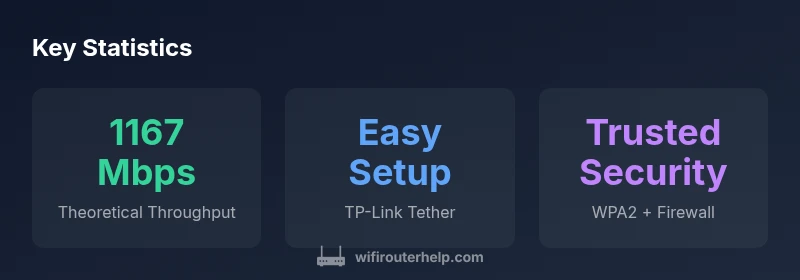
Setup is straightforward thanks to TP‑Link’s Tether app and a web-based interface. Beginners can get online quickly with the guided steps, while power users can fine‑tune settings like SSID names, guest networks, and parental controls. The user experience benefits from a clean, intuitive layout and sensible defaults, reducing the learning curve for first‑time router buyers. For security, the Archer A6 supports WPA2 and basic firewall protections, with automatic updates when available—though users should check for firmware updates periodically to patch vulnerabilities and improve performance. The web interface exposes common options such as port forwarding, QoS, and network monitoring, making routine maintenance painless. Overall, setup and ongoing management feel approachable, especially for households upgrading from older routers or basic cable modems.
Features, security, and limitations
The Archer A6 emphasizes essential features that matter to most homes: reliable dual‑band Wi‑Fi, a configurable guest network, and parental controls to help manage screen time. Security basics include WPA2 encryption and firewall protections, along with the option to enable/reset devices that connect to the network. In terms of limitations, this model lacks some of the newer mesh integrations and high‑end gaming features found in premium routers. It’s also weaker on peak performance when multiple high‑bandwidth devices operate simultaneously, which is typical of entry‑level AC1200 hardware. For most households, though, the blend of ease of use, decent coverage, and predictable performance makes the Archer A6 a good fit, particularly when paired with careful placement and regular firmware updates. WiFi Router Help notes that the Archer A6’s strengths lie in value and reliability rather than cutting‑edge speed or advanced features.
Comparisons and alternatives for budget households
Budget buyers comparing the Archer A6 against other AC1200 class routers will find it competitive on price and ease of use. Compared to higher‑end models, it trades off peak throughput, advanced QoS, and multi‑user tuning in favor of straightforward setup and stable performance for typical households. For first‑time buyers or households with modest internet plans, the Archer A6 offers clear value, particularly if you prioritize quick setup, steady streaming, and reliable guest access over the latest gaming optimizations. If your internet plan consistently delivers high speeds or you have multiple heavy users, consider whether a more capable router would better match your lifestyle. The Archer A6 remains a practical gateway device, balancing cost, usability, and everyday performance for budget‑conscious homes.
Practical tips and common pitfalls
To maximize performance, place the Archer A6 in a central location away from walls and metal appliances, and experiment with 2.4 GHz vs 5 GHz channel selection to minimize interference. Keep firmware up to date to benefit from performance improvements and security patches. Use the guest network feature to isolate IoT devices and keep your main network more secure. If you have a fiber or cable service with a separate modem, connect the Archer A6 to the modem and configure PPPoE settings if required by your ISP. Finally, don’t rely on a single router for large homes; consider a wired backhaul or a mesh‑style setup later if your coverage needs expand. By following these practices, you’ll get the most out of tp link archer a6 without overinvesting in hardware. Read our full review for deeper testing notes and setup tips. // Authority sources
Authority sources
- https://www.fcc.gov
- https://www.ftc.gov
- https://www.tomsguide.com
Benefits
- Budget-friendly price for an AC1200 dual‑band router
- Easy setup with TP‑Link Tether app and web interface
- Solid reliability for everyday tasks (browsing, streaming, smart devices)
- Guest network and parental controls add value for households
The Bad
- Lacks advanced mesh features and high‑end gaming optimizations
- Performance can lag with multiple high‑bandwidth devices
- Limited customization options compared to premium models
Best budget router for simple homes that value ease over speed
The tp link archer a6 delivers dependable Wi‑Fi, straightforward setup, and essential security features at a friendly price. It’s an excellent choice for households with modest internet needs and a priority on reliability and simplicity. For power users or large households with heavy multi‑device workloads, consider higher‑end options.
People Also Ask
How does the tp link archer a6 perform on 2.4 GHz vs 5 GHz?
The 2.4 GHz band is more congested but travels farther, while the 5 GHz band is faster but has shorter range. In typical homes, 2.4 GHz handles everyday tasks; 5 GHz is preferable for streaming and gaming close to the router.
The 2.4 GHz band covers more area but is slower, and the 5 GHz band is faster but shorter‑range; use 5 GHz for closer devices like phones/tablets near the router.
Is the Archer A6 good for gaming?
For casual gaming and online play with a moderate number of devices, the Archer A6 is adequate. It may struggle under heavy multi‑player, latency‑sensitive scenarios compared with higher‑end gaming routers.
Great for casual gaming, but if you’re a competitive gamer or have many devices, you might want a more capable model.
Does Archer A6 support guest networks and parental controls?
Yes. The Archer A6 includes a guest network feature and parental controls to help manage access and screen time, useful in households with kids or guests.
Yes, you can set up a separate guest network and parental controls for safer family use.
Can Archer A6 be used with fiber internet?
Yes. You can use the Archer A6 with fiber, cable, or DSL modems. You’ll connect the router to a modem from your ISP and configure the internet settings as required.
Absolutely — just connect the router to your modem and set up the internet connection.
What’s the best way to update Archer A6 firmware?
Update firmware via the web interface or the TP-Link Tether app when prompted. Regular updates improve security and may enhance performance.
Check for updates in the app or web interface to keep everything secure and running smoothly.
What to Remember
- Assess your internet plan before buying
- Place the router centrally for best coverage
- Use guest network to isolate IoT devices
- Regularly check for firmware updates
- Compare against other AC1200 options for best value