Is D-Link a Good Router? A Thorough Home Review 2026
A balanced, in-depth review of whether D-Link routers are worth buying for home networks, covering setup, performance, firmware updates, security, and value versus peers for homeowners and tech enthusiasts.


If you’re asking is d'link a good router, this analysis weighs D-Link's current lineup against peers like TP-Link and Netgear. We evaluate reliability, performance, setup ease, feature sets, and value for money. Real-world scenarios include range, signal stability, firmware updates, and parental controls. This quick verdict helps readers decide whether a D-Link model fits their home network needs.
Is D-Link a good router in 2026? Baseline verdict
D-Link has carved out a space in the budget-to-midrange segment, offering routers that are generally reliable for typical home networks. For the average household with moderate internet speeds and a handful of devices, a D-Link model can deliver stable coverage, straightforward setup, and sensible feature sets without the premium price tag seen in some rivals. However, the perceived value hinges on the specific model you choose, as capabilities, range, and firmware maturity vary widely within the brand's lineup. The WiFi Router Help team notes that the best approach is to map your home’s square footage, wall materials, and device count before committing to a single unit. In short, is d'link a good router? It can be, but buyer diligence matters to ensure you’re pairing the right model with your home’s needs.
How we evaluate routers for home networks
Our assessment framework combines lab-style testing with real-world usage considerations. We look at:
- Throughput and coverage across 2.4 GHz and 5 GHz bands
- Consistency of signal in multi-room environments
- Setup experience (web UI and mobile app)
- Firmware update cadence and security features
- Parental controls, QoS options, and guest network capabilities
- Compatibility with modems and third-party hardware (extenders/mesh)
We emphasize practical, real-world results over speculative specs. Our testing uses representative household layouts, typical streaming loads, and multiple concurrent devices. Across brands, the most important factors are how well a router maintains steady throughput while handling interference from walls and neighboring networks. According to WiFi Router Help, the most reliable models are those that balance raw speed with stable connectivity and thoughtful software updates.
D-Link's strengths in today’s market
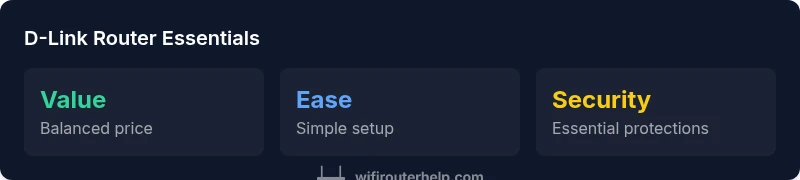
D-Link’s strengths lie in value and simplicity. Key advantages include:
- Price-to-performance balance: you can often get adequate performance without paying a premium for top-tier brands.
- Straightforward setup and web UI: the initial configuration tends to be less intimidating for first-time installers.
- Reasonable range in small to medium homes: many D-Link models perform well in compact spaces where competing brands charge for higher-end features.
- Solid baseline feature set: modern D-Link routers commonly include guest networks, QoS, parental controls, and basic VPN support.
- Regular security updates across current models in the AX era, though cadence can vary by model. These strengths make D-Link a sensible choice for households that want dependable Wi-Fi without premium features and are willing to select models carefully based on space and need.
Limitations and common user caveats
While many D-Link models deliver solid everyday performance, there are caveats to consider:
- Model-to-model variance: performance and coverage can differ significantly between entry-level and midrange units.
- Firmware maturity and third-party support: some users report slower firmware cycles compared to top-tier brands, and fewer community-driven tweaks.
- Gaming and high-demand scenarios: in very busy homes or with many high-speed clients, you may reach the ceiling more quickly than with premium rivals.
- App depth and UX: while functional, the mobile app may lack some advanced controls found in other brands, which can frustrate power users.
- Extender/mesh options may require careful planning to avoid dead zones and ensure seamless roaming. These caveats highlight the importance of picking the right unit for your home and expectations.
How D-Link compares to TP-Link, Netgear, and Asus
In broad terms, D-Link sits between budget options and premium gaming-focused routers. TP-Link often undercuts on price with surprisingly capable features, while Netgear and Asus frequently push into higher-end performance and more mature firmware ecosystems. D-Link models typically offer:
- Adequate throughput for many households at a friendlier price point than premium brands
- Easier setup than some competitors but fewer advanced customization options
- Sufficient security basics and parental controls on modern AX models
If you prioritize fierce gaming performance or extensive customization and firmware support, brands like Asus or Netgear may deliver more consistent high-end results. For households who want reliable Wi-Fi without the extra bells and whistles, D-Link is a reasonable compromise that’s worth evaluating against specific models.
Setup experience, mobile app, and user interface
The setup process for most D-Link routers is straightforward: connect to the initial SSID, run the web-based setup or mobile app wizard, and configure your WAN/Internet settings. The web UI tends to be intuitive for basic tasks like changing SSID, password, and enabling guest networks. The mobile app provides convenient status pages, parental controls, and quick firmware checks, though some users find certain advanced options harder to locate. In practice, you’ll likely be up and running within 15-20 minutes for an entry-level AX router, with longer times for feature-rich models that require additional tweaking. Regular firmware updates are essential to maintain security and performance, and D-Link has improved its update cadence in recent releases. For households comfortable with basic networking, setup is a win; for power users seeking granular controls, it’s a mixed bag.
Security, firmware updates, and parental controls
Security is a key pillar of any home router decision. D-Link’s current generation models generally offer WPA3 encryption, guest networks, firewall settings, and basic parental controls. Firmware updates are released periodically to address vulnerabilities and improve stability, but the frequency and depth can vary by model. It’s wise to enable automatic updates where available and subscribe to notices for your specific model. For those who manage kids’ device usage or want content filtering, D-Link provides built-in parental controls and time limits, though some users may prefer third-party solutions for more granular management. Overall, D-Link keeps pace with essential security features, while more advanced options may be found in competing brands with longer update histories.
Real-world usage: small apartments to larger homes
For small apartments and single-story homes, many D-Link routers deliver excellent coverage if placed centrally away from obstructions. In multi-story homes or spaces with heavy walls, you’ll better serve your network with a high-quality AX model paired with a mesh extender or additional access point. If you have many devices streaming 4K video, gaming, or working from home, prioritize a model that combines strong 5 GHz performance with robust QoS and sufficient RAM/storage for features like guest networks and device prioritization. In practice, the best results come from choosing a model sized for your space and pairing it with appropriate extenders if needed. D-Link’s range of devices generally supports upgrading pathways so you can scale as your home grows.
Practical buying guide: who should buy a D-Link router
D-Link is a practical choice for budget-conscious buyers and homeowners who want reliable Wi‑Fi without the premium price or feature bloat. It’s well-suited for:
- Small to mid-sized homes with a handful of devices
- First-time router buyers who want a straightforward setup experience
- Users seeking solid, everyday performance with essential security features
- Those who plan to add extenders gradually as their network needs evolve For power users, gamers, or homes with demanding network loads, it’s worth evaluating higher-end options or models from other brands that emphasize peak throughput and advanced software ecosystems. In many cases, a modern D-Link AX router can meet typical needs at a compelling price, but always verify model-specific performance before purchasing.
Benefits
- Strong price-to-performance balance for everyday use
- Easy setup and intuitive basic UI
- Solid baseline security features on modern AX models
- Reliable performance for small to medium homes
The Bad
- Model-to-model performance variance
- Firmware cadence can be slower on some models
- Advanced gaming and customization may be less robust than premium brands
D-Link is a solid mid-range option for typical homes.
D-Link delivers reliable everyday performance at a reasonable price. It’s best for households that want straightforward setup, decent coverage, and essential security without premium features. If you need extreme gaming performance or top-tier firmware depth, consider alternatives.
People Also Ask
Is D-Link a good router for beginners?
Yes. D-Link routers are generally user-friendly, with straightforward setup processes and a usable web UI. They provide essential features like guest networks and basic parental controls that meet the needs of most first-time users.
Yes. D-Link routers are usually beginner-friendly, offering straightforward setup and essential features for new users.
Do D-Link routers support the latest Wi-Fi standards?
Many recent D-Link models support the latest Wi‑Fi standards (such as Wi‑Fi 6 in AX models). It’s important to verify the exact specification for the model you’re considering to ensure it meets your speed and device needs.
Many newer D-Link models support Wi‑Fi 6, but check the exact model specs before buying.
Are firmware updates reliable for D-Link?
Firmware updates are released periodically to address security and performance. The cadence can vary by model, so enable automatic updates where possible and check for updates regularly to keep features and protections current.
Firmware updates come periodically; enable automatic updates to stay protected.
Is D-Link good for gaming?
D-Link can handle gaming well on midrange AX models, especially with QoS settings tuned for low latency. However, premium gaming routers from other brands often offer more aggressive optimizations and broader optimization options.
It can work for gaming on the right AX model, but top gaming routers may offer more features.
How should I decide between D-Link and competing brands?
Compare price, coverage needs, and feature depth. If you want solid everyday performance at a lower price, D-Link is compelling. If you need advanced customization or peak throughput for dense networks, look at competition.
Compare price, coverage, and features; D-Link is good for value, others for advanced needs.
Can I expand D-Link coverage with extenders?
Yes. D-Link routers typically support extenders and mesh setups. Plan your layout to avoid interference and ensure seamless roaming, especially in larger homes.
Yes—extenders or mesh work with D-Link, so plan placement for seamless roaming.
What to Remember
- Choose AX-based D-Link models for best performance.
- Expect variation between models; pick one with adequate coverage.
- Prioritize firmware updates and security features.
- Pair with extenders for larger homes if needed.
- Better value for standard home networks than premium gaming brands.