Gaming Router vs Mesh: A Thorough 2026 Comparison
A thorough, objective comparison of gaming routers and mesh Wi‑Fi systems for 2026. Learn how latency, coverage, setup, and price impact gaming performance and practical home networks.


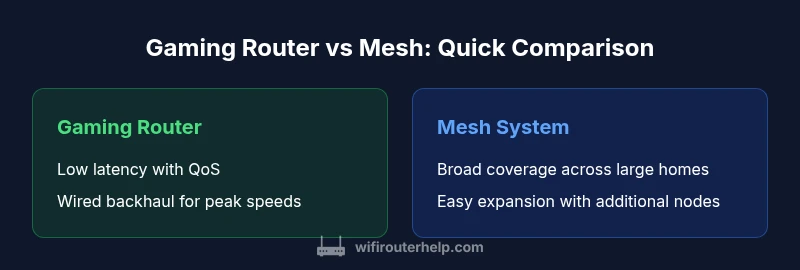
Gaming router vs mesh: For latency-critical gaming, a high-performance gaming router with QoS and wired backhaul generally delivers the most consistent ping and stable connections. A mesh system shines in large homes, spreading signal evenly with multiple nodes and easy expandability. Choose gaming router for speed-focused baselines, or mesh for broad, campus-like coverage.
Gaming Router vs Mesh: Context for 2026
For homeowners and tech enthusiasts, the choice isn’t simply about finding the fastest device but selecting a solution that fits both the layout of your home and the way you game. According to WiFi Router Help, the decision should consider room count, device density, and how you connect play sessions to the internet. A gaming laptop, a console, and a few streaming devices can create bursts of demand that stress a home network in unpredictable ways. A central, high-performance router may deliver lower latency in a small apartment, while a mesh setup can blanket a sprawling house with consistent signal. This section sets up the frame for the rest of the guide, so you can map your own home to the best-fit approach: one compact, powerful router or a network of nodes that share the load across spaces. The takeaway at this stage is simple: the environment and the use-case shape the best choice.
Latency, Throughput, and Backhaul: What Really Matters for Gaming
Latency is the most cited metric for gamers, but it’s shaped by more than a single tick. A gaming router’s processing power, QoS rules, and support for wired backhaul can minimize jitter and keep gaming packets prioritized over background traffic. In contrast, a mesh system makes the most of multiple radios and band steering to extend coverage, which helps avoid retransmissions caused by weak signals. Real-world performance depends on your home’s layout, interference from neighbors, and how many devices are active at once. For example, streaming in the living room while gaming in a bedroom upstairs creates different bottlenecks than gaming in a single small room. The general rule is: if your aim is the lowest possible latency in a compact space, a single robust router with a wired backhaul often wins. If your aim is steady signal across a large home, a mesh approach typically provides the most consistent coverage.
Core Hardware Differences
Core hardware differences between gaming routers and mesh systems can impact performance more than you expect. Gaming routers tend to pack faster CPUs, more RAM, and specialized QoS engines that can classify traffic on a per-app or per-device basis. They also rely on high-quality radios and, in some models, multiple backhaul options including wired Ethernet or 5 GHz/6 GHz airlinks. Mesh systems emphasize distributed processing across several nodes and simple backhaul management. The primary advantage is resilience: if one node has a hiccup, others can route traffic. However, the per-node CPU can be a bottleneck if you push a large number of concurrent streams or intense online gaming on multiple devices. In practical terms, you should expect a gaming router to keep a handful of high-demand devices aligned on a single, low-latency path, while a mesh system can maintain service as you add rooms and floors. The decision hinges on how many devices you intend to run at peak and how important wired backhaul is to your setup.
Coverage and Signal Quality: Real-World Placement
Coverage and signal quality are the most visible differences in many homes. A single gaming router can deliver excellent performance to a focused area, but rooms far from the router may see weak signal or dead zones. A mesh system, with multiple nodes, is designed to eliminate this problem by spreading connections across a broader footprint. Placement matters: for both options, metal walls, large appliances, and social spaces can shape signal flow. In practice, mesh nodes should be spaced to balance backhaul quality (prefer wired where possible) and proximity to devices you use most. The WiFi Router Help team recommends mapping your home as a grid: identify the densest gaming zones, the location of the main router or first node, and the farthest corners. This helps you decide if you’ll benefit from a single, strong device or a chain of nodes that terminate in different rooms. A well-placed mesh node can dramatically reduce dropouts in long corridors or upstairs bedrooms.
Setup and Management: Apps, QoS, and Monitoring
Setup and management have a surprisingly large influence on everyday experience. Gaming routers offer deeper customization: you can set per-device QoS rules, create gaming VLANs, and often tie performance to a wired backhaul for maximum stability. Mesh systems simplify setup with guided apps, auto-detection of nodes, and adaptive routing that manages backhaul dynamically. For gamers who want to “just work,” mesh can be a compelling option, but it may sacrifice some fine-grained control. In both cases, keep firmware updated and use a secure password. You’ll also want to disable extra features you don’t need to minimize overhead. The best practice is to test with and without QoS enabled, monitor latency under load, and verify that all critical devices can maintain stable connections during peak hours. In this phase, documentation and a clear plan help you avoid post-purchase frustration.
Gaming Scenarios: FPS, MMOs, and Console Streaming
Gaming scenarios vary by title and platform. FPS titles reward low, stable ping and fast recovery from occasional drops, while MMOs and multiplayer games benefit from consistent bandwidth and routing. A gaming router can shine in disciplined latency management and predictable performance for a few devices. In contrast, a mesh system helps when your family uses multiple consoles and laptops across several rooms. If you want multi-device multiplayer in the living room and bedroom at the same time, a hybrid approach might work: place a robust router as the core and add one or two mesh nodes to extend reach. The final result should minimize jitter and provide predictable latency, not just raw speed.
Expansion, Longevity, and Future-Proofing
Expansion, longevity, and future-proofing are practical concerns. A gaming router usually covers a single space very well but may require a next-generation model sooner if your home grows or you upgrade to faster internet speeds. A mesh system is inherently expandable: you can add nodes to fill gaps and adapt as your family’s devices multiply. The most important consideration is backhaul—wired connections typically outperform wireless ones for both types, and they are more future-proof as speeds rise. When you plan for two to four years ahead, a mesh system offers a smoother path to expansion, while a gaming router with modular upgrades can still maintain top-tier latency for that time horizon. Your choice should reflect anticipated changes in device density and layout.
Price, Value, and Long-Term Costs
Price, Value, and Total Cost of Ownership: Another dimension often overlooked. A top-tier gaming router can carry a higher upfront price tag, but you gain priority support, precise tuning options, and maximum throughput in a constrained space. Mesh systems, while cheaper per node, add costs as you scale and require new nodes only when necessary. Consider not just the price of hardware but also potential subscription services for advanced features or cloud-based management. In many households, the better approach is to start with a solid router and one or two nodes, then monitor demand before committing to a full mesh network. WiFi Router Help analysis shows that the most economical path is often to align your investment with your actual coverage needs and gaming goals rather than chasing the latest feature set.
Practical Tips for Optimizing Either Setup
Start by profiling your space. Run a quick site survey to identify weak spots and test latency across devices. For a router, run Ethernet backhaul to high-priority devices when possible and set robust QoS rules for gaming ports. For a mesh system, place nodes in positions that balance backhaul quality with signal reach; avoid stacking units in one corner of the house and keep them away from metal appliances. Disable interference sources such as guest networks or nonessential IoT devices during peak gaming sessions. Regularly update firmware and test speeds after any major changes. The goal is a stable, predictable gaming experience rather than chasing absolute numbers.
Common Mistakes and How to Avoid Them
Placing a mesh node too far from the main unit, neglecting backhaul quality, overestimating raw throughput, and ignoring device density can all degrade performance. Another frequent error is assuming more nodes always mean better gaming; if backhaul is weak, extra nodes create bottlenecks. Over-tuning QoS without testing real-world performance can backfire. Finally, confusing marketing claims with real-world results can lead to disappointment. Use conservative expectations and verify with real tests in your home environment.
Decision Framework: When to Choose Gaming Router vs Mesh
Use a decision framework based on home size, device density, and gaming priorities. If you live in a small or medium-sized home with a few high-demand devices and a wired backbone, a gaming router offers the best latency and a straightforward upgrade path. If your home spans multiple floors with many devices and you frequently move around the house while gaming or streaming, a mesh system provides more consistent coverage and easier expansion. If budget allows, consider a hybrid approach: a dedicated gaming core plus one or two mesh nodes to fill coverage gaps. Finally, evaluate the total cost of ownership over several years and weigh the importance of easy setup against the ability to fine-tune performance.
Real-World Checklists and Next Steps
Before you buy, sketch a quick floorplan, identify the rooms where you game most, and decide where a main router or primary mesh node will live. Measure the distance to the farthest rooms and consider any large metal barriers. Check your internet service’s plan and confirm that the router or mesh system supports the speeds you’re paying for. Finally, test performance after installation by gaming, streaming, and video conferencing simultaneously to ensure the experience meets your expectations.
Real-World Case Studies (Optional)
In real homes, the best choice often comes down to layout and user behavior. A single, well-placed high-end router can outperform a multi-node mesh in a small apartment with dense device usage. In a large two-story home with multiple family members, a mesh system can deliver more uniform coverage with less manual tweaking. The key is to map your space and test results under typical daily patterns, not just peak gaming moments.
Comparison
| Feature | Gaming Router | Mesh System |
|---|---|---|
| Latency and ping stability | Low latency with prioritized traffic and wired backhaul | Broad coverage with client steering across nodes |
| Coverage and signal reach | Focused coverage around a single area or room | Expanded coverage across multiple floors/areas |
| Scalability and expansion | Limited by device capacity and single-unit performance | Easily scalable by adding nodes |
| Setup and management | Advanced tuning via dedicated app and potential wired backhaul options | Simple app-based setup with automatic configuration |
| Device handling and density | Better performance with high-demand devices in a fixed space | Handles many devices more evenly across space |
| Price and long-term value | Higher upfront cost for peak latency performance | Moderate upfront cost with scalable expansion |
| Reliability under interference | Consistent performance with controlled QoS and wired options | Varies with node placement and backhaul quality |
| Best use case | Small to mid-sized homes with focused gaming rooms | Large homes with signal gaps and multi-story layouts |
Benefits
- Low latency and stable throughput with proper QoS
- Scalability via node-based expansion
- Easier to troubleshoot with dedicated support channels
- Potentially better performance with wired backhaul in ideal setups
The Bad
- Higher upfront cost for top-tier gaming routers
- Requires some learning to optimize QoS and settings
- Mesh systems can underperform if nodes are poorly placed
- Some features rely on cloud services or subscriptions
Gaming routers win on latency; mesh wins on coverage
Choose a gaming router when latency and tight control over traffic matter most. Opt for a mesh system when you need even coverage across a large home and easy expansion.
People Also Ask
What is the primary difference between a gaming router and a mesh system?
A gaming router focuses on low latency and precise traffic control for a single network, while a mesh system emphasizes wide, consistent coverage through multiple nodes. The best choice depends on your home size and gaming needs.
Gaming routers optimize speed for a single space; mesh spreads coverage throughout a larger home.
Can I use a mesh network for gaming as well?
Yes. Modern mesh systems support gaming features like QoS and fast backhaul options, but performance can vary based on node placement and backhaul type. If latency is critical, pair mesh with a strong router or wired backhaul.
Yes, mesh can handle gaming, especially with proper backhaul.
Do I need a wired backhaul for gaming routers?
A wired backhaul often provides the most stable performance for gaming routers, reducing wireless interference and freeing airwaves for clients. If you cannot run cables, a good quality wireless backhaul can still work well.
Wired backhaul improves stability, but isn’t always required.
Is a mesh system better for multi-story homes?
Mesh systems excel in multi-story homes where signals must travel across floors. Ensure nodes are placed strategically to avoid dead zones and maintain backhaul quality.
Mesh is great for multi-story layouts when placed well.
Should I upgrade my existing router or buy a new mesh system?
If your current router lacks QoS or stable performance for modern games, upgrading to a gaming router may yield clearer benefits. For broad coverage and simplicity, a mesh system offers straightforward expansion.
Upgrade for speed, or mesh for coverage; choose based on needs.
How do QoS features help gaming?
QoS prioritizes gaming traffic over less critical data, reducing latency during peak moments. Look for routers or mesh options that allow per-device or per-application prioritization.
QoS helps gaming by prioritizing traffic.
What to Remember
- Prioritize latency for fast-paced games
- Size and layout dictate coverage strategy
- Expansion options influence long-term value
- QoS and backhaul choices are critical