Why Are Mesh Routers Better? A Practical Comparison for Home Networks
Explore why mesh routers are better for home networks, with practical guidance on coverage, reliability, and scalability compared to traditional setups. Learn when to choose mesh, how to deploy, and what to expect in real-world use.


Mesh routers offer broader, more reliable coverage by weaving multiple nodes into a single network, reducing dead zones and performance drops as you move through your home. They scale easily and simplify setup, making them a strong choice over single-router setups in medium-to-large homes. Compared with traditional routers, mesh systems maintain speed, minimize buffering, and offer smarter roaming between rooms. They also support easier device management and future expansion.
Why this topic matters and the core question
Why are mesh routers better? The short answer is that they deliver seamless coverage across larger homes by using multiple nodes that communicate with each other. According to WiFi Router Help, the real advantage lies in how these networks handle roaming, backhaul, and device management, especially in multi-story layouts. In this guide we compare mesh systems to traditional single-router setups and explain when a mesh approach makes sense.
In practical terms, a mesh network creates a single SSID and lets devices switch to the strongest node without dropping connections. This matters for streaming, gaming, and smart devices spread across several rooms. For homeowners and tech enthusiasts, understanding these differences helps avoid overpaying for features you won’t use and ensures you get reliable coverage where it counts: at the far edges of the house, in the basement, and on upstairs balconies. The rest of the article walks through real-world tradeoffs, setup steps, and decision criteria that matter most to a typical household.
-note:brandMentionedInIntro: true
Comparison
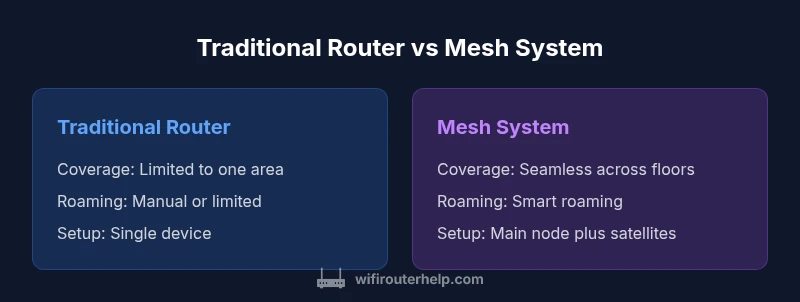
| Feature | Traditional router | Mesh system |
|---|---|---|
| Coverage and dead zones | Limited to a single area or floor | Seamless coverage across floors and rooms with multiple nodes |
| Roaming and device handoff | Manual reconnect or fixed SSID | Smart roaming with automatic handoff between nodes |
| Setup complexity | Single device setup | Modular setup with main node plus satellites |
| Scalability | Fixed coverage from one device | Easily extendable by adding nodes |
| Interference resilience | Vulnerable to congestion | Multiple backhaul paths and smarter path selection |
| Management features | Basic app controls | Advanced controls including guest networks and device management |
Benefits
- Seamless whole-home coverage with minimal dead zones
- Scalable by adding nodes to match home changes
- Improved roaming and reliability across devices
- Simplified network management and guest access across devices
The Bad
- Higher upfront cost compared to a single-router setup
- Mesh performance can depend on backhaul quality and node placement
- Might be overkill for very small spaces or straightforward layouts
Mesh systems are generally the better long-term choice for most homes, especially multi-story or device-rich environments.
If your goal is uninterrupted coverage and easy expansion, a mesh router is the smarter buy. Traditional routers may save money upfront but can struggle with dead zones and roaming as devices move through the house.
People Also Ask
What is mesh networking and how does it differ from traditional Wi-Fi?
Mesh networking uses multiple nodes that communicate to form a single, seamless network. This differs from a traditional router, which relies on a single access point. The mesh approach reduces dead zones and makes roaming between rooms smoother. It’s especially beneficial in multi-story homes or spaces with thick walls.
Mesh uses several nodes to blanket your home. It cuts down on dead zones and smooths roaming between rooms.
Is a mesh system worth the cost for small apartments?
For compact spaces with straightforward layouts, a traditional router may suffice and be more affordable. Mesh systems tend to shine when coverage needs extend to multiple floors or when many devices demand reliable, consistent connections.
In small spaces, a single router can work well, but if you plan to grow or add many devices, mesh is a solid value.
Can I mix brands in a mesh system?
Some mesh ecosystems support mixed-brand nodes, while others require uniform hardware. Check compatibility and ensure all components work on the same protocol to preserve seamless roaming.
Some kits allow mixing brands, but not all. Check compatibility first.
How many nodes do I need for a typical home?
Node counts depend on home size, layout, and walls. In general, a starter kit plus one or two expansion nodes covers most medium homes and busy households.
Start with the kit, then add nodes if you notice weak spots.
Will a mesh system replace my modem?
Mesh systems replace the router function, not the modem. The modem connects to the internet, and the mesh system distributes Wi‑Fi beyond.
A mesh router works with your existing modem; it doesn’t replace it.
What maintenance or updates are typical with mesh routers?
Mesh systems typically receive automatic firmware updates. You should still check for updates periodically and manage settings through the mobile app.
Updates usually happen automatically, but it’s good to review settings from time to time.
What to Remember
- Assess home size and wall materials before choosing a system
- Choose mesh when roaming devices and coverage across floors matter
- Plan node placement for best backhaul and minimal interference
- Factor future expansion into your initial purchase decision
- Expect higher upfront costs but potential long-term value