Can You Get a Router from Spectrum? A Practical Guide
Explore whether Spectrum provides a router, how to use Spectrum gateways, and steps to bring your own router with bridge mode or IP Passthrough. Learn setup, security, and pricing ranges for home networks.


According to WiFi Router Help, you can usually obtain a router option from Spectrum, but the exact setup depends on your plan. Spectrum often provides a gateway device (modem + router) as part of service, and some regions allow you to own or rent your own router while using bridge mode or IP Passthrough. Always verify availability with Spectrum Customer Support, as terms vary by location.
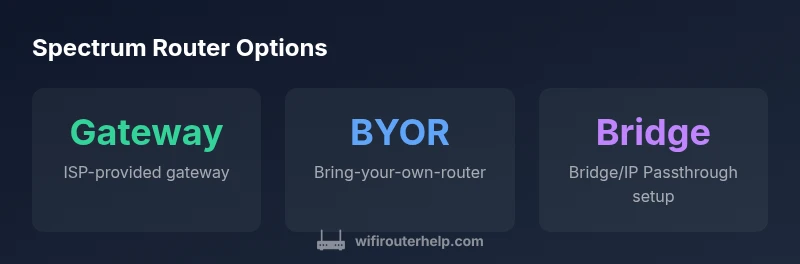
Spectrum router options: Gateway vs BYOR
Spectrum offers a few paths for home networks. The most common arrangement is the ISP-provided gateway, a single device that combines modem and router functionality. In many regions you can also bring your own router (BYOR) and use it behind Spectrum’s gateway via bridge mode or IP Passthrough. The right choice depends on your priorities: total setup ease, feature set, and how much you value control over advanced settings. The WiFi Router Help team notes that regional terms can vary, so it’s essential to confirm what’s available in your area before you buy or rent hardware.
- Gateway (ISP-provided): Simple to set up; includes Wi‑Fi; basic troubleshooting and support from Spectrum.
- BYOR (using your own router): Greater customization, advanced features, and typically stronger performance for gaming or streaming.
- BYOR with Bridge/IP Passthrough: Lets the Spectrum gateway pass the public IP to your router, so your own router handles routing and Wi‑Fi.
When deciding, consider your current equipment, speed tier, and whether you expect to upgrade soon. If you value plug-and-play simplicity, the gateway route is convenient. If you want more control over QoS, VPNs, or guest networks, BYOR is worth evaluating.
How Spectrum's gateway works and typical costs
Spectrum’s gateway device performs both modem and router functions, delivering a one-box solution that many households find convenient. In practice, you’ll often pay a monthly rental for the gateway, with regional variations and occasional promotions that can waive the hardware fee for a limited time. It’s important to understand that rental terms are not identical everywhere; some promotions require you to sign a longer contract, while others offer short-term trials.
From a performance standpoint, the gateway supports your home network and provides built-in Wi‑Fi, firewall protections, and basic parental controls. If your plan includes higher speeds or more devices, you may notice the gateway’s internal router becoming a bottleneck; in such cases BYOR can offer a path to higher throughput or more robust features.
Before subscribing or renewing, ask Spectrum about gateway availability, rental costs, and whether BYOR is allowed on your specific plan. WiFi Router Help’s analysis indicates that the policy landscape is evolving, with more regions supporting BYOR options and bridge setups as customers seek greater control over their networks.
Bring-your-own-router (BYOR) setup: Bridge mode vs IP Passthrough
If you choose to use your own router, two common configurations are bridge mode and IP Passthrough. Bridge mode disables the gateway’s routing capabilities so your router handles all network management, including NAT, firewall, and DHCP. IP Passthrough, on the other hand, passes the public IP from Spectrum to your router while still allowing some gateway features to run in parallel. The exact steps can vary by firmware and model, but the general approach is familiar: you turn off the gateway’s Wi‑Fi broadcast, enable bridging or passthrough, connect your router to the gateway’s LAN port, and then configure your router to obtain its WAN IP automatically.
Key considerations when BYOR:
- Ensure your router supports the speed tier and features you need (QoS, VPN, MU‑MIMO).
- Expect a learning curve for cavity settings like DNS, DHCP scopes, and parental controls.
- If you encounter issues, test with a direct modem connection to verify line quality before reintroducing your router.
The goal is a seamless, fast, and secure home network. With bridging or Passthrough, you gain control over Wi‑Fi naming, encryption, and device prioritization while Spectrum continues to handle your internet connection at the edge.
Compatibility, features, and limitations
A key question with Spectrum BYOR is compatibility. Most modern third‑party routers work well when the gateway is in bridge mode or Passthrough, but some features may not be exposed or may require specific settings to function correctly. For example, features like advanced QoS, guest networks, and VPN passthrough work best on routers designed for modern firmware standards. If your plan relies on Spectrum’s security or parental controls, weigh those benefits against giving up some gateway features when bridging.
Performance isn’t the only factor. You’ll want to confirm that your router’s wireless standards align with your devices. If you have many smart home devices or a large home, you’ll likely benefit from a router with broader coverage or a mesh system. In contrast, if your home is small and devices are close, a mid-range router may suffice. The key is to balance coverage, security, and manageability within your plan’s constraints.
Security and privacy considerations with a personal router
Using your own router introduces important security considerations. Keep firmware up to date to mitigate vulnerabilities, and change the default admin credentials to a strong, unique password. Disable services you don’t use, such as WPS, and enable a robust firewall. Set up a guest network for visitors to protect your main network from exposure. Regularly review connected devices and monitor for unusual activity. If you run a business‑class network at home, invest in a router with strong VPN support, reliable updates, and an enterprise-grade feature set.
Practical steps to verify terms and get started: a checklist
- Confirm BYOR options and gateway policy in your Spectrum area by contacting support or checking your account page.
- Decide between Bridge mode or IP Passthrough based on your needs for control vs simplicity.
- Inventory your router capabilities—Wi‑Fi standards, hardware acceleration, and firmware update cadence.
- Prepare your network—label SSIDs, set strong passwords, and plan guest networks.
- Disable gateway Wi‑Fi if you intend to rely entirely on your own router to avoid interference.
- Test speeds and stability after configuration; document changes for future reference.
- Keep notes on warranty, terms, and any regional variances in Spectrum’s policy.
By following these steps, you’ll maximize performance and security while staying aligned with Spectrum’s terms. This careful approach reduces surprises when Spectrum updates policies or when you upgrade your equipment in the future.
Long-term considerations: firmware, updates, and future-proofing
As you decide between Spectrum’s gateway and BYOR, think about ongoing maintenance. A standalone router gives you control over firmware updates and feature sets, but it also requires you to stay current with security patches. Mesh networking capability may be a future upgrade if you expand to larger spaces or multi‑story homes. If you stay with Spectrum’s gateway, monitor promotions or policy changes that could affect rental terms or included features. In either path, documentation and proactive maintenance are your best allies for a reliable home network.
Spectrum router options for home networks
| Option | What it is | Pros | Cons |
|---|---|---|---|
| Spectrum Gateway (Managed) | ISP-provided gateway device | Easy setup; official support; integrated Wi‑Fi | Rental fees; limited customization |
| BYOR with Bridge/IP Passthrough | Your router behind gateway; gateway in bridge or passthrough | Full customization; better performance potential | Setup complexity; possible feature limitations from provider |
| Pure BYOR (No gateway) | Modem-only with own router (where allowed) | Maximum control; best for advanced users | Limited availability; potential compatibility issues; more setup work |
People Also Ask
Can Spectrum provide a router with my internet service?
Spectrum often provides a gateway device as part of service in many regions. Terms vary by location, and some plans allow BYOR with bridge or IP Passthrough. Always verify current options with Spectrum before making changes to your network.
Spectrum often provides a gateway, but terms vary by region. Check your local plan for BYOR options.
Gateway vs BYOR: what’s the difference?
A gateway is ISP-managed and simple to set up, usually with built‑in Wi‑Fi. BYOR gives you full control over routing and wireless features but may require more configuration and compatibility checks. Bridge mode or IP Passthrough are common BYOR methods.
Gateway is simple; BYOR gives you control with bridge or passthrough.
How do I enable bridge mode on Spectrum?
Access the gateway’s admin page, enable bridge mode or IP Passthrough, and connect your own router to the gateway. Disable the gateway’s Wi‑Fi to avoid interference, then configure your router to obtain a WAN IP automatically.
Enable bridge mode in the gateway settings, connect your router, and turn off the gateway Wi‑Fi.
Will using my own router affect Spectrum Wi‑Fi coverage?
If you install BYOR in bridge mode, your router provides Wi‑Fi and the gateway’s Wi‑Fi may be disabled. You’ll still have coverage, but the scaling and reach depend on your router’s capabilities and placement.
Your own router can replace the gateway’s Wi‑Fi, depending on setup.
Are there extra fees for renting a Spectrum gateway?
Fees vary by region and promotions. Some areas offer promotions that reduce or waive hardware costs for a period, while others include a recurring rental charge. Check your local Spectrum terms for current pricing.
Fees differ by location; check your Spectrum terms for current rates.
What security settings should I configure on my own router?
Update firmware regularly, change the default admin password, disable WPS, enable a firewall, and create a separate guest network. These steps help protect your home network when using BYOR.
Keep firmware current, use strong passwords, and enable firewalls.
“When you can bring your own router, you unlock advanced features and better control, but you must align with Spectrum's terms and use proper bridge or IP Passthrough configurations.”
What to Remember
- Confirm BYOR availability in your area before buying gear
- BYOR offers control and features, but requires setup
- Bridge mode or IP Passthrough is essential for BYOR success
- Expect regional price and policy variations
- Prioritize security: keep firmware up to date and use strong passwords