What Router Has the Strongest WiFi Signal: A Practical Guide
Discover how to identify and maximize the router that delivers the strongest Wi-Fi signal in real homes, with placement, features, and testing tips.


There isn’t a single 'strongest' router that works for every home. According to WiFi Router Help, the strongest indoor signal comes from setups that balance transmit power, multiple antennas, and reliable backhaul. In practice, tri-band routers or mesh systems with smart steering and robust QoS consistently outperform single-router configurations when properly placed.
Understanding what 'the strongest wifi signal' means in real homes
When homeowners ask what router has the strongest wifi signal, they usually want reliable coverage across living spaces, not just peak lab numbers. Real signal strength is shaped by many factors: your building materials, layout, device placement, and interference from neighbors. In practice, WiFi strength is best measured by how well devices maintain stable connections at typical distances and through walls, not by a single readout on a meter. According to WiFi Router Help, there is no universal best model; the strongest indoor signal comes from a well-balanced setup that prioritizes consistent backhaul, adequate power, and smart spectrum use. In many homes, the difference between a high-end single-router and a well-deployed mesh network isn’t about absolute wattage but about how evenly the signal spreads. A properly placed mesh system or a tri‑band router with reliable backhaul can dramatically improve coverage in rooms that are far from the router.
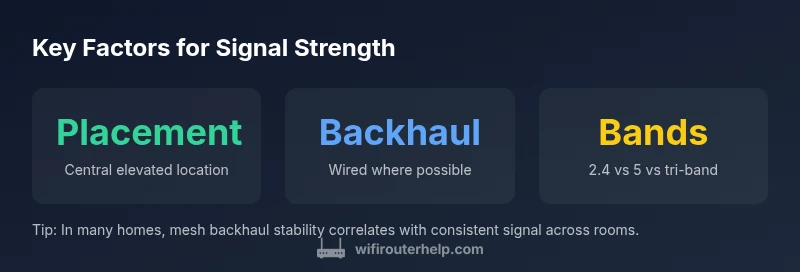
Key factors that influence signal strength
-
Coverage strategy: A centralized, elevated location reduces obstructions and improves line‑of‑sight paths to most rooms.
-
Frequency bands: 2.4 GHz travels farther but is more crowded; 5 GHz offers higher throughput but shorter range; dual- and tri‑band setups help balance both.
-
Backhaul: Wired backhaul (Ethernet) preserves backhaul capacity and reduces wireless contention; wireless backhaul can be sufficient in smaller homes.
-
Antenna design: More antennas and advanced beamforming can concentrate signal toward devices, improving perceived strength.
-
Interference and channel management: Auto channel selection, wider channels, and dynamic frequency selection help minimize overlap and noise.
-
Device compatibility: Older clients may not fully leverage newer standards; pairing older devices with modern routers can limit perceived strength.
Router types and how they affect coverage
Single-router setups can perform very well in small, open spaces, but performance often degrades behind walls or across multiple rooms. Mesh systems build a network of nodes that communicate with a dedicated backhaul path, delivering more uniform signal throughout a home. Tri-band routers add an extra high‑frequency band for backhaul, which can free up 5 GHz for device traffic, boosting throughput and reducing interference in dense environments. Wi‑Fi 6/6E devices improve efficiency and peak data rates, but real-world strength still depends on placement, backhaul, and neighboring networks. When you evaluate a model, look for features like intelligent routing, QoS controls, and a robust antenna array that matches your home’s size and wall composition.
Placement and environment tips to maximize signal
Center the router in a central, elevated location away from thick walls and metal appliances. Avoid placing it in cabinets or behind furniture that blocks signals. If you’re using a mesh system, place nodes with line‑of‑sight to each other and avoid stacking devices in corners. Use a wired backhaul where possible—this preserves wireless spectrum for devices. Minimize interference by choosing the least congested channel and enabling features like beamforming and range boosting. Consider upgrading to a system that supports mesh roaming and smart handoffs so mobile devices stay on the strongest node as you move through the house. Simple changes like raising antennas and clearing clutter around the router can yield noticeable gains in signal strength.
Real-world testing approach: how we measure signal strength
Signal strength in real homes is best assessed with practical tests rather than raw lab metrics. We evaluate RSSI/throughput across typical living spaces, measuring performance at common device positions (near couch, across hall, upstairs bedroom) and noting consistency over time. Our method favors repeatable tests with similar furniture layouts and wall materials to compare models fairly. We also compare 2.4 GHz and 5 GHz performance, examine how backhaul choices affect sustained throughput, and observe how devices reconnect when you move through the home. By focusing on reliability over distance, we paint a clearer picture of which routers offer the strongest signal where you actually use Wi-Fi.
Practical guidelines: choosing between mesh, tri-band, and conventional routers
Choose a mesh system for larger homes with multiple floors or thick walls to achieve even coverage. For mid-sized homes with moderate interference, a tri‑band router with strong backhaul is a practical upgrade from a basic router, delivering higher aggregate throughput without the complexity of a mesh. If you have a small apartment or a home with open layouts, a high‑quality traditional router may suffice, but ensure you optimize placement and enable advanced features. In all cases, check for features like QoS, guest networks, and easy firmware updates. The decision hinges on your floor plan, internet speed, and how many devices you routinely connect.
How to interpret specs: channels, MU‑MIMO, beamforming
Speeds and channels matter, but how they’re used matters more. A router’s advertised channel width (40 MHz, 80 MHz, 160 MHz) affects throughput and interference. MU‑MIMO and OFDMA help multiple devices share air time more efficiently, which matters for households with many connected devices. Beamforming directs signal toward active devices, which can improve perceived strength on phones and laptops. Remember that real-world results depend on the proximity and obstacles between the router and client devices, not just the published specs.
Common myths about strongest wifi signal
Myth: a higher wattage or more antennas automatically means stronger signal everywhere. Reality: placement, backhaul, interference, and device mix determine real-world strength. Myth: Wi‑Fi 6/6E is always strongest. Reality: support matters, but coverage in your home depends on architecture and environment. Myth: Mesh systems are always better than traditional routers. Reality: for small homes, a single router with optimal placement may outperform a multi-node setup if configured well.
Step-by-step setup for maximizing signal in a typical home
- Map your space and identify dead zones. 2) Start with the best central location and elevate the router; 3) Enable backhaul feeding (wired if possible) and activate beamforming; 4) For larger homes, add a mesh node or upgrade to a tri‑band router with proper QoS; 5) Run a quick signal survey at typical spots and adjust the placement as needed.
Comparison of router setups
| Router Type | Typical Coverage | Backhaul Requirement | Pros | Cons |
|---|---|---|---|---|
| Single Router | Good on open floors | N/A | Simple setup, cost-effective | Coverage gaps in large homes |
| Mesh System | Excellent multi-room coverage | Wired backhaul preferred | Consistent signal, scalable | Higher upfront cost |
| Tri-band Router | Strong across mid-size homes | Backhaul via 5 GHz band | Fast throughput, flexible | Potential interference if misconfigured |
People Also Ask
What router has the strongest wifi signal?
There isn't a universal strongest router; signal strength varies by space and setup. A mesh or tri-band system with good backhaul and thoughtful placement often delivers the strongest indoor signal in real homes.
There isn't a single strongest router; it depends on your space. A mesh or tri-band system usually provides the strongest indoor signal when placed well.
Does a mesh system always beat a traditional router for signal strength?
In larger or obstructed homes, mesh typically offers more uniform coverage. In small, open layouts, a well-placed traditional router can be competitive or even superior.
Mesh often wins for coverage in bigger homes, but a good traditional router can be enough in small spaces.
How does backhaul influence signal strength?
Backhaul saturation reduces device throughput and overall stability. Wired backhaul preserves wireless capacity and generally improves signal integrity across the network.
Backhaul quality matters a lot for overall signal strength and reliability.
Can upgrading to Wi-Fi 6/6E improve signal strength?
Upgrading can improve efficiency and capacity, which often translates to better usable signal in busy homes. However, coverage gains depend on network design and device compatibility.
Wi-Fi 6/6E helps with capacity and reliability, not just range, depending on your setup.
What steps maximize signal in an apartment?
Place the router centrally, minimize interference, and consider a compact mesh or a strong router with tuned settings. Use wired backhaul if possible.
Center placement and reducing interference usually yield the best apartment Wi‑Fi.
“Strong indoor Wi-Fi isn't solved by chasing a single model; it requires a coherent network strategy that prioritizes consistent coverage and reliable backhaul.”
What to Remember
- Install central, elevated hardware to maximize coverage
- Mesh or tri-band systems typically outperform single routers in larger homes
- Backhaul quality is critical for sustained signal strength
- Placement and interference control remain key even after upgrading