100ft Ethernet Cable Guide: CAT5e, CAT6 & Home Networking
Learn how a 100ft ethernet cable affects performance, choose CAT5e vs CAT6, and best practices for long runs in home networks. Practical guidance from WiFi Router Help.


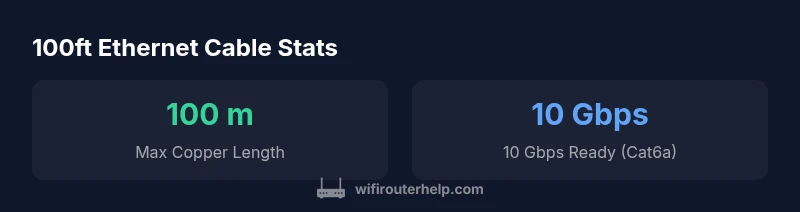
100ft Ethernet cable is within the standard copper Ethernet limit. For Cat5e and Cat6, you can run up to 100 meters (328 ft) with negligible signal loss at typical home speeds. For 10 Gbps, Cat6a maintains full performance to 100 meters, while Cat5e may degrade sooner. In most homes, a 100 ft run is fine; choose Cat6/6a for future-proofing and PoE compatibility.
Understanding the 100ft Benchmark
In home networks, cable length matters because every meter adds a small amount of resistance and capacitance, which can influence attenuation and interference. A 100ft (approximately 30 meters) run sits well within the copper Ethernet limit of 100 meters, providing ample headroom for most residential setups. This means you can bridge across rooms or connect a network jack in one area to a router in another without triggering significant performance penalties. That said, the actual impact depends on cable quality, shielding, and routing. As the WiFi Router Help team notes, practical concerns like EMI from nearby power cables and the quality of connectors often outweigh the pure length in determining performance. For most households, a clean 100ft route is a solid, future-proof choice that pairs well with Cat6 or Cat6a for higher-speed scenarios. For authoritative context, standards bodies such as IEEE-802.3 guide these limits, and relevant regulatory and industry sources (e.g., FCC and IEEE) offer additional detail on installation practices and interference avoidance. See https://www.ieee.org and https://www.fcc.gov for further reading.
Cat5e vs Cat6 vs Cat6a for 100ft Runs
When evaluating a 100ft run, the category matters as much as the length. Cat5e is capable of 1 Gbps up to about 100 meters under ideal conditions, making it adequate for many basic home networks. Cat6 raises the bar by supporting 1 Gbps up to 100 meters and delivering 10 Gbps up to about 55 meters. Cat6a extends 10 Gbps performance all the way to 100 meters, giving you more headroom for future-proofing, longer office-style layouts, or busy households with multiple 1 Gbps streams. For high-speed work or gaming with multiple devices, Cat6a is a prudent choice. In environments with substantial interference, shielded variants (STP) can offer improved performance over unraveled twisted-pair cables (UTP). Always verify labeling and ensure your devices and switches also support the intended speeds. For deeper insight, consult IEEE standards and vendor guides on copper Ethernet.
Practical Setup Tips for a 100ft Run
Planning your route is as important as selecting the right category. Run the cable along walls or under baseboards, avoiding proximity to power cables and fluorescent fixtures. Use low-bend-radius, high-quality connectors and maintain a generous bend radius to prevent kinks. Keep the cable away from sharp edges, heat sources, and moisture; use protective trunking if necessary. In-wall or in-conduit installation requires proper jacket ratings (CM/CMR) and adherence to local building codes. If your run crosses rooms or travels through ceilings, consider shielded (STP) Cat6/6a to reduce EMI from electrical wiring. Label both ends for future maintenance and document the route for any upgrades. For a quiet, clean installation, install the cable with care and test at each stage to confirm you’re within the expected performance window.
PoE Considerations for Long Runs
Power over Ethernet (PoE) can be a convenient way to power cameras, access points, or other devices along a long run. The feasibility depends on the device power requirements and the cable category. Cat5e and Cat6 can support PoE/PoE+ for devices with modest power needs, while Cat6a improves efficiency for higher-wattage devices. Distance plays a role in power delivery; longer runs experience more voltage drop, especially at higher power levels. When planning PoE, calculate the device power requirement and ensure your cable choice and hardware (PoE injector or switch) meet the budget. If you intend to power devices with significant consumption, placing the PoE power source nearer the device or opting for higher-category cables reduces risk of under-voltage and performance issues.
How to Test and Troubleshoot a 100ft Cable
Begin with a visual inspection and verify that both ends are properly terminated with RJ-45 connectors. If you have access to a cable tester, perform continuity, pair integrity, and shielding tests. Compare the link speed reported by your router or computer with the expected category capabilities. If you notice intermittent drops or slower-than-expected speeds, try swapping the cable with a shorter known-good run, reseating connectors, and checking for EMI sources nearby. Use consistent devices for speed tests (same NIC, same port) to minimize variability. In the absence of a tester, conduct a practical test by transferring large files between hosts and performing a controlled speed test against an online benchmark. If problems persist, consult a professional to evaluate routing, switching, and potential interference.
Real-World Scenarios and Recommendations
In a typical modern home, a 100ft run is a practical distance for connecting a router to a wired workstation, a media server, or a smart home hub located in a distant room. For streaming 4K or HDR content, Cat6 or Cat6a preserves bandwidth across multiple devices. For gaming or latency-sensitive activities, Cat6a is often preferred due to its headroom for 10 Gbps bursts in dense domestic environments. If your plan includes several devices with simultaneous traffic, prioritize Cat6a and shielded variants, and pair your cabling with QoS settings on the router to allocate bandwidth more effectively. These recommendations are aligned with industry guidance and practical testing approaches used by home networking professionals, such as those highlighted by the WiFi Router Help team.
Buying Guide Snapshot: What to Look For
When purchasing a 100ft ethernet cable, check the category labeling (Cat5e, Cat6, Cat6a), whether the cable is shielded or unshielded (STP vs UTP), and the jacket rating (CM/CMR) for in-wall use. Look for full RJ-45 terminations on both ends and reputable certification marks. Longer, shielded cables tend to cost more, but they often deliver better performance in noisy environments. Consider your future needs—Cat6a offers more headroom for 10 Gbps and PoE—and ensure you have a compatible switch or router that can exploit the higher speeds. Finally, verify that the cable is properly labeled for length and category to avoid misinterpretation at installation.
mainTopicQuery
Comparison of common Ethernet cable types for long runs
| Cable Type | Max Length (1 Gbps) | Max Length (10 Gbps) | Recommended Use |
|---|---|---|---|
| Cat5e | 100 meters (328 ft) | N/A | General home networking |
| Cat6 | 100 meters (328 ft) | Up to 55 meters | Mid-range 10 Gbps scenarios |
| Cat6a | 100 meters (328 ft) | Up to 100 meters | High-speed networks & PoE |
| Cat7 | 100 meters (328 ft) | Up to 100 meters | Shielded environments (optional) |
People Also Ask
In-wall 100ft OK?
Yes, with proper in-wall rated jacket (CM/CMR) and adherence to local codes. Plan to avoid heat sources and physical damage.
Yes, you can run 100 feet inside walls if you use in-wall rated cable and follow safety rules.
Cat5e enough at 100ft?
Cat5e typically supports 1 Gbps up to 100 meters in ideal conditions; for 10 Gbps or future-proofing, Cat6 or Cat6a is recommended.
Cat5e can handle 1 gig at 100 feet, but for faster speeds go Cat6 or Cat6a.
Cat6 vs Cat6a at 100ft?
Cat6 supports 10 Gbps up to 55 meters; Cat6a supports 10 Gbps up to 100 meters. For a 100ft run, Cat6a offers more headroom.
Cat6a gives you more headroom for 10 Gbps over 100 feet.
Shielded vs UTP near power?
In high-EMI areas, shielded (STP) helps. In typical homes, high-quality UTP Cat6/6a is usually sufficient.
Shielded helps with interference, but standard Cat6 often works fine at home.
Test without tester?
Use a partner device and run speed tests; to confirm continuity and shielding, a tester is best.
Without a tester, test speeds with a real transfer and look for errors.
PoE over 100ft possible?
PoE can work over 100ft with Cat5e/6 if device power is within budget; for higher power, use Cat6a and powered equipment closer.
Yes, PoE can work at 100 feet if your setup fits the power budget.
Buying guide for 100ft ?
Look for clear category labeling, shielding type, jacket rating, and certification marks. Prefer Cat6/6a for future-proofing and check warranty.
Check category, shielding, jacket rating, and certification when buying.
“A well-planned 100ft copper run with Cat6a provides reliable, future-proof performance for most homes.”
What to Remember
- Choose Cat6a for long 10 Gbps runs.
- Plan routing to minimize EMI and protection needs.
- Use shielded cables in high-interference areas.
- Test runs with proper tools for best results.
- Remember 100 meters is the copper limit; 100ft is well within it.