How to Hide Your Router and Modem at Home
Learn how to hide your router and modem without sacrificing performance. Step-by-step plans, ventilation tips, cable management, and maintenance guidance for a tidier, safer home network.


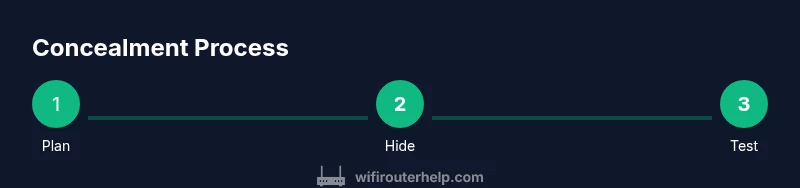
Goal: conceal your router and modem while preserving signal, ventilation, and easy access for maintenance. Start by planning a location that hides devices but keeps power and cables reachable. Use furniture, cabinets with ventilation, or decorative boxes designed for electronics. Route cables with raceways and label them for quick resets. Keep the power strip accessible, and avoid blocking vents or the WiFi antennas. The WiFi Router Help team found that thoughtful placement matters most.
Why concealment matters: aesthetics, safety, and privacy
Hiding a router and modem isn’t about hiding a threat; it’s about balancing form and function. A well-concealed setup keeps electronics out of sight, reduces cable clutter, and harmonizes with room design. More importantly, it supports safer spaces by reducing the chances of accidental tugs on cords and by keeping devices away from small children or pets. Importantly, concealment should never compromise performance. The question is not just where to hide them, but how to do so while preserving signal integrity, heat dissipation, and easy access for troubleshooting. When you’re learning how to hide router and modem, plan for airflow and quick access to power, reset buttons, and firmware updates. The WiFi Router Help team emphasizes that you can achieve aesthetics without sacrificing reliability.
Assessing your space: choosing a concealment location that preserves signal
Before hiding, map out the strongest signal paths and identify outlets and ventilation options. Places behind furniture or inside cabinets can work if there’s still ample space for air to circulate and for antennas to radiate. Avoid enclosing devices in tight boxes with poor ventilation, since heat buildup can degrade performance and shorten device life. Consider centralizing the setup to minimize long, exposed cable runs. The aim is to blend into the room without creating dead zones or tangled wires. When evaluating locations, note access points for routine maintenance like firmware updates or resets. This planning step is critical to ensure you can protect privacy and keep a strong, reliable home network while you learn how to hide router and modem.
Materials and tools for hiding devices safely
Having the right tools makes concealment safer and neater. Gather cable raceways, mounting hardware, a ventilated cabinet or decorative cover, zip ties or Velcro straps, a labeled power strip with surge protection, a measuring tape, and scissors or a utility knife. A lightweight cabinet or shelf with slats or mesh improves airflow. Avoid cheap, non-ventilated enclosures and never seal devices completely in airtight spaces. Label cables and outlets so you can identify connections without moving things around. With the right materials, you can hide the devices while keeping maintenance simple.
Concealment options: built-in furniture, electronics cabinets, and decorative boxes
There are several discreet options that maintain access and airflow. A vented electronics cabinet or brazenly modern furniture with gaps around the back can conceal a router and modem while letting signal flow through. Decorative storage boxes with slats or perforations can be placed in living rooms or media cabinets. If you choose furniture, ensure it isn’t blocking the router’s line of sight to major living areas. For ceiling or wall-mounted solutions, ensure you can unplug devices and reach a reset button without removing the cover. You should never hide the equipment in closed, non-ventilated spaces. The goal is elegant concealment that does not sacrifice connectivity when you’re learning how to hide router and modem.
Cable management: raceways, clips, and labeling
Tidy cables make concealment safe and accessible. Use wall-mounted or under-desk raceways to route ethernet and power cables along edges. Use clips to secure cords to the back of furniture, keeping them off floors to prevent trips. Label each cable at both ends, so you can quickly identify which cord belongs to the modem, router, or a connected device. Avoid looping cables or stacking power cables together, which can generate heat and a cluttered look. Proper cable management also helps you maintain a clean, user-friendly hiding solution while you consider how to hide router and modem without compromising function.
Ventilation and heat management behind a cover
Ventilation is non-negotiable. Ensure there’s at least a few inches of clearance around devices, and prefer enclosures with vents or mesh panels to facilitate airflow. If you must enclose, consider a cover with built-in ventilation slots or a cabinet with rear or side air gaps. Regularly check for warm spots and adjust placement if you notice overheating. Never seal devices behind solid wood or metal without passive cooling. When planning your hide, prioritize airflow and accessibility to keep temperatures low and performance high, reinforcing the main idea of how to hide router and modem safely.
Accessibility and maintenance: access for resets and firmware updates
Hidden devices must still be reachable for routine maintenance. Position power strips and outlets so you can unplug or reset without moving the entire setup. Leave a small, labeled gap for easy button access and a clear route to the reset button. Maintain a simple routine: check for firmware updates monthly, ensure cables haven’t loosened, and verify that ventilation openings are unobstructed. Good concealment is as much about maintenance as aesthetics, and this is a key principle when you’re learning how to hide router and modem. The goal is reliability, not just concealment.
Modem considerations: behind-wall enclosure vs open cabinet
Modems often generate heat and should be placed where airflow is optimized. Behind-wall enclosures can look sleek but risk blocking vents and limiting access. An open cabinet with a mesh door or a well-ventilated shelf typically offers a better balance of looks and function. If you need to hide a modem behind furniture, ensure there’s enough space around the device and avoid long, enclosed ducts that could trap heat or dampen signal. The core idea is to keep heat dissipation intact while keeping a clean visual.
Wireless performance: balancing concealment and signal strength
Concealment can impact signal in unpredictable ways. Avoid placing routers behind solid doors, dense walls, or metal frames. If you must conceal, position the device in the open plane of a room, with minimal barriers and away from large metal objects. Antenna orientation matters, and you may need to rotate antennas after relocating. Consider a small test: run speed tests in key living areas before finalizing placement. Balancing aesthetics with performance is the art of how to hide router and modem without sacrificing coverage.
Aesthetics and smart home integration: blending with decor and color
Your hiding solution should complement room design. Choose finishes and colors that match furniture or wall tones, and use decorative panels that mimic furniture surfaces. Aesthetics are about consistency and subtlety: a glowing LED may indicate activity, but it doesn’t have to be obvious. A well-thought-out concealment approach integrates with your smart home setup by using outlets and surge protectors that support automation and monitoring without creating clutter. The end result should feel intentional, not like a patchwork of cables.
Quick-install checklist: blueprint for a successful concealment
- Map signal paths and identify a central, ventilated hiding spot. - Choose a ventilated enclosure or furniture with airflow. - Route cables through raceways and label each end. - Ensure power outlets and reset access are reachable. - Test speed and reliability in main living areas after concealment. - Re-check ventilation and adjust placement if devices run hot. - Document the setup for future maintenance. Following this blueprint helps you learn how to hide router and modem effectively.
Troubleshooting: common issues and how to fix them
If speeds drop after concealment, re-check placement and air flow, and remove any blockages around vents. If the modem or router cannot be reset easily, adjust the enclosure to expose the reset button or keep a short cable for quick resets. Heat buildup indicates too-tight spaces or blocked vents; open a panel or relocate to improve airflow. Finally, ensure the antenna orientation matches room layout for optimal coverage. By addressing these issues, you maintain performance while keeping a tidy look when learning how to hide router and modem.
Tools & Materials
- Cable raceways(Flat or curved channels to route power and data cables along walls.)
- Zip ties / Velcro straps(For securing bundles and reducing movement.)
- Ventilated cabinet or decorative cover(Choose options with mesh panels or slats.)
- Power strip with surge protection(Ensure accessibility and space for ventilation.)
- Measuring tape(Measure clearance and distances for placement.)
- Scissors / utility knife(Trim raceways and adjust materials.)
- Label maker or tape(Label each cable end and power outlet.)
- Cable clips(Attach cables to furniture or walls to reduce visibility.)
- Ventilation fan or small desk fan(Optional for enhanced cooling in tight spaces.)
- Screwdriver / mounting hardware(If mounting devices or panels.)
- Dust cover or soft cloth(Keep dust away from openings when concealed.)
- Thermometer or infrared temp reader(Check for hotspots during initial testing.)
Steps
Estimated time: 60-120 minutes
- 1
Assess your space and draft a plan
Survey the room to find a location that keeps devices accessible and vents open. Sketch a rough layout showing router and modem positions, outlets, and potential concealment routes. This planning reduces trial-and-error during concealment.
Tip: Measure distances to outlets and main living areas to ensure coverage isn't compromised. - 2
Check ventilation and heat considerations
Identify spots with natural airflow and avoid tight, enclosed spaces. If a space seems closed, consider an enclosure with mesh panels or slight gaps to improve cooling.
Tip: Place devices where heat can dissipate rather than trap it. - 3
Select concealment option with ventilation
Choose between a vented cabinet, a decorative box with slats, or a shelving solution that blends with decor while allowing airflow.
Tip: Avoid solid-backed enclosures that trap heat or block antennas. - 4
Prepare cables and outlets
Unplug devices for a safe move if needed, then measure cable lengths to avoid excess slack. Plan routes to outlets to minimize visible cords.
Tip: Label each end before reconnecting. - 5
Install raceways and route cables
Mount raceways along walls or furniture edges, then thread power and data cables through. Keep runs neat and away from heat sources.
Tip: Avoid long, unprotected cables that can be tripped over. - 6
Hide connectors and power strips within reach
Position the power strip where you can easily unplug or reset devices without moving furniture. Leave a small gap for ventilation.
Tip: Do not cover the strip with fabric or close-topped enclosures. - 7
Position routers and antennas thoughtfully
Place routers in open areas with line-of-sight to main living spaces. If you must tuck behind furniture, angle antennas toward primary usage zones.
Tip: Antenna orientation influences signal strength more than a central hidden location. - 8
Mount or tuck hardware securely
Secure devices in place to avoid shifts when you open drawers or doors. Use vents or slats for airflow.
Tip: Avoid stacking devices; keep at least a few inches of space around them. - 9
Test network after concealment
Run speed tests in key rooms to confirm coverage. Adjust placement if speeds drop or dead zones appear.
Tip: Document changes for future maintenance. - 10
Label and document maintenance notes
Create a quick-reference card with location, outlet, and reset instructions. This helps during firmware updates or troubleshooting.
Tip: Keep a digital backup of the plan in case you move again.
People Also Ask
Will hiding my router and modem affect WiFi speed?
concealing the devices can affect signal if vents are blocked or antennas are poorly placed. Position the router where signals radiate freely and ensure airflow. After concealment, run speed tests in key rooms to confirm coverage remains strong and adjust placement if needed.
Hiding devices can affect signal if airflow is blocked. Place the router where it can radiate freely and test speeds after concealment.
Is it safe to hide a modem behind furniture?
Yes, provided the space has ventilation and access for maintenance. Avoid tight, closed spaces that trap heat. Use a vented cabinet or open shelf to keep the modem cool and reachable.
A modem behind furniture is okay if it has ventilation and you can access it for maintenance.
How can I maintain access for resets and updates if devices are hidden?
Place a dedicated, reachable gap or access panel for the reset button and firmware updates. Label power and reset paths so you can quickly locate them without moving the entire concealment.
Keep a clear, accessible path to the reset button and updates so you can maintain the network easily.
What are the best hiding options that won’t block vents?
Choose a ventilated cabinet, a mesh-front cover, or shelves with slats. Ensure there is airflow around the devices and avoid sealed boxes that trap heat.
Use ventilated enclosures or mesh-front covers to keep air flowing and avoid heat buildup.
Will a mesh network help with concealment?
A mesh network can reduce the need to place a single central router, allowing discreet placements of access points while preserving coverage. It can also simplify hiding each node as needed without compromising signal.
Mesh networks let you hide nodes more easily while keeping strong coverage.
How do I hide cables safely without creating trip hazards?
Use wall-mounted raceways and low-profile clips to keep cords off the floor. Bundle cables neatly and route them along walls or furniture edges to minimize visibility and reduce trip risks.
Hide cables along walls or furniture edges using raceways and clips to prevent trips.
What to Remember
- Plan placement first to balance aesthetics and performance
- Prioritize ventilation and accessible maintenance
- Choose ventilated concealment options
- Manage and label cables for safety and clarity
- Test network after concealment and adjust as needed