Can You See Browser History in Router: A Practical Guide
Discover whether home routers store browser history, what data they typically log, and actionable steps to protect your privacy. Learn how to read router logs, manage DNS settings, and safeguard your network.


Can you see browser history in router? In most home networks, the answer is no. A consumer router typically does not store full URLs you visit. It may log which devices are connected, how much data is transferred, and DNS lookups. Some routers with parental controls or advanced firmware can log visited domains, but full history remains on each device or the ISP gateway.
Can You See Browser History in Router
Can you see browser history in router? In most home networks, the straightforward answer is no. A consumer router typically does not store full URLs you visit. Instead, it logs metadata such as which devices connected, timestamps of connections, data volumes, and DNS lookups. The distinction is important for privacy: you do not get a page-by-page record from the router alone. According to WiFi Router Help, understanding what a router can reveal about your browsing is essential for privacy. For most households, the browser history remains on the device where you used the browser, or on the VPN/ISP gateway if privacy features are in place. This separation helps prevent every click from becoming visible in a single centralized log.
What Logs Do Routers Typically Keep?
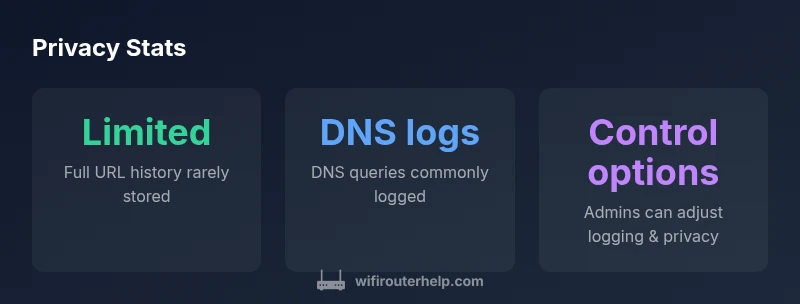
Routers usually maintain several categories of records. Device connection logs show when a device connected or disconnected and for how long. Traffic counters quantify data usage by device and sometimes by protocol. DNS query logs appear when the router acts as a DNS resolver or proxies DNS requests to your ISP or a configured DNS service. URL-by-URL histories are uncommon unless the firmware includes a specific feature (paralleling parental controls or advanced monitoring). The key takeaway is that most consumer devices store metadata about activity, not a complete history of web pages visited.
DNS, URLs, and Privacy: What It Means for You
Understanding the distinction between DNS logs and full URL histories is crucial. A DNS log records which domains were looked up, not the exact pages visited. If your router is set to log DNS traffic, you may see domains like example.com, but not the exact article or page title. Privacy-conscious users may enable DNS-over-HTTPS or DNS-over-TLS to encrypt queries, reducing the router’s visibility into browsing activity. Bear in mind that some routers also store per-session data or device IDs for troubleshooting, which can still reveal patterns about when and how devices are used. The bottom line is that browser history is usually not surfaced in detail by a typical home router.
How to Check Your Router Logs
To inspect what your router records, log in to the admin interface using the router’s IP address (common defaults are 192.168.0.1 or 192.168.1.1). Navigate to sections labeled System Log, Logs, or Traffic Monitor. Review entries for device connections, DNS queries, and any error messages. If your firmware supports exporting logs, save them for offline review. If you don’t see logs, your device may not be logging activity, or logging may be disabled by default. Always ensure you have a strong admin password before changing settings.
How to Protect Your Privacy on a Home Network
Protecting privacy starts with understanding what data is collected. Disable DNS logging if you don’t need it, or switch to a privacy-friendly DNS provider and enable DNS-over-HTTPS where available. Use a guest network for visitors to isolate devices from your main network. Keep firmware up to date to minimize security flaws. Consider enabling firewall features and disabling UPnP if you don’t rely on it. For sensitive activity, use encrypted connections (HTTPS, VPN) on the devices themselves, since the router cannot fully replace individual device privacy controls.
Practical Scenarios: When Logs Matter
- If you suspect a device is misbehaving or infected, router logs can help identify unusual connection patterns or large data transfers. - For households with parental-controls enabled, the router may log domain access to enforce rules, which is different from a complete history of pages visited. - In multi-user homes, centralized logs can aid network management, but privacy-conscious users should balance visibility with respect to personal browsing data.
Common Mistakes That Expose Privacy
Avoid relying on default router assumptions about privacy. Do not leave admin credentials unchanged, leave UPnP enabled by default, or use outdated firmware. Enable encryption where possible and educate all users about safe browsing habits. Remember that many routers capture metadata even when full history is not stored, so privacy depends on device configuration and the services you use.
What router logs typically include
| Data Type | Stored On | Can be viewed in admin panel | Notes |
|---|---|---|---|
| Full browser history | No | No | Typically not stored by consumer routers |
| DNS queries | Yes | Yes | Depends on provider/firmware and settings |
| Device connection logs | Yes | Yes | Shows when devices connect/disconnect |
People Also Ask
Can a router save my full browsing history?
Usually no; routers generally do not store full URLs, but some logging of DNS queries or domain lookups may exist depending on the firmware. The actual pages you visit are typically stored on the device or by the ISP gateway.
No, routers generally don’t save full browsing histories; you may see DNS queries or domain lookups depending on the firmware.
What can I see in my router’s logs?
You can typically see which devices connected, when they connected, and DNS queries. Some logs also show traffic totals or errors. Full page-by-page activity is not standard.
You’ll usually find device connections and DNS queries, not complete pages visited.
How do I view router logs?
Log access varies by firmware. Look under Administration or System Log in the router’s web interface, or consult the documentation for your model. If available, export logs for offline review.
Open the router admin panel, then find the logs section for viewing or exporting.
Can I clear or disable logs?
Many routers let you clear logs or disable certain logging features, including DNS logging. Review the logs and privacy settings carefully before making changes.
You can often clear logs or turn off some logging, but check your model’s guidance first.
What about DNS-based parental controls?
DNS-level controls may log visited domains to enforce rules. Enable parental controls if needed, but be aware this increases visibility into browsing activity at the network level.
Parental controls at the DNS level can show domains accessed, not every page visited.
How can I protect my privacy on my home network?
Use encrypted connections (HTTPS), enable DNS-over-HTTPS, keep firmware updated, and consider a separate guest network. Individual devices should also use privacy-friendly settings and secure passwords.
Protect privacy with HTTPS, DNS over HTTPS, updated firmware, and strong passwords.
“Most consumer routers do not store complete browser histories. They typically log metadata like connections and DNS requests, not full URLs.”
What to Remember
- Review router logs to understand what data is collected
- Full browser histories are rarely stored at the router level
- DNS logs reveal domains, not full pages; use DoH/DoTLS for privacy
- Regularly update firmware to protect privacy and security
- Use separate guest networks and strong passwords to minimize exposure