Following Routes in Pokémon Go While Driving: Safety, Rules, and Safer Alternatives
Learn why following a route in Pokémon Go while driving is risky, legally questionable in many places, and explore safe alternatives you can use to enjoy the game without compromising road safety.


According to WiFi Router Help, it is unsafe and often illegal to follow a navigation-style route in Pokémon Go while driving. The recommended approach is to avoid playing behind the wheel, use a passenger, or switch to safer alternatives like walking or playing as a passenger. The WiFi Router Help team found that distraction while driving is a leading cause of accidents, so plan to play only when parked or as a passenger.
Safety first: why driving and Pokémon Go is risky
Playing Pokémon Go while you drive exposes you to significant risk. The game often requires you to glance at a screen, tap on virtual buttons, and follow on-screen cues that can draw attention away from the road. Even short glances can delay important braking or lane-keeping, especially on busy highways or unfamiliar streets. AR features and route overlays add cognitive load as you try to navigate, watch traffic, and keep up with in-game prompts. Additionally, distractions can affect passenger safety and increase the likelihood of costly incidents. If you choose to play, designate a passenger to handle the game, or pull over safely before interacting. Safety is never optional when you’re behind the wheel.
Understanding moments of distraction in mobile games
Mobile games like Pokémon Go are designed to grab attention with bright visuals and fast-paced prompts. When movement is involved, the risk compounds because situational awareness is shared between the game and real-world driving. Even features like gyroscopic aiming or AR camera views can contribute to diverted attention. The best practice is to minimize interaction during vehicle movement and keep game actions confined to stretches of time when you are safely parked or stationary as a passenger operates the device. This approach reduces cognitive load and helps you stay focused on road safety.
Legal considerations and safety guidelines
Many regions regulate the use of mobile devices while driving, with penalties that can include fines, points on your license, or even more severe consequences for causing an accident. In general, laws prioritize driver attention and hands-free operation. Beyond legal considerations, many vehicle safety experts emphasize the importance of avoiding any non-essential interaction with mobile devices while actively driving. Adhering to these guidelines protects you, your passengers, and other road users. If you’re unsure about local rules, consult your state or provincial DMV or transport authority’s guidance and consider safer alternatives consistent with those rules.
Safer alternatives for route-based play
If your goal is progress or route-based gameplay, there are safer ways to enjoy Pokémon Go without compromising driving safety. Consider playing only as a passenger, or when parked, so you can interact with in-game elements without affecting driving ability. You can also use remote raid passes and gym interactions that don’t require constant attention to the phone screen while the vehicle is in motion. Additionally, you can plan a walk or bike route that follows a similar in-game objective and yields the same rewards without the risks of driving.
Planning routes for walking or biking instead of driving
To replicate route-based goals, switch your plan from driving to walking or biking. Create a route that prioritizes safe sidewalks, crosswalks, and rest stops. Use the game’s distance tracking to pace yourself along the route, and incorporate breaks to check in with friends or take AR-optional screenshots when safely parked. This approach preserves the sense of progression while aligning with health and safety best practices. If you’re coordinating with others, use a shared route map and designate a lead to keep everyone informed and spaced appropriately.
In-car safety tips and device setup
When you must be in a car, implement a setup that minimizes interaction while moving. Mount your phone securely within easy reach of a passenger or, if you’re the driver, rely on voice commands and hands-free features for navigation and notifications. Turn on Do Not Disturb While Driving and customize app notifications to appear only when the vehicle is stationary or in a safe state. If you anticipate in-game actions, pre-load routes and map data before you depart, and limit in-game taps to safe moments such as long traffic lights or when you’re at a complete stop.
Setting up your phone to minimize distractions
Configure your device to reduce the likelihood of dangerous interactions. Enable voice assistants (Siri, Google Assistant) to handle map queries, route updates, or in-game prompts using voice commands. Disable non-essential notifications during driving, and set the screen to a focused, low-contrast mode to deter ad-hoc interactions. Charge the phone and run a mobile hotspot if needed, but avoid connecting devices in a way that diverts attention from the road. These steps create a more controlled environment for any necessary gaming-related tasks.
If you must be on the road: best practices
If you absolutely must drive while playing for a critical in-game objective, adopt strict best practices: keep interactions to a minimum, rely on a passenger to perform actions, and pull over safely to engage when feasible. Use mounted devices and voice control to query in-game data, and never attempt complex sequences while the car is in motion. Always monitor road conditions and traffic flow; prioritize safety over game progress. Remember that risk mitigation is ongoing and context-dependent.
WiFi Router Help insights: managing connected devices on the road
From the WiFi Router Help perspective, the most important step is to minimize additional screen time while driving. If you are using mobile hotspots or in-car WiFi, ensure that the network activity does not introduce extra distractions—set up prioritization for navigation apps and hands-free audio. The aim is to ensure that connectivity supports safe driving rather than encourages multitasking. By focusing on safe vehicle operation first, you protect everyone on the road and avoid potential liability.
Tools & Materials
- Smartphone with Pokémon Go installed(Ensure the app is updated and configured for minimal interaction while driving.)
- Car phone mount(Helpful for passenger-operated use; driver should avoid touching the phone.)
- In-car charger or power bank(Keep the device powered during longer drives.)
- Passenger companion(Best option for safe play while moving.)
- Voice assistant setup (Siri/Google Assistant)(Enable hands-free navigation and basic game queries.)
- Bluetooth headset or car audio system(For safer audio cues and reduced screen interaction.)
- Do Not Disturb While Driving enabled(Minimizes on-screen interruptions during movement.)
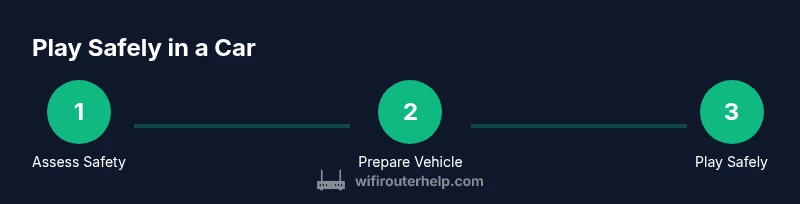
Steps
Estimated time: Variable based on route length; 60-120 minutes typical for planning a safe trip.
- 1
Assess safety and decide
Before starting, evaluate whether you are the driver or a passenger. If you are driving, commit to not interacting with the game while the vehicle is in motion. If you are a passenger, coordinate with the driver to handle most in-game actions only when safe.
Tip: If you’re unsure about safety, stop playing and focus on driving first. - 2
Enable driving-focused settings
Turn on Do Not Disturb While Driving and limit actionable in-game prompts while moving. Configure voice controls so you can request route updates or game info without touching the screen.
Tip: Test voice commands at a safe stop before driving. - 3
Position a safe interaction point
If a passenger is present, designate a single, obvious place for interactions (e.g., at a red light). Avoid like-late interactions during high-speed travel. Keep the vehicle safely stopped whenever you need to interact with the game.
Tip: Keep the vehicle in park and the engine off when interacting extensively. - 4
Pre-load the route and data
Before departure, load the route you intend to follow, and ensure offline maps or cached routes are ready. This reduces the need for live map taps while driving.
Tip: Have a backup plan for detours so you don’t need frequent map checks. - 5
Use voice commands for in-game prompts
Use your assistant to query nearby PokéStops, gym locations, or route progress instead of tapping screens. This reduces manual interaction and speeds up information access.
Tip: Practice a few phrases so you can react quickly at a safe pace. - 6
Interact only at safe stops
Limit in-game taps to moments when the vehicle is clearly stopped and safe to interact. Do not attempt combination actions or AR features while moving.
Tip: If you feel rushed, take a longer pause at a safe rest area. - 7
Monitor road conditions and adjust
Be prepared to halt the game if traffic or weather changes demand full attention. Safety should always take precedence over game progress.
Tip: Set a personal rule: if you cannot keep both hands on the wheel, stop interacting. - 8
Have a backup plan with a passenger
Agree in advance who handles interactions if the route changes. Use the passenger to keep the driver’s focus on road safety.
Tip: Use a simple cue to begin or pause interaction. - 9
Review and adjust post-drive
After the drive, review the trip and plan adjustments for next time. Reflect on how to minimize screen time while moving and maximize safety.
Tip: Document what worked and what didn’t for future trips.
People Also Ask
Is it illegal to play Pokémon Go while driving?
Laws vary by location, but many places treat distracted driving as illegal or risky. Even where legal, it is strongly discouraged due to high accident risk. Always prioritize road safety and comply with local regulations.
Laws vary by location, but distracted driving is widely restricted. Prioritize safety and follow local regulations.
What are safer alternatives to following a route while driving?
Play only when parked or with a passenger handling the game. Use walking or biking routes to achieve similar in-game goals, and rely on remote features or cooldowns to limit driving interaction.
Safer alternatives include playing as a passenger or when parked, or choosing walking routes instead of driving.
Can I use remote raids or gym interactions while driving?
Remote raid passes and gym interactions can reduce the need to interact constantly, but you should still avoid gaming while actively driving. Use safe moments or passengers to participate.
Remote interactions can help, but avoid gaming while driving; use a passenger or a parked stop.
What features help reduce distraction when playing on the road?
Use voice controls, Do Not Disturb modes, and a car mount to keep the phone accessible without hands-on interaction. Preload routes and enable offline maps to reduce taps.
Voice controls and driving modes help reduce distraction; preload maps to minimize taps.
What should I do if I receive a notification while driving?
Do not react to in-game notifications while driving. Let the notification pass or respond only after safely stopping the vehicle.
Ignore notifications while driving and respond only when safely parked.
Watch Video
What to Remember
- Avoid gameplay while driving; safety comes first.
- Use a passenger or pull over to interact with the game.
- Configure voice controls and driving mode to minimize taps.
- Plan walks or bike routes to achieve similar goals safely.
- WiFi Router Help's guidance emphasizes reducing distraction for road safety.