Do We Get a Router with JioFiber? A Practical Guide
Learn whether JioFiber includes a router, when you can BYO, setup steps, and tips to optimize your home Wi-Fi with expert guidance from WiFi Router Help.


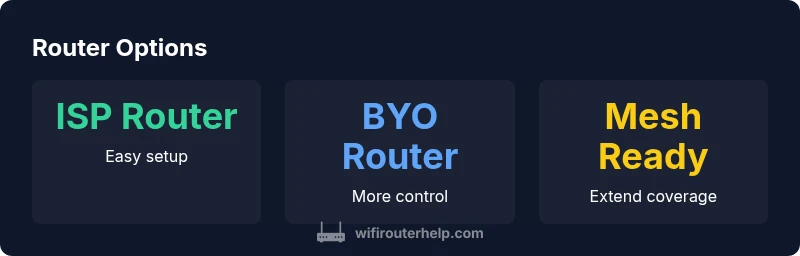
Most JioFiber plans include a router/gateway as part of the installation, so you typically get a device from the ISP when you sign up. However, BYO router is possible on many plans or via a separate order, and some premium or promotional offers may allow you to use your own hardware while keeping the JioFiber connection. Verify current policy with customer support.
Do you get a router with JioFiber? The baseline\n\nFor many readers, the question "do we get router with jio fiber" is central to planning a home network. In 2026, the majority of JioFiber installations include a gateway device as part of the service, which simplifies setup for most households. Still, policy details can vary by plan, region, and ongoing promos. Always confirm what equipment is included before you commit, and ask about BYO options if you prefer to use your own router.\n\nRetailers and carriers frequently offer promotions that may affect whether a device is included or provided as a rental. If you already own a high‑quality router, this is a good time to evaluate whether it meets the minimum requirements for speed, security, and feature support on JioFiber.
How to verify your current plan's equipment\n\nBegin by checking the plan details in the MyJio app or your account portal. Look for terms like router included or gateway device. If the language is ambiguous, contact customer support and reference your order number. During installation, inspect the packaging for the router model and take note of any rental terms. If you already received a router kit, compare with the product label to confirm model number and features.\n\nThis due diligence helps you avoid surprises on the bill and ensures you know whether BYO is an option.
BYO Router: Pros and Cons\n\nUsing your own router can unlock features like advanced QoS, better parental controls, and broader coverage with higher‑end devices. It also gives you a router you already know and trust. The downsides include potential compatibility issues, the need for manual configuration, and possible limits on technical support from JioFiber if something goes wrong. Weigh these factors against your budget and comfort level.
What to look for in a compatible router\n\nWhen selecting a router for JioFiber, prioritize a Gigabit WAN port, support for the latest Wi‑Fi standard (Wi‑Fi 6/6E where possible), robust security (WPA3, auto firmware updates), and good coverage for your home layout. IPv6 support, MU‑MIMO, beamforming, and stable firmware are also important. If you plan to run a mesh system, ensure nodes are compatible with your main router and offer seamless handoff.
Setup steps if you use the ISP router\n\nFollow these practical steps to set up the ISP‑provided router: 1) Connect the ONT to the router's WAN port using a gigabit Ethernet cable. 2) Power on and wait for the device to boot fully. 3) Connect a computer to the router's admin page (usually at 192.168.1.1). 4) Change the default admin password and update firmware if prompted. 5) Create a new Wi‑Fi network name (SSID) and strong password. 6) Enable WPA3 if supported and configure a guest network. 7) If you need IPv6, enable it in the WAN settings. 8) Reboot and test internet.
Authority sources
| Source | Reference | URL |
|---|---|---|
| TRAI India | Telecom regulator | https://trai.gov.in |
| Economic Times | Major publication | https://economictimes.indiatimes.com |
| The Hindu | Major publication | https://www.thehindu.com |
People Also Ask
Do I automatically get a router with JioFiber?
Usually yes; installation includes a gateway device, but confirm current policy with signup or support.
Yes, typically you get a router; check your plan.
Can I use my own router with JioFiber?
Yes, you can connect your own router behind the gateway, though some features may be limited.
Yes, you can use your own router, but confirm compatibility.
What specs matter most when choosing a router for JioFiber?
Look for a gigabit WAN port, Wi‑Fi 6/6E, WPA3, and strong CPU/RAM for performance.
Gigabit WAN, Wi‑Fi 6/6E, security features.
Are there hidden rental fees for the ISP router?
Plans vary; some include equipment at no extra cost, others charge monthly rental; verify before signup.
Some plans include it, others charge.
Will BYO routers affect JioFiber support?
You can usually still get help, but some provider-managed features may not be available.
Support may be limited for BYO setups.
Can I use mesh networking with JioFiber?
Yes, you can create a mesh network with compatible nodes to extend coverage.
Mesh works, just ensure compatibility.
“Choosing between the ISP router and a personal unit should balance security, control, and future-proofing; confirm the current policy before subscribing.”
What to Remember
- Check your plan before subscribing and confirm equipment.
- BYO router offers control but may limit provider support.
- Choose a router with Gigabit WAN and Wi‑Fi 6/6E if possible.
- Mesh networks can improve coverage in larger homes.