Is a Nighthawk Router Good? An In-Depth Review for 2026
In this analytical review, we evaluate the Nighthawk router lineup’s performance, setup, and value for home networks. Learn who benefits most, how to optimize settings, and how it stacks up against rivals for 2026.


Overall, a Nighthawk router is a strong choice for households seeking high performance and range, with robust QoS and gaming features. It tends to be more feature-rich but pricier than basic models. If you need fast Wi-Fi across multiple rooms and reliable VPN/streaming, it’s worth the investment. For most homes with heavy 4K streaming, online gaming, and smart home devices, the Nighthawk’s tri-band setups and QoS management help minimize buffering.
is a nighthawk router good
The question is a straightforward one for many homeowners: is a nighthawk router good enough to justify the premium? According to WiFi Router Help, the short answer is yes for households that push the limits of wireless performance. The Nighthawk line is designed to deliver strong coverage, flexible configuration, and advanced features that appeal to power users. The WiFi Router Help team found that the best-fit users are those with large homes, multi-story layouts, or setups that include high-bandwidth devices like 4K TVs, gaming consoles, and smart-home hubs. If your priorities are top-tier throughput, reliable VPN support, and granular control over network traffic, a Nighthawk model often earns merit. That said, “is a nighthawk router good” depends on price sensitivity and how much you value the extra features that come with premium models.
In practice, you should weigh three core questions: (1) how large is your home and how many devices will connect, (2) what internet plan you subscribe to, and (3) how much you’re willing to invest in features such as QoS, parental controls, and security options. A positive verdict hinges on aligning your needs with the model’s capabilities, rather than chasing the flashiest marketing promises. The goal is to match feature set with homework load, streaming quality, and latency tolerance in your specific space.
Core hardware and design
Nighthawk routers are built around high-performance wireless radios and a design that favors strong, stable signal propagation. The devices typically feature multiple antennas and a robust internal platform designed to balance speed and coverage. In practical terms, you’ll notice broad 2.4 GHz and 5 GHz performance with a lot of headroom for simultaneous streams. The design emphasis is on minimizing dead zones and maintaining consistent performance as you step from room to room. For households with a mix of devices—phones, laptops, smart speakers, and IoT sensors—the adaptive beamforming and network optimization help keep latency low and speeds steady across the home.
From a hardware perspective, the Nighthawk line emphasizes scaling via additional devices or multi-SSID configurations. If you’re curious about architecture, think of it as modular in spirit: you get strong core traffic handling, plus the option to expand via Ethernet backhaul or mesh where necessary. The trade-off is that premium models often carry higher upfront costs, but that investment can translate into easier setup and more durable performance in real-world environments.
Performance scenarios: range, speed, and interference
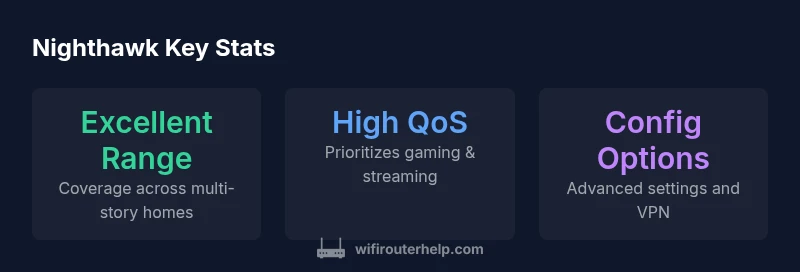
To understand real-world performance, it’s essential to consider home layout and interference sources. In open-plan spaces, a single Nighthawk router typically covers a large area with solid throughput on both 2.4 GHz and 5 GHz bands. In multi-story homes with thick walls, you may still experience dead zones unless you place the unit centrally and away from metal appliances. The brand’s advanced QoS features help prioritize gaming and 4K streaming when the network is busy, reducing jitter and buffering during peak hours. Interference from neighboring networks can degrade performance; in crowded neighborhoods, selecting optimal channels and enabling auto-channel selection can mitigate this effect.
For homes with smart devices, a robust router like Nighthawk often holds up well because of its capacity to handle many concurrent connections without a dramatic drop in speed. The practical takeaway is to test placement in a few rooms and observe signal strength charts, rather than relying on theoretical peak speeds alone. In short, the Nighthawk can deliver excellent performance in typical residential environments, but achieving that performance depends on thoughtful placement and configuration.
Setup and initial configuration: getting online fast
Setting up a Nighthawk router is typically a straightforward process, aided by a mobile app and a guided web interface. Start by connecting the device to your modem, powering it up, and following on-screen prompts to create a network name (SSID) and password. The app often provides step-by-step tips, plus real-time diagnostics to verify that you’re getting a stable connection. For many users, the app makes changes easy, including enabling guest access, configuring parental controls, and updating firmware. If you run into issues, a quick factory reset can resolve misconfigurations, but you should preserve your settings if possible so you don’t lose custom port forwards or QoS rules.
From a usability standpoint, the setup experience is generally smooth, especially when you’re primarily using a smartphone to configure settings. More advanced users can dive into port forwarding, VPN configuration, and advanced QoS rules to tailor performance to their unique needs.
QoS, gaming, and streaming optimization
One of the strongest selling points for Nighthawk is its QoS and traffic management. You can prioritize gaming packets to reduce latency during competitive play, allocate bandwidth to important streaming devices, and ensure smart home devices don’t starve for bandwidth during peak hours. In practice, enabling QoS yields noticeable improvements when the network is congested, particularly in households with several high-bandwidth devices.
For gamers, enabling low-latency modes and ensuring the console or PC sits on a prioritized path can lead to smoother frame rates and fewer interruptions. For streaming, ensuring that 4K devices stay within a high-priority lane helps maintain stable picture without buffering. The practical tip is to tailor QoS profiles to your device types and typical usage patterns, then test performance during busy times to confirm the gains.
Security, updates, and reliability
Security is a critical consideration for any home router, and Nighthawk models generally provide a solid baseline with frequent firmware updates, firewall settings, and standard user authentication options. Keeping the firmware up to date is essential to protect against emerging threats and to benefit from performance improvements. Reliability hinges on consistent performance under load; the right model can maintain robust connectivity for many devices without overheating or throttling. For most homes, enabling automatic updates and using strong admin credentials are non-negotiable steps.
In practice, you should also review the default security posture, enable features like secure guest networks, disable UPnP if you don’t need it, and regularly audit connected devices. A well-maintained router reduces security risks and contributes to stable long-term performance.
Benefits
- Strong high-bandwidth performance for demanding homes
- Robust QoS for gaming and streaming
- Flexible configuration and app-based setup
- Good coverage with multiple antennas
- Good security options and regular updates
The Bad
- Premium price point compared to entry-level routers
- Firmware quirks can appear after updates
- Setup and optimization may require some technical familiarity
- Mesh expansion may be needed for very large homes
Strong choice for performance-focused homes; consider budget and space before buying
The Nighthawk line offers solid coverage, advanced QoS, and robust security features. It suits homes with heavy streaming and gaming, but the premium price and occasional firmware quirks mean it’s worth comparing against mid-range options based on your space and needs.
People Also Ask
Is a Nighthawk router good for a small apartment?
Yes, a mid-range or entry-level Nighthawk model can provide solid coverage in a compact space. The key is to avoid overspending on features you won’t use. Prioritize a model with reliable performance and straightforward setup.
Yes, for small apartments you can get dependable performance with a mid-range Nighthawk.”
How does Nighthawk compare to other brands in speed and features?
Nighthawk routers typically offer strong performance and more customization options than budget rivals, with advanced QoS and security features. They are often pricier, but the feature set can justify the cost for power users.
Nighthawk usually leads in features and customization but costs more.
Can I use a Nighthawk router with fiber internet?
Yes. A Nighthawk router connects to a fiber modem or gateway like any other router. Ensure your internet plan’s speed aligns with the router’s capabilities and consider wired backhaul for maximum performance.
Yes, it works with fiber as the gateway behind the modem.
Do Nighthawk routers support VPNs?
Most Nighthawk models support VPN server or client configurations. The setup can be more advanced, so check the specific model’s documentation for compatibility and steps.
Yes, but you may need to follow model-specific setup steps.
What are common setup issues and how to fix them?
Common issues include firmware update failures, incorrect WAN settings, and channel interference. Resolve them by updating firmware, rechecking WAN settings, repositioning the router, and performing a reset if necessary.
If it misbehaves, try a firmware update and a quick reset.
What to Remember
- Assess your home size before buying
- Enable QoS to prioritize gaming/4K streaming
- Budget for premium pricing and updates
- Use the app for quick setup and monitoring
- Plan a mesh upgrade if you have a very large, multi-story home