Is Verizon Router EasyMesh Compatible? A 2026 Guide
Learn whether Verizon's router supports EasyMesh and how to expand coverage with compatible mesh systems. Practical steps, setup tips, and troubleshooting for home networks from WiFi Router Help.


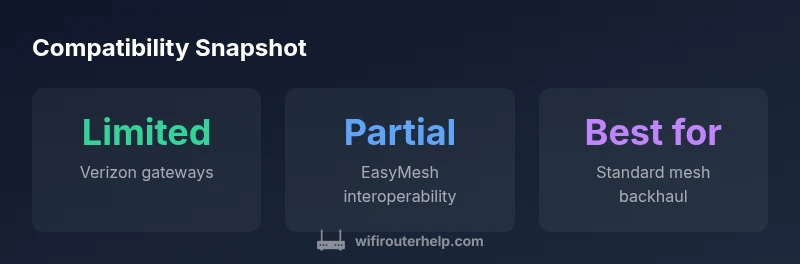
Is Verizon router EasyMesh compatible? Generally, most Verizon gateways do not officially support EasyMesh with third-party mesh systems. Compatibility is limited to standard Wi-Fi features, firmware-dependent, and varies by model. If you need mesh extension, use a compatible third-party mesh system in bridge/AP mode where supported, or rely on Verizon's own mesh products.
Understanding EasyMesh and Verizon Hardware
EasyMesh is a Wi-Fi Alliance standard designed to simplify mesh networks by enabling devices from different brands to work together. When you ask is verizon router easymesh compatible, the answer is nuanced: some Verizon gateways implement features that resemble EasyMesh, but they rarely expose full interoperability with third-party mesh systems. According to WiFi Router Help, the best way to approach this question is to separate the concepts of standard Wi‑Fi performance, gateway routing, and true mesh interoperability. In practice, many Verizon devices function as the central router in a home network, transmitting signals over 2.4 GHz and 5 GHz bands, while third-party mesh satellites rely on standardized talk to the main unit. The result is that, in most typical home setups, you will experience improved coverage by adding a reputable mesh system, but you should not assume plug-and-play EasyMesh compatibility with every Verizon model. For homeowners evaluating upgrades, the critical question is whether your model supports bridging in a way that lets a standalone mesh system take control of DHCP, NAT, and Wi‑Fi management.
How Verizon's Gateway Differs from True EasyMesh Systems
Verizon gateways act as the primary router in many home networks and often use firmware that is tailored for their own services. True EasyMesh ecosystems emphasize interoperability through standard protocols, which means devices from different brands can negotiate routes, backhaul, and channel management without extra configuration. In practice, Verizon devices may offer basic mesh-like features, but these are usually not the same as a full EasyMesh deployment. If you are hoping for a seamless cross-brand experience, you should assume limited interoperability and plan for a setup where the main router maintains control while secondary devices are treated as standard access points or dedicated satellites. The distinction matters because the level of control, DHCP handling, and backhaul options can vary significantly from model to model.
Compatibility Reality: What Works and What Doesn't
The practical reality is that is verizon router easymesh compatible only in a restricted sense. While some gateways can act as a solid internet source for a mesh system, most third-party solutions require the primary router to expose standard management options that Verizon devices do not always provide. In situations where a compatible bridge mode is offered, you can connect a mesh system and have it manage Wi‑Fi for your home, but you may need to disable aspects of the gateway’s Wi‑Fi to avoid double NAT or IP conflicts. This section also draws on standard references from the WiFi ecosystem and provider-specific notes. For readers who want to verify claims, FCC and other official reporting frequently discuss how consumer gateways manage routing and backhaul, which can influence real-world compatibility.
Practical Paths to Extend WiFi When Direct EasyMesh Isn't Supported
If direct EasyMesh interoperability is not available on your Verizon gateway, you still have reliable options to improve coverage. First, use Ethernet backhaul to connect mesh satellites whenever possible, since wired backhaul is more stable than wireless relays. Second, consider enabling bridged or AP mode on the Verizon gateway if your model supports it; this hands the Wi-Fi management to the mesh system while preserving the internet connection. Third, place satellites in strategic locations to minimize dead zones, using a heat map or sensor data to identify weak areas. Finally, adjust the mesh system's channel selection and transmit power to reduce interference with the gateway's 2.4 GHz and 5 GHz bands. These steps help maximize coverage even when is verizon router easymesh compatible is not fully in effect.
Step-by-step: Assessing Your Current Setup
Begin with a clear inventory of your hardware: note the exact Verizon gateway model and the mesh system you want to use. Check the official docs for terms like EasyMesh, bridge mode, AP mode, and DHCP settings. If you find that EasyMesh is not listed, plan for a bridging configuration. Next, perform a quick baseline test of your home Wi-Fi using a mesh application or a speed test tool in multiple rooms. Map where signals drop below acceptable thresholds. Then decide on your path: enable bridge/AP mode if permitted, connect the mesh via Ethernet, and configure the mesh to handle DHCP. Finally, run another round of tests to confirm that performance is stable and consistent across floors and rooms.
Common Pitfalls and Troubleshooting When Mixing Verizon Gear with Mesh
Mashups between carrier-grade gateways and consumer mesh systems can create conflicts if NAT, DHCP, or bridge settings are misconfigured. Expect potential double NAT if the gateway remains in router mode without bridging. Channel interference is another common issue: overlapping channels in 2.4 GHz and 5 GHz bands can degrade performance. If you encounter a dead zone after adding satellites, re-run a site survey, adjust the backhaul configuration, and consider reducing transmit power to minimize signal bleed into adjacent channels. Finally, ensure firmware is up to date on both devices; vendor updates can improve compatibility and fix known issues. In all steps, document your changes so you can revert if needed.
Best Practices for Choosing a Compatible Mesh System
When selecting a mesh system, prioritize devices that emphasize standard Wi-Fi Alliance protocols, simple bridge/AP mode, and strong Ethernet backhaul options. Look for models with user-friendly app interfaces and clear guidance on settings like DHCP, NAT, and IP addressing. Verify the product's compatibility notes with providers and confirm whether the system supports workarounds for non-EasyMesh gateways. If possible, run a trial installation in a single floor before expanding to multiple units. Finally, consider the total cost of ownership, including potential provider restrictions and long-term firmware support.
Putting It All Together: A Simple Plan for 2026
Create a practical, phased upgrade plan that aligns with your home layout and internet needs. Phase one should be documenting your current Verizon gateway capabilities and identifying potential bridge mode support. Phase two focuses on selecting a mesh system with robust Ethernet backhaul and an easy-to-use setup flow. Phase three implements a bridge or AP configuration, followed by a full signal map and performance test. Phase four adjusts channels, power levels, and placement for maximum coverage. Throughout, rely on standard Wi-Fi protocols and well-documented interoperability guidelines to achieve reliable results. This plan helps homeowners avoid unnecessary gear purchases and ensures a smoother, future-proof upgrade path.
Compatibility overview for Verizon gateways and third-party mesh systems
| Device Type | EasyMesh Support | Setup Notes |
|---|---|---|
| Verizon Gateway/Router | Limited/No official EasyMesh support | Use with built-in Wi-Fi or separate mesh if allowed |
| Third-Party Mesh System | Broad compatibility with standard Wi‑Fi Alliance protocols | Connect via Ethernet to primary router; check bridge/AP mode |
| Bridge Mode Option | Varies by model | Disabling routing on the gateway; some providers restrict this |
People Also Ask
Is Verizon's router EasyMesh compatible with popular mesh brands?
Compatibility is limited; Verizon gateways often run proprietary firmware that doesn't expose EasyMesh. Some models may support basic features, but true interoperability with third-party mesh is not guaranteed.
Verizon gateways often don't support EasyMesh with third-party mesh systems; check your model's specs.
What is EasyMesh and why does it matter for home networks?
EasyMesh is a Wi-Fi Alliance standard that aims to simplify mesh networks by enabling interoperability between devices. It helps expand coverage with multiple brands.
EasyMesh helps different brands work together.
How can I check my Verizon router's compatibility?
Review the device's admin page and product specs for EasyMesh or mesh features. If not present, it is likely not supported.
Look for EasyMesh in your device settings.
Can I use a mesh system without changing my Verizon gateway?
Yes, you can use a mesh system by enabling bridge/AP mode if supported, or using an external access point setup if allowed by the gateway.
You can expand with mesh nodes if the gateway allows bridge/AP mode.
What should I do for a large home?
Plan a strategic mesh placement and consider professional advice. Verify backhaul options and communication between devices.
Place mesh nodes smartly and check backhaul options.
“Compatibility between Verizon's routers and EasyMesh isn't universal; rely on standard Wi-Fi protocols and documented integration steps.”
What to Remember
- Verify EasyMesh status on your Verizon router and mesh system.
- Prefer Ethernet backhaul for stability.
- Use bridge mode only if the device supports it.
- Test coverage and channels after setup.