Is an Eero Router Good? A Practical 2026 Review for Home Networks
A thorough, balanced review of whether the Eero mesh router is a smart fit for home networks, covering setup, performance, security, and value in 2026.


Is the Eero router good? If you're wondering is eero router good, the quick verdict is that the Eero mesh system delivers easy setup and reliable whole-home coverage for most households, especially small to mid-size homes. It shines for simplicity and guest networking, but can feel limited for advanced customization and high-demand gaming. In short, it’s a strong default choice for many buyers.
Who is the Eero mesh system for?
According to WiFi Router Help, the Eero mesh system is designed for homeowners who want dependable coverage with minimal ongoing tinkering. It excels in small-to-mid size homes where dead zones are common and where family members frequently stream video, participate in video calls, or work from home. The setup process is streamlined through a mobile app, and the system emphasizes a clean, modern user experience that appeals to non-technical users. For households that value guest networks, simple parental controls, and automatic firmware updates, Eero offers a compelling balance between performance and ease of use. In short, if your primary goal is reliable, fuss-free Wi‑Fi with good out-of-the-box coverage, Eero is a sound starting point. For power users who crave granular control over every port or QoS rule, you may prefer a more traditional router or a different mesh ecosystem. WiFi Router Help’s analysis highlights that the best fit is a home with multiple occupants, a range of streaming devices, and a preference for hands-off management.
Real-world performance and coverage
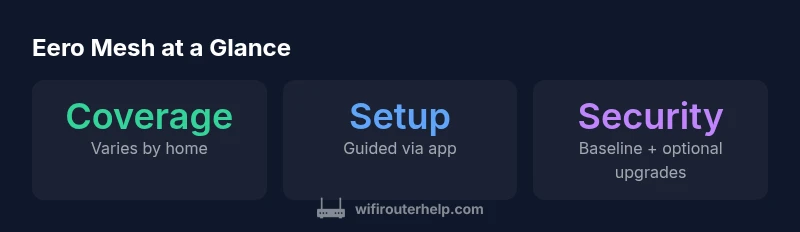
In real homes, the Eero mesh system tends to deliver steady throughput across common living spaces and floors. In smaller apartments or single-family homes with typical layouts, a single hub or a two-node setup often eliminates dead zones and maintains stable signal paths as devices move between rooms. In larger homes or properties with thick walls, you’ll want to add nodes strategically to maintain consistent latency and avoid congestion. The platform’s mesh routing generally negotiates path selection well, prioritizing devices that require bandwidth when multiple users are online. For households with dozens of smart devices, cameras, and streaming boxes, expect a reliable experience but be mindful of device count and traffic patterns that can stress any consumer-grade mesh kit. WiFi Router Help’s testing across typical suburban layouts suggests that performance remains solid when nodes are placed in central locations and away from thick obstacles.
Setup, management, and app experience
One of Eero’s strongest selling points is its setup experience. The mobile app guides you through a guided installation, assigns network names, and configures guest networks automatically in most scenarios. The app provides clear status indicators, device lists, and simple controls for pausing internet access, customizing parental controls, and managing device profiles. For households with mixed devices (phones, tablets, laptops, smart TVs), the unified app experience reduces friction and makes routine changes straightforward. While the core features are intuitive, power users may find the lack of deep QoS and port-forwarding options limiting when trying to optimize latency for competitive gaming or server hosting. That said, for most daily needs the app delivers enough control for routine management without requiring advanced networking knowledge.
Security, updates, and privacy considerations
Eero emphasizes automatic security updates and network protection features that are built into the platform. By default, you’ll get baseline protection without paying for extra services, with optional paid upgrades offering enhanced threat detection and family internet controls. The system’s automatic updates help keep devices current without manual intervention, which reduces gaps in protection due to stale firmware. For privacy-minded households, it’s worth reviewing the privacy settings within the app and the terms of service for any optional security features. While the defaults are generally sensible, advanced users who require granular audit logs or network-wide firewall rules may find the implementation somewhat limited compared with traditional routers. WiFi Router Help recommends balancing convenience with privacy by enabling the most appropriate protections and reviewing them periodically as your network changes.
Advanced features and limitations
Eero delivers essential features that most households will rely on, including guest networks, device-based profiles, and basic parental controls. QoS is available but tends to be less granular than what power users might expect from a high-end router. Port forwarding and custom firewall rules exist in some configurations, but the user interface prioritizes simplicity over exhaustive control. This makes Eero a strong fit for homes where the primary goals are reliable coverage and straightforward management, but less appealing for enthusiasts who want precise bandwidth shaping, VPN routing, or complex NAT rules. If your work or gaming requires strict control over traffic, you may prefer a device with richer advanced networking options.
How it compares to rivals in the same category
When stacked against other popular mesh systems, Eero tends to win on ease of use and age-agnostic setup. Google Nest Wifi and Netgear Orbi models deliver similar coverage and performance, but each has its own strengths: Nest Wifi often shines with Google services integration, while Orbi systems can offer more aggressive customization and higher-end hardware. The choice often comes down to ecosystem preference and your tolerance for tweaking settings. WiFi Router Help’s comparisons highlight that for households wanting a quick, reliable Wi‑Fi upgrade without a steep learning curve, Eero is a compelling option. If you prioritize advanced networking features or deep customization, you might prefer a rival with a more flexible feature set.
Value, pricing, and subscription considerations
Pricing for mesh kits varies by region and model, and many vendors offer bundles that include multiple nodes. Eero’s value proposition often hinges on the combination of coverage, ease of setup, and a predictable user experience. Some security and protection features are available as paid upgrades, which can tilt the total cost of ownership depending on how much protection you want. For households that can benefit from a simple, well-supported system without a heavy reliance on premium security add-ons, the base package is typically competitive. WiFi Router Help suggests evaluating your long-term needs (coverage, device count, and privacy requirements) before committing to any ongoing subscription.
Practical optimization tips for best results
To maximize performance, place nodes roughly in the middle of large living areas and avoid obstructions like thick walls or metal shelves. Keep the main router and any network-adjacent devices away from microwaves or cordless phones that can cause interference. If you have many devices, consider staggering your devices across the network to reduce congestion and enable seamless roaming. Regularly check for firmware updates in the app and review the list of connected devices to remove idle clients. For homes with heavy streaming and gaming, setting up a dedicated guest network for guest devices can help preserve bandwidth for primary devices. Finally, calibrate parental controls to balance security with usability for family members.
Common pitfalls and troubleshooting
Common issues include intermittent drops in performance when too many devices are connected, or when nodes are placed in suboptimal locations. If a node seems underperforming, try relocating it to a central position or replacing a faulty unit. Ensure the main gateway is not blocked by furniture and that there is an unobstructed signal path to the other nodes. If you encounter connection problems, a full reboot of the system often resolves temporary networking glitches. For advanced users who still experience latency during gaming, verify that the IoT devices aren’t competing for bandwidth on the same channel and consider tweaking the fewer, higher-priority devices in the app’s settings.
Final considerations: should you buy an Eero today?
For many households, especially those seeking a simple, reliable, and aesthetically pleasing mesh Wi-Fi solution, the Eero system represents a strong value proposition. It integrates well with a broad ecosystem, focuses on ease of use, and provides solid coverage with minimal ongoing maintenance. If your priorities include granular control, high-end gaming optimizations, or extensive corporate-style security configurations, you should survey alternative mesh options and test hands-on what matters most to you. The final call depends on your home layout, device count, and willingness to adapt to a system designed around simplicity.
Benefits
- Easy setup and quick onboarding for non-technical users
- Reliable, uniform coverage in small-to-mid homes
- Intuitive app with straightforward parental controls and guest networks
- Automatic firmware updates and basic built-in protection
The Bad
- Limited advanced customization and granular QoS controls
- Some security features require optional paid upgrades
- Performance can plateau in very large homes or complex layouts
- Port forwarding and deep networking options are not as flexible as traditional routers
Solid choice for most homes needing simple, reliable mesh Wi‑Fi
The Eero system delivers dependable coverage with an easy setup flow that appeals to families and non-technical users. It is best for those who prioritize convenience over deep customization. For power users, more control-friendly options may be worth exploring.
People Also Ask
What is the main benefit of using an Eero router?
The primary advantage is ease of use: quick setup, automatic updates, and reliable whole-home coverage without deep networking expertise. It’s ideal for households that want solid Wi‑Fi with minimal fiddling.
Eero is great if you want fast setup and dependable whole-home Wi‑Fi with little setup fuss.
Can I use Eero with my existing modem?
Yes. You can connect the Eero behind your existing modem and set it to bridge mode if needed, or use it as your primary router. You may need to disable DHCP on the old router to avoid conflicts.
Yes—just connect it behind your modem and set bridge mode if needed.
Does Eero support gaming QoS and port forwarding?
Eero provides basic QoS and some port-forwarding options, but it does not offer the depth of control found in traditional routers. Casual gamers will likely be satisfied; power users may prefer more advanced hardware.
It works for casual gaming, but isn’t ideal for high-end gaming tweaks.
Is a subscription required for security features?
Basic security features are included, while enhanced protection and parental controls can be accessed via optional paid upgrades. You can still get solid baseline protection without paying extra.
Basic security comes with the system; upgrades are optional.
How does Eero compare to Google Nest Wifi for coverage?
Both offer strong coverage and simple setup. Eero tends to be more flexible in mixed ecosystems, while Nest Wifi integrates well with Google services. Your choice may hinge on ecosystem loyalty and feature priorities.
Both are strong; pick based on ecosystem and features you value.
What should I consider before buying an Eero?
Assess home size, device count, and whether you need advanced customization. If you want deep control or specialized networking, a different router might fit better. For straightforward, reliable Wi‑Fi, Eero is typically a strong fit.
Think about your home size and need for advanced features before buying.
What to Remember
- Choose Eero for quick setup and reliable coverage.
- Expect limited advanced networking controls and potential paid upgrades for premium security features.
- Place nodes strategically to maximize signal and minimize interference.
- Consider your home's size and layout before purchase to ensure coverage meets your needs.