Can You Get a Router Extender? A Practical Guide for Better Home Wi‑Fi
Learn if you can get a router extender, how to choose between range extenders and mesh systems, and a practical setup plan to improve Wi‑Fi coverage throughout your home.


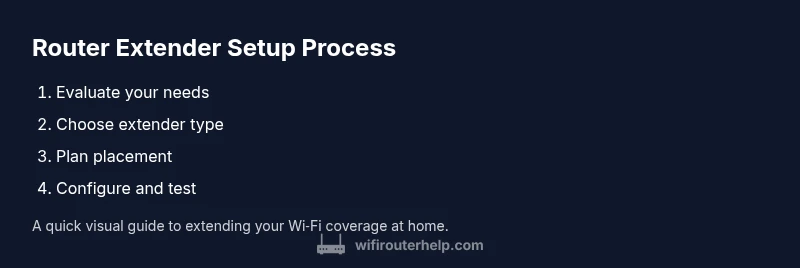
You’ll learn whether a router extender is right for you, how to choose between range extenders and mesh, and a practical setup plan to improve Wi‑Fi coverage around your home. Gather your current router model, power outlets, network name and password, and a browser for setup. This guide also covers placement tips and basic testing to verify results.
Do You Need a Router Extender?
If you’re wondering, can you get a router extender to solve weak signals in distant rooms, the answer is often yes—provided your home’s layout, walls, and interference are considered. According to WiFi Router Help, many homeowners underestimate how placement impacts performance. Even when you buy a capable device, placing it in the wrong spot can yield only marginal gains. A router extender (also called a range extender) repeats your current WiFi signal to extend coverage, but it creates a second network and may cut throughput if placed too far from the main router. For larger homes or multi‑story layouts, a mesh system may offer a more seamless experience, but a well‑placed extender can be a budget‑friendly, effective solution in many situations. In this guide we’ll help you evaluate your needs, compare types, and outline concrete steps to improve coverage without unnecessary complexity.
Types of Extenders and Alternatives
There isn’t a single “best” device for every home. The common options you’ll see include range extenders (repeater-style devices), mesh systems (a series of nodes that collaborate to blanket your space), and powerline adapters (using electrical wiring to carry the signal). Range extenders are often simpler and cheaper upfront, but you may encounter a separate SSID and potential speed loss at the farthest rooms. Mesh systems typically provide a more unified experience with a single network name and more consistent performance across larger homes, at the cost of higher price. Powerline adapters can help where Wi‑Fi signals have to pass through thick walls, but performance depends on electrical wiring and can vary. Start by mapping your space—concrete walls, stairwells, and large rooms can all affect signal paths. The WiFi Router Help team recommends noting dead zones, measuring signal strength in critical areas, and then matching your choice to those findings.
How to Decide If You Should Buy a Router Extender
To determine if you should buy a router extender, consider these practical questions: Do you have persistent dead zones that your current router can’t reach? Is your main router located far from commonly used spaces? Is upgrading to a higher‑performance router or adding a mesh system an alternative you’re willing to consider? If you answer yes to any of these, a router extender could be the quickest, most cost‑effective improvement. If your home has multiple floors and thick walls, a mesh network might yield more reliable, uniform coverage, but a single extender on a mid‑sized home can often close the gap well. WiFi Router Help’s approach is to align the device choice with your space, your budget, and your willingness to manage slightly separate networks when needed.
Placement Strategies and Setup Basics
Placement is the single most important factor in extender performance. Start by locating the extender within sight of the main router, ideally halfway, and ensure it can hear the router’s signal without being blocked by thick walls or large metal objects. A common rule is to place extenders in open spaces around 1–2 rooms beyond the edge of your current coverage. Avoid placing it behind furniture, in closed cabinets, or directly on the floor where signals get absorbed. Once powered, connect to the extender’s setup portal with a computer or phone, and follow the guided steps to connect it to your existing Wi‑Fi network. Unless your extender supports a true mesh mode, you’ll likely have to connect devices to either the main network or the extender’s network name. Keep in mind that some extenders support WPS for quick setup, but manual configuration through a browser often yields deeper control for security and optimization.
Configuration, Security, and Basic Optimization
After the physical setup, configure the extender to use the same SSID as your main network, if possible, or give the extender its own name to distinguish the two networks. Ensure you enable WPA2 or WPA3 security and set a strong, unique password for each network. Update the extender’s firmware to the latest version, and consider disabling old features that may not apply to your setup. For best results, run a quick speed test in rooms that previously had weak signals. If you notice significant latency or reduced bandwidth, reposition the extender closer to the main router or adjust antennas and band preferences if the device supports it. Regularly re‑test after firmware updates or placement changes to confirm sustained improvements.
Alternatives to Extenders: When a Mesh System May Be Worth It
If you find that a single extender doesn’t solve the problem, a mesh system could be a worthwhile upgrade. Mesh nodes are designed to collaborate, maintaining a single network name and a more uniform signal across large homes. While pricier, mesh systems can deliver smoother roaming, fewer dead zones, and simpler management through a single app. For some layouts—like long, multi‑story houses with many thick walls—a mesh setup often outperforms a single extender. If you’re on a tight budget, you can also explore adding another router in bridge or client mode to cover specific areas, but this adds configuration complexity and potential compatibility issues. The key is to choose a path that matches your home’s geometry and your tolerance for setup effort and ongoing maintenance.
How to Test, Verify, and Optimize Performance
Testing is essential to confirm that your changes improve real‑world Wi‑Fi. Use a mix of devices (phones, laptops, and tablets) to test speeds in primary living spaces, bedrooms, and offices. Take measurements at different times of day to account for interference from neighbors and other devices. Document the results and adjust placement if needed. If you’re still struggling, consider simplifying your network by consolidating credentials or upgrading to a higher‑quality router that supports newer standards. Remember that performance depends on multiple factors—distance, walls, interference, and device capabilities—and a well‑planned deployment usually offers the most reliable results. The ultimate goal is consistent coverage and sufficient bandwidth in critical areas.
Final Thoughts: Smart Decisions for Your Home Network
Choosing between a router extender, mesh system, or other solutions hinges on your space, budget, and how much you value seamless roaming. Start with a clear plan, place devices thoughtfully, and test thoroughly. With careful setup and ongoing maintenance, you can achieve robust, reliable Wi‑Fi throughout your home without unnecessary complexity. The WiFi Router Help team believes that informed decisions—not impulse buys—lead to lasting satisfaction in home networking.
Tools & Materials
- Router extender (range extender) or mesh node(Essential device to extend coverage; pick based on space and budget.)
- Power outlet near setup location(Extenders require power; plan a convenient location.)
- Smartphone or computer for setup(Used to access setup interface and place devices.)
- Web browser(Needed to configure settings on most extenders.)
- Network name (SSID) and password for the main router(Used to clone or extend your existing network.)
- Ethernet cable (optional)(Useful for initial wired setup or upgrades with some devices.)
- Pen and paper or notes app(For mapping dead zones and documenting settings.)
Steps
Estimated time: 45-75 minutes
- 1
Assess your current network needs
Identify where your signal is weak and which rooms are affected. Map dead zones by walking the house with a connected device and noting where speeds drop or signals fade. This helps determine whether an extender, mesh, or alternative solution is right for you.
Tip: Create a simple floor plan and annotate dead zones with notes on distance from the router. - 2
Choose the right extender type
Decide between a traditional range extender and a mesh system based on your home size, construction, and your desired user experience. Range extenders are often cheaper and easier to deploy, while mesh systems provide more uniform coverage for larger or multi‑story homes.
Tip: If your total area is under 2,000 square feet and you don’t mind managing two networks, a range extender may suffice. - 3
Check compatibility with your router
Ensure the extender supports your router’s Wi‑Fi standard and frequency bands. Some devices perform better with newer routers, and compatibility can affect speed and reliability.
Tip: Look for extenders that explicitly state compatibility with your router model family. - 4
Plan extender placement
Place the extender roughly halfway between the router and the farthest areas, avoiding obstructions like thick walls, metal appliances, and large furniture. Elevate the device off the floor when possible for better signal reception.
Tip: Avoid placing extenders behind doors or inside cabinets where signals can be blocked. - 5
Connect and configure the extender
Power up, connect to the setup portal, and follow the guided steps to link the extender to your existing network. Decide whether to use the same SSID or a distinct one for simpler management.
Tip: If your extender supports WPS, it can offer a quick setup option, but manual configuration often yields better results. - 6
Test coverage and optimize
Run speed tests in key rooms and adjust the placement if needed. Fine‑tune channel selection and security settings, and ensure firmware is up to date.
Tip: Perform tests at different times of day to account for interference. - 7
Secure and finalize your setup
Update firmware, set strong passwords, enable WPA2/WPA3, and review connected devices. Document the configuration for future reference and maintenance.
Tip: Schedule periodic checks for firmware updates and performance reviews.
People Also Ask
What is a router extender and how does it work?
A router extender repeats your existing Wi‑Fi signal to reach areas your main router can’t cover well. It often creates a second network name and can slightly reduce speed in far rooms. It’s a practical solution for smaller homes or targeted dead zones.
A router extender boosts coverage by repeating your signal, but it may create a second network name and can slow down devices farther away.
Range extender vs mesh system: which should I buy?
Range extenders are usually cheaper and simpler to set up but may result in two networks and uneven performance. Mesh systems offer seamless roaming and a single network but at a higher cost. Your choice depends on home size, budget, and how uniform you want coverage to be.
Range extenders are cheaper but may split your network; mesh systems are pricier but smoother across larger homes.
Can a router extender cover an entire multi‑story home?
It can help, especially when placed strategically, but success depends on layout and wall materials. For very large or dense homes, consider a mesh system for more consistent coverage across floors.
A single extender can help a multi‑story home, but you might need multiple devices or a mesh system for uniform coverage.
Will using an extender slow down all my devices?
Throughput may decrease for devices connected to the extender due to the signal repeated by the device. The impact varies by distance, interference, and device capabilities. Testing helps you understand real‑world speeds.
Using an extender can lower speeds for devices connected to it, depending on distance and interference.
Should I clone the same SSID as my main network?
Using the same SSID can make roaming feel seamless, but it may require manual roaming optimization. Giving the extender a distinct name can simplify management and troubleshooting.
You can use the same network name, but a separate name makes it easier to tell which device is connected to which network.
Are extenders safe to use with modern security settings?
Yes, provided you enable strong security (WPA2/WPA3), keep firmware up to date, and regularly review connected devices. Avoid default passwords and disable features you don’t use.
Extenders are safe if you enable strong security and keep devices updated.
Watch Video
What to Remember
- Assess dead zones before buying
- Choose extender type based on space and needs
- Place devices strategically for best coverage
- Test after setup and adjust as needed
- Keep firmware up to date for security and stability